Guild icon
EmoTracker
Support / customization-support
JSON schemas for many types are available. https://emotracker.net/developers/schemas/items.json https://emotracker.net/developers/schemas/layouts.json https://emotracker.net/developers/schemas/locations.json There is also a composite schema available at https://emotracker.net/developers/schemas/all.json but it requires a certain amount of context to exist in the file before it can reliably determine which type of data you are editing. Please refer to the schemas before asking questions about available attributes. Additional supporting files and examples can be found at https://emotracker.net/developers/sdk/emotracker_sdk.zip
Avatar
Candide 2017-12-06 19:52
is it possible to have custom default pins? like pinning all the dungeons by default?
Avatar
Zurai 2018-01-24 07:47
Where are the images stored for the "items.json" file? I saw some items being defined like
// Bombos { "name": "Bombos", "type": "progressive_toggle", "stages": [ { "img": "images/0007.png", "codes": "bombos" }, { "img": "images/0117.png", "codes": "bombos,mm_medallion" }, { "img": "images/0120.png", "codes": "bombos,tr_medallion" }, { "img": "images/0123.png", "codes": "bombos,mm_medallion,tr_medallion" } ] },
07:48
and I was curious if you could do the same with, for example ocarina + shovel, and make custom images to show the different stages depending on what you pick up
Avatar
fylion 2018-01-24 08:05
The 'packs' folder has a bunch of zip archives (one for each tracker pack). Each of those archvies has an 'images' folder that holds the pictures, and that's what's being referenced in items.json.
08:06
If you add your own pictures to that folder, you can reference them in items.json as well.
Avatar
Zurai 2018-01-24 08:06
so I would have to unzip it, add new images, and zip it again with the same name?
Avatar
fylion 2018-01-24 08:08
I think that will work. But if a new version of the pack gets pushed out, that might get rid of the images you added.
Avatar
Zurai 2018-01-24 08:09
hmm I see
08:10
maybe you can define your "own package"?
Avatar
fylion 2018-01-24 08:10
Yeah, I did. To do my shovel/flute combination I copied the zip and renamed it. But if you do this you also have to update the manifest.json file and give the cloned pack a different name.
08:11
Also, you don't technically need to re-zip it. From what I've seen and read, EmoTracker will read from folders and from zip files in the 'packs' folder.
Avatar
Zurai 2018-01-24 08:11
interesting
08:11
thanks for help cirLove
Avatar
fylion 2018-01-24 08:12
Good luck!
Avatar
EmoSaru 2018-01-24 10:44
Those paths are pack relative, so they are coming from the images folder inside the pack, most likely from the zip file if you are using overrides. They can be overridden by adding an images folder inside the override folder for the pack.
10:44
Literally any file in a pack can be overridden by putting the file in the right relative path inside the override directory.
10:45
Creating your own pack is also an option if you’re doing more significant overrides and don’t care about auto-updating.
Avatar
fylion 2018-01-24 11:00
Oh cool, didn't realize the override directory worked for everything. That will make it easier to still get updates pushed.
Avatar
EmoSaru 2018-01-24 11:05
Yeah, the override folder is literally just a file-system overlay on the pack, and overrides are handled at the file-access level in the app. If the app/pack tries to load a file and it is found in the override folder, that version will be loaded preferentially. (edited)
sakuLove 1
Avatar
fylion 2018-01-24 11:14
I wish my enterprise tools were this easy to configure.
Avatar
EmoSaru 2018-01-24 11:31
Hehe
Avatar
fylion 2018-01-24 12:24
What are all the different types of items? I see: Progressive Toggle Consumable progressive_toggle Any others?
Avatar
EmoSaru 2018-01-24 12:33
That’s the current set
12:33
If you have suggestions for other types, I’m all ears
Avatar
fylion 2018-01-24 12:40
The one that comes to mind is Regressive
12:41
For counting down how many chests are left in a place (when not using a map tracker)
12:41
But I'm also comfortable just reversing the counting order myself in images.
Avatar
EmoSaru 2018-01-24 12:44
For progressives, I’d just reverse the stages
12:45
For consumables, I would add that as an option
Avatar
fylion 2018-01-24 12:46
Yeah don't go adding it in for me. I just asked on the off chance it was already in there
Avatar
EmoSaru 2018-01-24 12:47
Adding options for initial count and and making decrement the primary action for consumables is really easy though
12:47
And I have a patch in development now, so I’ll probably roll that in
Avatar
fylion 2018-01-24 22:29
Hell of a turnaround on that feature. Thanks so much.
Avatar
EmoSaru 2018-01-24 22:30
Small features generally equal "fast" for me
22:31
In this case, you also benefitted from @Fouton (PugHUD) providing a concrete example of a horrifying layout bug that I needed to fix ASAP 😃 (edited)
Avatar
fylion 2018-01-24 22:31
thx fouton
Avatar
JRJathome 2018-01-24 22:35
So what causes the bug? I made the change in my Link's Awakening pack, but saw no difference.
Avatar
EmoSaru 2018-01-24 22:50
FYI, you have to restart the tracker to fix it
22:51
Or to see the effect
22:51
Basically, there was an implicit, extra margin of 5 pixels in all directions being applied to itemgrid elements with no margin set. If you did set a margin, that margin would be doubled.
22:52
I found and eliminated that margin, but it will screw with peoples' layouts, a bit more or less depending on what they've done
22:52
So it's opt in right now
Avatar
fylion 2018-01-27 10:54
So, I added another column to my KS tracker, for tracking chests-per-dungeon. That counter works great. But the cells with 2-digit numbers are significantly wider than the 1-digit numbers and it throws things out of whack:
10:54
(When the numbers go below 10 they start lining up well, of course)
10:56
I've tried changing the h_alignment for that itemgrid to both "center" and "left" and it doesn't have a noticeable difference, and I've tried shrinking the item_size to force a maximum size on the boxes, but that just made the numbers comically oversized in comparsion to the images. Any suggestions? (edited)
Avatar
fylion 2018-01-27 11:06
Ahhh it looks like item_width makes sure the field will always be, at minimum, the size listed. I bumped it up to 20 and now the cell doesn't shrink when the badges get shorter. This may not be the dev-intended way but I'm going with it.
Avatar
Clifford 2018-01-27 11:09
That's better than my idea, which I realized was dumb
Avatar
NickMusk 2018-01-27 11:11
A little beside the point, but does Hyrule Castle really have 10 chests?
11:11
In my head, I can only think of 7
Avatar
fylion 2018-01-27 11:16
Oh that was me playing around with some other stuff. But good catch.
11:16
Clifford what was your dumb idea? Now I'm curious.
Avatar
NickMusk 2018-01-27 11:16
I guess 9 if you include uncle and the chest
Avatar
fylion 2018-01-27 11:16
I don't count Uncle as escape 😛
Avatar
NickMusk 2018-01-27 11:17
Yeah, that was why 7 was my initial number. I was just trying to get my number up to 10
Avatar
Dudude Dude 2018-01-27 14:07
Technically 8 in Hyrule Castle, Sanctuary counts as Hyrule Castle too. So that's 3 in the front part, 1 in the dark section, 3 underneath the grave, and the final one in Sanctuary.
14:07
Not that it matters too much for keysanity.
Avatar
fylion 2018-01-27 18:15
oh thanks Dude. Will consider that.
Avatar
JRJathome 2018-01-30 21:29
Emo, is there a chance you could make the 'swap_actions' attribute work with progressive_toggle items too? I'd like to add the ability to right-click the bottle icon to indicate that sick kid has been checked in my items-only layout. Right now, I can only do the opposite, using right-click to increase the bottle count and left-click to add the sick kid icon (using progressive_toggle). Unless there's a better way to do that?
Avatar
EmoSaru 2018-01-30 21:29
Sure, I can do that
21:30
Options like that, I'm always happy to add so long as they make any kind of sense whatsoever
Avatar
Arzualshoa (Shasoa / ItsShas) 2018-02-11 16:15
Hey I need some help, I tried to make the pughud window bigger by adding "scale": 2, to the .json under the line "key": "shared_item_grid" but it doesnt work.
Avatar
EmoSaru 2018-02-11 16:16
Ah, you are adding that in the wrong place I believe...
16:16
Also, are you editing broadcast_layout or tracker_layout?
16:16
To make your UI bigger, you want to be editing tracker_layout
Avatar
Arzualshoa (Shasoa / ItsShas) 2018-02-11 16:17
Yeah im in the tracker layout
16:17
looks like this now "tracker_capture_item": { "type": "container", "content": { "type": "layout", "key": "shared_item_grid" "scale": 2, }
Avatar
EmoSaru 2018-02-11 16:17
wrong spot, and also you broke the format by adding it at the end of that block
16:17
Undo you changes
Avatar
Arzualshoa (Shasoa / ItsShas) 2018-02-11 16:18
Where is the correct place to add this?
Avatar
EmoSaru 2018-02-11 16:18
"layouts": { "shared_item_grid": { "type": "itemgrid", "scale": 2, "h_alignment": "center", "item_margin": "1,1", "rows": [ [ "bow", "boomerang", "hookshot", "mushroom", "powder", "heart", "easternpalace" ], [ "firerod", "icerod", "bombos", "ether", "quake", "gomode", "desertpalace" ], [ "lamp", "hammer", "ocarina", "net", "book", "shovel", "towerofhera" ], [ "bottle", "somaria", "byrna", "cape", "mirror", "pearl", "aga" ], [ "boots", "lift1", "flippers", "halfmagic", "sword", "shield", "armor" ], [ "palaceofdarkness", "swamppalace", "skullwoods", "thievestown", "icepalace", "miserymire", "turtlerock" ], ] },
16:18
Assuming you're in the non-keysanity pack
16:18
But regardless
Avatar
Arzualshoa (Shasoa / ItsShas) 2018-02-11 16:18
yeah, im just a beginner 😄
Avatar
EmoSaru 2018-02-11 16:18
You want to modify the actual definition of shared_item_grid
Avatar
Arzualshoa (Shasoa / ItsShas) 2018-02-11 16:19
AHHHH
16:19
thanks
Avatar
EmoSaru 2018-02-11 16:19
np
Avatar
Arzualshoa (Shasoa / ItsShas) 2018-02-11 16:19
It made the window double the size only on the Y axis
Avatar
EmoSaru 2018-02-11 16:20
in the tracker_default section at the boittom
16:20
It sets the width
16:20
just double that number
Avatar
Arzualshoa (Shasoa / ItsShas) 2018-02-11 16:20
gotcha
16:20
I love you
16:20
works like a charm now
Avatar
EmoSaru 2018-02-11 16:20
np
Avatar
Arzualshoa (Shasoa / ItsShas) 2018-02-11 16:21
thanks a lot 😄
16:21
I feel like a programmer now which says a lot about my knowledge about this stuff
Avatar
fylion 2018-02-11 16:33
Well, this is just programming the tracker that Emo made.
16:34
It's more simple, perhaps - but still basically just giving instructions to a computer about how it should respond in certain cases.
Avatar
victornup 2018-03-02 15:11
This worked for me as well. For beginners (who don't know JSON/Liquid/etc) you need to extract the from the packs "tracker_layout.json" to be able to add the scale snippet "2"
Avatar
EmoSaru 2018-03-02 15:44
You don’t need to extract it - there’s an option I the gear menu to export it as an override
Avatar
victornup 2018-03-02 17:42
Thank you
Avatar
Spleebie 2018-03-06 16:11
Is there any way to change the chest image in the locations.json? I was splitting out all the big chests in my override file and thought it'd be fun to use a big chest image so I clipped it but can't see if there's any way to make it use that instead of the normal chest for just some locations.
Avatar
jaysee 2018-03-06 16:19
not yet
Avatar
Spleebie 2018-03-06 16:22
bummer. guess I'll stick with the regular chest image for now then. thanks!
Avatar
Condor 2018-03-10 05:51
Hi, i search but not found answer, an auto-update is possible with EmoTracker ?
Avatar
Clifford 2018-03-10 07:33
The tracker does not support auto-tracking, and has no plans to, if that is your question.
Avatar
fylion 2018-03-10 10:03
I see this little string of characters showing up in the access requirements for some items: "{}" What does it mean?
Avatar
EmoSaru 2018-03-10 10:04
{} is the “inspectable” modifier
10:05
For example zora ledge, it means those requirements allow you to check what the item is there
10:05
If there’s nothing in the middle, it means nothing is required to inspect
10:05
Like lumberjacks cave
Avatar
fylion 2018-03-10 10:09
Aha, so have to add that if a location has other access requirements on it.
10:10
This is for a hypothetical layout where someone is on my headphones telling me arbitrary item locations as I'm playing the seed.
Avatar
EmoSaru 2018-03-10 10:11
🤔
Avatar
JRJathome 2018-03-10 10:11
"hypothetical." You making something to use with co-op?
Avatar
fylion 2018-03-10 10:12
oh no! My elaborate ruse has been seen through!
10:12
Yeah I'm tinkering with some stuff to see if I can get something I like.
Avatar
JRJathome 2018-03-10 10:12
I thought about making something like that, but I was too lazy. 😛
10:15
I think the only problem with the idea is I'm pretty sure adding {} to all the locations would turn them all blue, making it hard to see what's available according to the logic.
Avatar
fylion 2018-03-10 10:17
It does, JR - I'm kind of okay with that as I'm just trying to track what's been checked, not what I can access.
Avatar
JRJathome 2018-03-10 10:19
Shows up as orange to me, Betty. 🤔 Could you maybe take a screenshot of your tracker and post it in #core-bugs?
Avatar
betty 2018-03-10 10:19
Will do, may I have old version
Avatar
JRJathome 2018-03-10 10:19
Oh, as soon as I added lamp, it turned yellow.
10:19
whoops
Avatar
mkosler 2018-03-23 17:32
is there any override for adding the pendant/crystal icons to the map locations?
Avatar
JRJathome 2018-03-23 17:37
You're wanting them to show up on the map itself? That's not currently possible.
Avatar
Joey Jojo Jr. 2018-03-23 17:44
is there a way to change the color of the tracker?
Avatar
JRJathome 2018-03-23 17:52
The background color or the location pins? You can change the layout background color by exporting and editing the json file. Location pin colors can't be changed.
Avatar
Joey Jojo Jr. 2018-03-23 17:57
ok good to know.
Avatar
mkosler 2018-03-23 18:10
@JRJathome yeah thats what i was looking for. bummer. everyone once in a while i brainfart and enter a dungeon thinking its crystal. would be nice if its on the map
Avatar
JRJathome 2018-03-23 18:12
I've talked with Emo about being able to add custom badges to locations since it would also help with entrance shuffle. She's got plans for entrance shuffle, but they haven't been added yet.
Avatar
mkosler 2018-03-23 18:12
k cool
Avatar
any 2018-04-01 18:48
hey, is there a way to reduce the size of an empty row in the broadcast-layout or do all the rows need to be of the same size?
Avatar
EmoSaru 2018-04-01 18:53
all rows in a given item grid are uniformly sized
18:54
but you can use multiple item grids in a container instead
18:54
check out the keysanity layouts for examples
Avatar
any 2018-04-01 19:11
i see. thank you very much 😃
Avatar
EmoSaru 2018-04-01 19:11
np 😃
Avatar
any 2018-04-02 12:18
tried some stuff (item_size, item_height, item_width), but couldn't reduce the size of the placeholder-thingy [ "" ] while being the only item in a row and item grid. expanding it works, though. does anyone know if that's possible and could help me out on that problem, please?
Avatar
EmoSaru 2018-04-02 12:27
I'd have to check the source to see if there's an effective minimum somewhere
12:27
You might want to post your layout JSON here tho
Avatar
any 2018-04-02 12:40
{ "type": "array", "background": "#000000", "margin": "0", "content": [ { "type": "array", "dropshadow": true, "orientation": "vertical", "content": [ { "type": "itemgrid", "h_alignment": "center", "item_margin": "1,2.5", "item_size": 42, "rows": [ [ "bowandarrows", "boomerangs", "hookshot", "powder", "mushroom", "", "owsword" ], [ "firerod", "icerod", "bombos", "ether", "quake", "", "armor" ], [ "lamp", "hammer", "book", "ocarina", "shovel", "", "shield" ], [ "bottle", "somaria", "byrna", "cape", "mirror", "", "halfmagic" ], ] }, { "type": "itemgrid", "h_alignment": "center", "item_margin": "1,2.5", "item_size": 20, "rows": [ [ "" ], ] }, { "type": "itemgrid", "h_alignment": "center", "item_margin": "1,2.5", "item_size": 42, "rows": [ [ "", "boots", "lift1", "flippers", "pearl", "", "gomode" ], ] }, { "type": "itemgrid", "h_alignment": "center", "item_margin": "1,2.5", "item_size": 20, "rows": [ [ "" ], ] }, { "type": "itemgrid", "h_alignment": "center", "item_margin": "1,2.5", "item_size": 42, "rows": [ [ "easternpalace", "desertpalace", "towerofhera", "aga" ], [ "palaceofdarkness", "swamppalace", "skullwoods", "thievestown", "icepalace", "miserymire", "turtlerock" ], ] } ] } ] }
12:40
what i want to do is add a smaller empty row between two other rows, basically
Avatar
EmoSaru 2018-04-02 12:41
rather than adding an empty item grid
12:41
just set margins on the item grids you want to separate
12:42
"margin": "0,0,0,10"
on the top one, for example
12:42
margin formats are either "global", "horizontal, vertical", or "left, top, right, bottom" (edited)
Avatar
any 2018-04-02 12:47
i'm so stupid 😄 actually, wondered about item_margins containing something like "0,0,0,10" in keysanity-layout and now i know why my approach on editing the margins messed up the aligments. thank you very much 😄
Avatar
EmoSaru 2018-04-02 12:55
NP 😃
Avatar
any 2018-04-02 12:59
removed the [ ""] grids and doubled the vertical-margin on the new middle grid. worked perfectly
Avatar
EmoSaru 2018-04-02 13:04
👍
Avatar
kb_z 2018-04-16 11:01
Hi, can anyone give me a hand?
11:01
I'm using the tracker on half-screen and the item tracker looks a bit too small, can I make it bigger somehow?
11:01
11:02
lots of empty space to the sides of the map I could use to make the tracker a tad bigger
Avatar
jaysee 2018-04-16 11:02
Export override -> tracker layout
11:03
Will put it into <documents>\emotracker\user overrides
11:04
Then there's a folder to the pack you are using
11:04
Then open up the file in there and look for "item size" and edit that number
Avatar
kb_z 2018-04-16 11:05
tracker_layout.json, right?
Avatar
EmoSaru 2018-04-16 11:05
just FYI, you also have the option of adding
"scale": 2,
to the item grid
(edited)
Avatar
kb_z 2018-04-16 11:05
don't see anything called "item_size"
11:06
1.75 did it for me
11:06
thanks :)
11:07
Avatar
EmoSaru 2018-04-16 11:07
👍
11:07
One thing to be aware of - when using tracker_layout.json overrides, it is POSSIBLE (though unlikely) that I could make a change to a pack someday that breaks you, or that you have to make changes to opt into
11:07
So definitely watch #announcements
11:08
I'm usually pretty good about posting breaking changes there
Avatar
kb_z 2018-04-16 11:08
will do, thanks :)
Avatar
jaysee 2018-04-16 11:08
More things for me to break? sombreroguy
Avatar
kb_z 2018-04-16 11:13
lol.. if I don't use half-screen mode now it looks like this:
Avatar
EmoSaru 2018-04-16 11:15
The item tracker is fixed size
11:15
the rest auto-layouts to fill space
11:15
just resize the window
Avatar
kb_z 2018-04-16 11:15
the map looks lovely :)
Avatar
Murnco 2018-04-18 18:16
I'm trying to use a broadcast override to stop the pins from showing up on the broadcast view. I changed "num_items": 2 to 0 and it allows an infinite number of pins now. Setting it to 1 did only allow one but I wish it to show 0. Any suggestions?
Avatar
kb_z 2018-04-18 18:27
yes
18:27
I had that issue before
18:28
from @jaysee :
18:28
Top right, you'll see the gear icon, click on that. Then Packages -> Export Overides -> Broadcast Layout Then you go to your <Documents/My Documents> folder then EmoTracker -> user_overrides -> alttprando_v27_open_emosaru Then open "broadcast_layout.json" (You can use notepad if you have nothing else that can edit json files)
18:28
delete this bit:
18:29
and you'll have no more pins on the broadcast layout
Avatar
Murnco 2018-04-18 18:29
So I did something to stop it. I just renamed the container to X_whatever.
Avatar
jaysee 2018-04-18 18:29
sees ping. sees name dropped. runs away
Avatar
kb_z 2018-04-18 18:30
don't run away :(
Avatar
jaysee 2018-04-18 18:30
walks away
Avatar
Murnco 2018-04-18 18:30
Sorry it was the "type" to "X_recentpins" Fixed it by breaking it.
18:30
I'm not a programmer don't hit me to hard.
Avatar
jaysee 2018-04-18 18:30
I guess you can break it too. that works
Avatar
Murnco 2018-04-18 18:31
Least that way it's still there in case I want them back or whatever.
Avatar
jaysee 2018-04-18 18:31
if it can't find the object you're referring to, then it displays nothing in its place
18:31
or you can just re-export the override later.
18:31
the original is never replaced. you just tell it to read your version instead of the original version
Avatar
Murnco 2018-04-18 18:35
yeah of course
Avatar
EmoSaru 2018-04-18 20:30
Setting the type to something invalid is a BAD way to deal with this
20:31
Use the instructions from Jaysee above
20:31
To actually remove the block
20:31
setting num_items to 0 is intended to produce infinite contents
20:31
that's how the recent pins in the main tracker UI works, just fyi (it's all the same stuff, just read-only in broadcast)
Avatar
Kauz 2018-04-26 18:16
Is there a way to force the map tracker layout to be top bottom or left right regardless of window size?
Avatar
EmoSaru 2018-04-26 18:17
it's not really window SIZE so much as aspect ratio
18:17
That said, you can do it with a tracker layout override
18:18
Just be aware that overriding the main tracker layout for a pack can leave you vulnerable to needing to remake your changes if the pack is ever patched in a way that breaks your layout (edited)
Avatar
Kauz 2018-04-26 18:19
Gotcha. I have a 3 month old son, so playing at my desk isn’t an option, so I have my laptop stream to my tv. Forces me to have a lot of things at larger sizes to make them more readily accessible
18:20
As it stands with the regular open tracker it’s great, but with the added key trackers in keysanity it’s leaving the maps smaller than I’d prefer, so I’m looking at options to try and increase visibility while maintaining screen space
Avatar
EmoSaru 2018-04-26 18:21
Gotcha
Avatar
Kauz 2018-04-26 18:24
My best bet would actually be to move the key trackers underneath the item trackers rather than to the right
Avatar
EmoSaru 2018-04-26 18:24
That can be done as well
18:24
The layout spec is all JSON, if you're familiar with that
18:24
You can use any JSON editor to do it
18:25
The one thing I'll say is that the keysanity key tracker layout is a bit dense/complex
18:25
people in here can help if you run into much trouble though
Avatar
Kauz 2018-04-26 21:58
It's not entirely perfect but I think I was able to finagle enough to figure it out
22:00
now it has the same width as my open tracker, letting the maps be the size I like while still giving me keysanity access. Thanks for your help!
Avatar
EmoSaru 2018-04-26 23:50
Nicely done! 👍
Avatar
LiminalityCarb 2018-05-10 11:23
is there a way in the broadcast override to lock the broadcast layout's size?
11:24
trying to get it to allow me to have more than 2 pins show in broadcast, but either it keeps expanding vertically, OR if I set it to be horizontal, it ends up expanding horizontally instead of wrapping like the tracker layout does
Avatar
EmoSaru 2018-05-10 11:24
yes, by default for layout items the width and height are allowed to flex
11:24
however
11:25
you can add width and/or height attributes to any layout item to lock the value for either dimension
11:25
e.g. "width": 300,
Avatar
Jewish Justice League 2018-05-10 11:26
thicc?
Avatar
EmoSaru 2018-05-10 11:26
no
Avatar
Jewish Justice League 2018-05-10 11:26
oh, ok 😦
Avatar
LiminalityCarb 2018-05-10 11:29
ahh alright, thank you
Avatar
EmoSaru 2018-05-10 11:29
yeahj
11:29
you can do it at any level, but obviously if you're trying to control the tracker globally, you can do it at the root
Avatar
LiminalityCarb 2018-05-10 11:30
alright, that is probably where I will put it
Avatar
LiminalityCarb 2018-05-10 11:40
and now... to figure out how to get broadcast view map to be vertical like I can get in tracker view.
Avatar
Spleebie 2018-05-16 23:17
@LiminalityCarb were you ever able to figure this out?
23:18
trying to build a broadcast view but can't get the map to show vertically
23:18
Avatar
Spleebie 2018-05-16 23:27
or maybe is there a way to designate a single map to show, so I can add each? I was hoping something like this would work:
{ "type": "map", "map": "lightworld", "width": 300, "height": 300 }, { "type": "map", "map": "darkworld", "width": 300, "height": 300 }
Avatar
EmoSaru 2018-05-16 23:28
there's no way to do single maps, currently (it's on my list to add that control)
Avatar
Spleebie 2018-05-16 23:28
how about just telling them to display vertically?
Avatar
EmoSaru 2018-05-16 23:28
lemme check how to force it
23:28
one sec
Avatar
Spleebie 2018-05-16 23:28
thanks!
Avatar
EmoSaru 2018-05-16 23:30
It should go vertical so long as the height is greater than the width
Avatar
Spleebie 2018-05-16 23:31
aha
23:31
I was trying that, just didn't hit on the right combo I guess
Avatar
EmoSaru 2018-05-16 23:31
yeah, it should work though
Avatar
Spleebie 2018-05-16 23:31
{ "type": "container", "margin": "10,10,0,0", "width": 300, "height": 600, "content": { "type": "map" } }
23:31
this worked ^
Avatar
EmoSaru 2018-05-16 23:31
👍
Avatar
Spleebie 2018-05-16 23:31
23:31
perfect
Avatar
EmoSaru 2018-05-16 23:32
that makes sense, actually, because with map being a viewbox internally it has no default size
23:32
so your solution of wrapping in a container is probably ideal
Avatar
Spleebie 2018-05-16 23:33
thanks for the help 😃
23:33
time to go to bed I guess
Avatar
EmoSaru 2018-05-16 23:33
no problem! glad you got it working
Avatar
LiminalityCarb 2018-05-17 06:14
thanks for the ping. i wasn't able to get that to work so far but glad to see a way. (I had given up admittedly)
Avatar
Kirito 2018-05-20 22:15
i don't how to increase the size of the tracker can someone help me?
Avatar
JRJathome 2018-05-21 12:23
@Kirito If you haven't already, export an override of your tracker by clicking the gear icon>Packages>Export Overrides>Tracker Layout. This will create a json file at Documents/EmoTracker/user_overrides/[pack name]/tracker_layout.json. This can be opened in notepad. Within the json, there's 2 ways you can increase the icon size. Under the line that says "shared_item_grid": { you can add either "scale": 2, to double the size of your icons, or "item_size": [number], if you want more accurate control of how big the icons are. At the bottom of the .json, you'll also find 2 fields for width and height. These designate how big the window is, so you'll have to change those numbers to accommodate the larger icons. (edited)
Avatar
SakuraTsubasa 2018-05-21 17:50
that is the sweetest looking map broadcaster view I've seen
😮 1
Avatar
Kirito 2018-05-21 20:01
when i clikced on the tracker layout @JRJathome it doesn't pull anything up
Avatar
P-Train 2018-05-21 20:04
Hello all! How could I go about rearranging the icons?
Avatar
chenzikoden 2018-05-21 20:05
You'd have to export the tracker/broadcast layout .json files
20:05
And then edit them using a text editor like Notepad
20:05
And it's literally as simple as moving the items into the order you want
Avatar
P-Train 2018-05-21 20:06
Ok... where does the exported file go?
Avatar
chenzikoden 2018-05-21 20:06
Into Documents>EmoTracker>Package_name>tracker_layout.json I believe
Avatar
P-Train 2018-05-21 20:07
Got it... lastly, do I need to "import" the layout back into EmoTracker?
Avatar
chenzikoden 2018-05-21 20:07
Nope. As long as it stays in that folder, it will stay as the active layout
Avatar
EmoSaru 2018-05-21 20:14
You will need to refresh the tracker to see changes - just hit F5 or use the refresh icon in the title bar. If things “break” or are all black, it likely means you have a Json syntax error
Avatar
P-Train 2018-05-21 20:25
Thanks. I'm looking through the images. I'd like to add chests on my tracker to track item locations rather than pinning the locations if possible. For example... I'd like a chest with the number "three" next to EP that decreases in value when I click it. Is the number part of the image or seperate? (edited)
20:26
Sorry... to be a bit more specific... I'm use the Open v28 tracker
20:27
I would like to move the chest that appears when you pin a location to my tracker, and I'd like it to function the same if possible (remove the location once all items have been checked and prize is collected)
Avatar
chenzikoden 2018-05-21 20:27
It may be possible, and I imagine the number would be a part of the sprite. I know the tech exists, but I don't know if the sprites do
Avatar
EmoSaru 2018-05-21 20:28
This is possible via consumable items. I recommend looking into how keys are authored in the keysanity packs for reference. In this case, the numbers do not need to be part of the sprite.
Avatar
P-Train 2018-05-21 20:29
Ah, that would work. Thank you!
Avatar
P-Train 2018-05-21 22:31
Thanks for the help all! I got something working: https://imgur.com/a/LKnbAX4
22:32
Now I can track chests on my tracker and once I'm done with a dungeon, I just right click it like any other dungeon
Avatar
jaysee 2018-05-22 10:42
Nice layout! sombreroguy
Avatar
P-Train 2018-05-22 10:46
Thanks! It would have been super nice if I could have combined flute and shovel into a single tile. I tried using the bow code, but it wouldn’t work
Avatar
jaysee 2018-05-22 11:10
You could make it progressive like the swords
11:10
You'll have to export and edit items.json
Avatar
P-Train 2018-05-22 11:16
I thought about it... but I didn’t want to fiddle with something like that during a race. I already have a difficult time double clicking the dungeons to pin them
11:18
We’ll see if this works out. I still have to test this layout in a race. The alternative was pinning every dungeon prior to racing... but I think I’ll like this better. We will see!
Avatar
chenzikoden 2018-05-22 11:23
If it works out, would you mind sending me a copy of the exported file? I'd like to try some things
Avatar
marathonx 2018-05-22 11:28
That layout looks awesome @jaysee
Avatar
jaysee 2018-05-22 11:33
That's P-Train's layout that was most recently posted. sombreroguy
Avatar
marathonx 2018-05-22 11:33
ah dammit my bad
Avatar
chenzikoden 2018-05-22 11:34
The way I have my broadcast layout set up, that chest setup at the bottom would look amazing
Avatar
P-Train 2018-05-22 11:45
I assume there’s no way to file share here... what’s the easiest way to get it to you?
Avatar
chenzikoden 2018-05-22 11:45
You can DM me
Avatar
Diz 2018-05-23 07:49
how can you set the tracker to a fixed size? I saw what @Spleebie did but I dont know where exactly to put that in the file
Avatar
Spleebie 2018-05-23 11:47
I know you can set the broadcast layout to a fixed size with width and height elements in the root object, I'm not sure if that works on the regular layout though @Diz
Avatar
Diz 2018-05-23 11:56
whats the difference between the two?
Avatar
Diz 2018-05-23 12:15
nvm im an idiot
Avatar
P-Train 2018-05-23 19:23
Hello! Running into a slight issue... II'm using the Open Mode package and I'd like to make the item background completely black. Is this possible?
19:24
@Diz I use a utility called "Sizer"
19:25
When you resize a window, it gives you the size of the window. When you find something that works for you, you can save it as a preset. I have a preset labeled "EmoTracker" and I select it when I'm setting things up for my stream.
Avatar
JRJathome 2018-05-23 19:35
@P-Train Hmm. I assume you're talking about the tracker layout, and not the broadcast layout. There's 2 fields in the json that specify a background color. First one doesn't seem to change anything, but the second one does work. (Line 79 if you're using something like Notepad++ to view the json) The problem is the semi-transparent gray background that's directly behind the items. I'm not sure if it's possible to change that color or if it's hardcoded into the tracker.
Avatar
Spleebie 2018-05-23 19:41
I got it completely black by setting "background": "#000000" on both tracker_default and the item group
Avatar
JRJathome 2018-05-23 19:45
Oh yeah. It slipped my mind to try adding the field to the item group.
Avatar
Spleebie 2018-05-28 16:48
I'm trying to combine magic powder and mushroom into one space, reusing what was there to show the magic bat image on the powder. But it will only light up the witches' hut when I have both powder and mushroom showing, is there a way to get it to show when I only have mushroom and not powder?
16:48
16:48
here's what I have in the JSON:
{ "name": "Magic Powder/Mushroom", "type": "progressive_toggle", "stages": [ { "img": "images/0046.png", "codes": "powder" }, { "img": "images/powder_with_mushroom.png", "disabled_img": "images/powder_with_mushroom_disabled.png", "disabled_img_mods": "", "codes": "mushroom" } ] },
16:55
oh, maybe I need to use composite_toggle instead
16:55
like the blue/red boomerangs
Avatar
JRJathome 2018-05-28 16:55
Yeah, I was going to suggest a composite toggle.
16:57
Something like this
// Mushroom { "name": "Mushroom", "type": "toggle", "img": "images/0004.png", "codes": "powder" }, // Magic Powder { "name": "Magic Powder", "type": "toggle", "img": "images/0046.png", "codes": "mushroom" }, // Magic Powder/Mushroom { "name": "Mushroom and Powder", "type": "composite_toggle", "codes": "mushroomandpowder", "item_left": "powder", "item_right": "mushroom", "images": [ { "left": false, "right": false, "img": "images/0046.png", "img_mods": "@disabled" }, { "left": true, "right": false, "img": "images/0046.png" }, { "left": false, "right": true, "img": "images/powder_with_mushroom_disabled.png" }, { "left": true, "right": true, "img": "images/powder_with_mushroom.png" } ] },
(edited)
Avatar
Spleebie 2018-05-28 16:58
bowandarrows for codes lol
Avatar
JRJathome 2018-05-28 16:58
Whoops.
Avatar
Spleebie 2018-05-28 16:58
I get what you mean though, thanks
Avatar
JRJathome 2018-05-28 16:59
lol I did a quick copy+paste of the bowandarrows code, and forgot to change that part.
17:00
Keep in mind that you want to define the two toggles before the composite_toggle, like I have there. If they're below the composite_toggle item, then it won't work correctly.
Avatar
Spleebie 2018-05-28 17:01
aha, that's exactly what I missed lol
17:01
thanks!
Avatar
MECHDRAGON777 2018-06-01 22:01
Can this be used with Metroid Prime out of curiocity?
Avatar
JRJathome 2018-06-01 22:39
Sure. You can put together a tracker for any game. That's the nice thing about the program.
Avatar
MECHDRAGON777 2018-06-01 23:21
Every time I tried to download a package, the tracker crashes.
23:22
I was going to see if I can use it for my on-going LP (That I average 48/49 parts recorded already)
23:22
...but the fact that it keeps crashing makes it hard to analize how to make a package for it.
Avatar
EmoSaru 2018-06-02 01:00
🤔
01:01
I am unable to reproduce this crash
Avatar
MECHDRAGON777 2018-06-02 12:58
It is when I download packages.
12:58
1.2
12:58
I just saw the announcement.
Avatar
EmoSaru 2018-06-02 12:58
What version of windows are you running? And, have you installed the latest update (you should've been prompted)
Avatar
MECHDRAGON777 2018-06-02 12:59
sieben 七 Seven.
12:59
I just woke up myself.
Avatar
EmoSaru 2018-06-02 12:59
k
12:59
please install the latest version and see if it resolves your issue
Avatar
MECHDRAGON777 2018-06-03 00:57
It did, but now I can not figure out where they are saved.
00:58
I was going to use it for a Metroid Prime Trilogy Let's Play if it did not eat my CPU% and if it is customizeable enough to work with my video layout. (which is non-existant for Wii/WiiU games.) (edited)
Avatar
JRJathome 2018-06-03 01:01
Packs are saved in Documents/Emotracker/packs.
Avatar
MECHDRAGON777 2018-06-03 01:02
In Zip files/
01:02
I see they take .json files.
Avatar
MECHDRAGON777 2018-06-03 01:11
Not sure what "A Link to the Super Metroid" is, but I am using that for a basis of makeing the Metroid Prime 2 Tracker.
Avatar
BluesEclipse 2018-06-03 14:15
A Link to the Super Metroid is the crossover randomizer that combines Link to the Past and Super Metroid.
Avatar
ShadeVortex 2018-06-04 21:28
would it be possible to officially support an alpha channel for the app so it can just be transparent bg to begin with
Avatar
EmoSaru 2018-06-04 21:28
nope
21:29
I can do it
21:29
but OBS can't capture it
21:29
so it doesn't work in the way you want it to regardless
Avatar
ShadeVortex 2018-06-04 21:31
oh dang
21:34
oh, color key seems to work better than chroma key
21:34
btw for those who need to know the default bg color is #202020
21:34
so you can just color key out that color (set the smoothness and similarity to 50, or adjust to your own preferences but this is what I think looks best) (edited)
Avatar
Hamsda 2018-06-04 21:51
thats the one I used, different packs have different bg colors, just fyi
Avatar
Fouton (PugHUD) 2018-06-05 00:22
personally I set the background color to pure black to make it easier to color key
00:22
its why pughud's tracker layout is #000000 to start, though I didnt put effort into the broadcast layout
00:23
I used to use magenta... but OBS became shit.
00:23
It used to be able to capture it and register pixel by pixel to make a flawless color key, now it does weird merging and makes the magenta bleed 😦
Avatar
EmoSaru 2018-06-05 00:28
FYI, if you’re having this issue, definitely always check your scale filtering for the source
00:28
In some cases, it can be improved by using point/nearest neighbor
Avatar
Jademalo 2018-06-09 06:23
Just saw the response in the other channel (thanks!), figured this follow up was better here. Is there any way to manually fix the pixel scaling for the broadcast overlay? I'd rather do that before I set up layouts etc, I'm assuming it's just a case of editing the broadcast_layout.json
Avatar
Dudude Dude 2018-06-09 07:26
What you want to do is: 1. Click the gear. 2. Packages > Export Overrides > Broadcast Layout 3. Go to Documents\EmoTracker\user_overrides\packnamehere\ 4. Open broadcast_layout.json in a program like Notepad++. 5. Find the item_size element and change it to a multiple of 16. 32 is the native resolution of the images for reference. (edited)
Avatar
Jademalo 2018-06-09 11:21
awesome, thank you!
Avatar
MECHDRAGON777 2018-06-10 16:33
Is there a place to learn how to make thesee?
Avatar
SKNI 2018-06-10 17:39
If you export the packs and read the. Json files in notepad, most of it is pretty straight forward.
Avatar
JRJathome 2018-06-10 17:41
Agreed. The code in my packs are mostly copy+paste from Emo's packs with images I found online.
Avatar
SKNI 2018-06-10 17:41
Just follow the same instructions from a couple of posts above for exporting.
Avatar
MECHDRAGON777 2018-06-10 20:30
Is it possible to make two collums and not use 32x32 pixels?
Avatar
SKNI 2018-06-10 20:57
Yeah, I think a couple of the packs use scaling.
Avatar
JRJathome 2018-06-10 20:59
Yeah, there's an item size field that lets you set the size to whatever you want. It's generally recommended to set it to the same size as your images.
Avatar
SKNI 2018-06-11 22:47
There is a way to set a space like items, pins and map to a specific size, right? Like to specifically take up x pixels by y pixels? I had an idea that can make a tracker layout more comfortable for people with just a single screen and playing around to test feasibility.
Avatar
WillardJBradley 2018-06-11 22:51
had a tracker question for OOT theres the # of unique items per dungeon can I change the max numbers with an override?
Avatar
SKNI 2018-06-11 23:00
Yes, through exporting locations
23:01
There's a rule called "item_count" for each location.
Avatar
WillardJBradley 2018-06-11 23:11
do i just put a JSON file in overrides folder for items? (edited)
23:11
with the changes?
23:12
all i wanna do is change the max quantity, and can adjust for particular seeds where map/compass aren't in the item pool
Avatar
SKNI 2018-06-11 23:12
Just edit the json file where it is exported.
Avatar
WillardJBradley 2018-06-11 23:13
you dont export packs?
23:13
afaik
Avatar
SKNI 2018-06-11 23:14
Just specific parts of the packs for override
Avatar
JRJathome 2018-06-11 23:15
You can export the item json. But if you give me a second, I can make that change for you
Avatar
WillardJBradley 2018-06-11 23:16
oh, hi JR
23:16
nice purple name
Avatar
JRJathome 2018-06-11 23:16
Thanks. I didn't pick the color.
23:17
Sorry, I was helping someone move, and completely forgot you had asked for that.
Avatar
WillardJBradley 2018-06-11 23:17
no worries mate
23:17
just need +2 to all dungeon's max quantity except gerudo and ganon (edited)
23:18
since those two dont have map/compass
23:18
you can leave the initial quantity alone
Avatar
JRJathome 2018-06-11 23:19
So what I'm going to do is add +2 to the maximum count, but leave the starting count the same. So if you're playing without map/compass, you can just right-click the numbers twice.
Avatar
WillardJBradley 2018-06-11 23:19
yup yup
23:19
but, idk if other people using the tracker wants that
23:19
so it may be better as an override or something I can do myself?
Avatar
JRJathome 2018-06-11 23:21
The problem is you'd have to override the items.json, and if I make major changes, that'll likely be the file I change. So you'd have to redo it every time. It's just easier for me to push it to the official pack and only make the change once.
Avatar
WillardJBradley 2018-06-11 23:27
Mmk. That'll work. Thanks again
23:27
Do you think you could also send me the default wallet icon without the 99 that I can use as an override?
Avatar
JRJathome 2018-06-11 23:31
That's something I'd have to remake. I didn't save it.
Avatar
Destroyer X 2018-06-12 10:09
I'm reading though some of the comments in the #customization-support before I ask my question (in case it's been answered already), but so far, I haven't found it yet. Anyway, when opening EmoTracker, it always open at it's default size (it looks like the default size is 640x480, but don't quote me on that). Prior to streaming, I would resize the window, make whatever adjustments I'd need to make in OBS Studio for my stream layout, and go from there. However, EmoTracker resets to the default size upon closing and reopening. I tried to see if there was something in the settings that would the layout to always open in a certain window size or basically a setting to toggle to lock the screen size of the window after resizing, but I can't find anything. I apologize if this has already been asked before. I was really trying to find a solution without having to ask.
10:15
I suppose I may not have explained it clearly, and I apologize. Anyway, this is how EmoTracker opens by default.
10:15
And I was wanting to have it setup to always open in a certain size (such as this screenshot).
10:16
Thank you very much for your time, everyone destro22Helmet1
Avatar
EmoSaru 2018-06-12 10:20
For streaming
destro22Helmet1 1
10:20
Please use the Broadcast View
10:20
As per messages in both #welcome and #faq , you can open it with F2, and its layout is completely customizable
10:21
It is designed to be a stable window for capture on stream
Avatar
Destroyer X 2018-06-12 10:24
Okie dokie. I'll have to figure out to to add the Light World and Dark World maps to the Broadcaster View. My apologies. I'll try to figure out how to add that in.
Avatar
EmoSaru 2018-06-12 10:30
It's the same as how it's used in the main tracker layout, but people here can help with it. You can completely lock down the size of the layout, etc, and if you just want to embed the standard tracker layout at a fixed size, you can do it quite simply like...
{ "type": "container", "width": 600, "height": 560, "content": { "type": "layout", "key": "tracker_horizontal" } }
(edited)
Avatar
Destroyer X 2018-06-12 10:31
Okie dokie :) Thanks 😃
Avatar
Gilgatex 2018-06-12 17:02
Is there a way to change the size of the item displayed in a pinned location? I have it 64x64 in the capture menu but it shrinks to 32x32 in the pin
Avatar
EmoSaru 2018-06-12 17:03
not currently, it's fixed
17:03
it's not impossible that I could make it customizable in the future, but it's part of the location layout, which is very specifically laid out
Avatar
Azzavhar 2018-06-13 03:08
I have read this entire channel. There is so much info here. And it’s awesome. 😍 aha. I have no idea if I’ll be able to pull this off. But I’m going to attempt the custom items images. 😍
Avatar
Zurai 2018-06-13 09:54
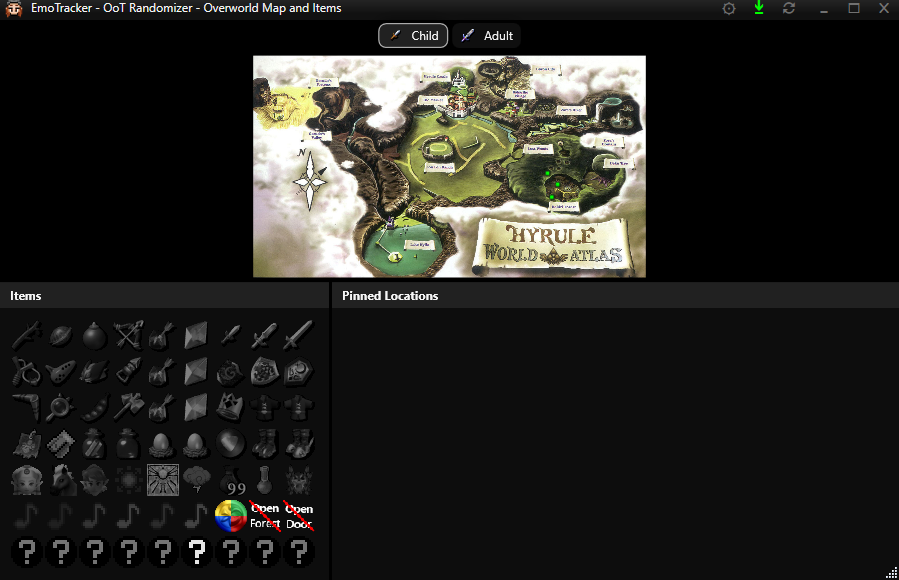
hey, Im trying to change the background of the OoT tracker
09:54
this is just plain black https://i.imgur.com/sCUzosh.png
09:54
but there seems to be a slight grey transparent block over the items
Avatar
EmoSaru 2018-06-13 09:54
That’s the background of the group control they’re in
09:55
Not yet changeable
Avatar
Zurai 2018-06-13 09:55
gotch ya
09:55
thanks for the quick response ❤
Avatar
EmoSaru 2018-06-13 09:59
It’s an oversight on my part - I’ll make it customizable in the next version
Avatar
EmoSaru 2018-06-13 20:46
@Zurai - I was wrong, you can actually override the background color of group elements already. Just set background to a web color of your choosing, with alpha supported. You can eliminate it with #00000000 (edited)
Avatar
Zurai 2018-06-13 20:49
alrighty, I gonna take a look at it. Thanks for investigating 👍
Avatar
Spleebie 2018-06-13 21:36
@Otome if you look through this channel there's tons of info on fixing the tracker layout to how you want
Avatar
Otome 2018-06-13 21:36
Cool
Avatar
JRJathome 2018-06-15 12:17
If anyone has an override for the Ocarina of Time Items Only pack, please note that I've changed the bottle item. Keeping the item with the bottle code works fine, but if you want to use the indicator for Ruto's letter, change the code to rutonote. Thanks. This change was made already in the default layout, so if you didn't make an override, you're good to go.
Avatar
kryptixx 2018-06-16 16:31
can you change the background color of the item tracker?
Avatar
EmoSaru 2018-06-16 16:31
I recommend using the search function - changing the background color has been addressed a number of times
Avatar
kryptixx 2018-06-16 16:40
ok thanks.. i actually checked up the chat first but i misread where the export file was saving
Avatar
ocin1981 2018-06-20 12:10
is there a way to display the map, the items and the locations in one long vertical window?
Avatar
JRJathome 2018-06-20 22:29
FYI, as mentioned before, I just pushed an update that overhauls the look of the OoT Items Only pack. If you have a user_override for this pack, it likely just broke, so you'll have to remake it. Sorry.
Avatar
Apasher 2018-06-24 09:44
@JRJathome how can i edit the text for the dungeon icons?
Avatar
JRJathome 2018-06-24 09:47
The dungeon icon text is a separate image. Although I must admit, there's old text hiding under it on the image itself, so I'd have to modify those images before you could edit the text.
Avatar
Apasher 2018-06-24 10:10
what program would you recommend for editing the text?
Avatar
JRJathome 2018-06-24 10:22
I just use Paint.net for all the images.
Avatar
Apasher 2018-06-24 10:37
i would have to figure out how to edit the text in an already-made image file
Avatar
Volvagia 2018-06-24 11:58
is there a submission section, or something that I'm missing to become a pack author?
11:58
have edited JRJathome's oot items only set - but would rather build one from scratch instead of using a custom loadout for someone else's tracker that may be corrupt with an update.
Avatar
JRJathome 2018-06-24 12:05
Do you just want it for personal use or for others to use? To make a pack for personal use, you can extract my pack into the packs folder and change the details in manifest.json so it doesn't conflict with mine (so EmoTracker sees it as a separate pack). Then you can merge your override files with the files in the pack folder and you're done.
Avatar
Volvagia 2018-06-24 12:05
more for others, than myself (edited)
Avatar
JRJathome 2018-06-24 12:06
Publishing it to the package manager for others requires some additional work, which Emo can help you with when she's back from SGDQ.
Avatar
Volvagia 2018-06-24 12:06
cool
Avatar
JRJathome 2018-06-24 12:07
Or you can zip up the pack and send it to someone directly.
Avatar
Volvagia 2018-06-24 12:07
yeah that's what I've been doing with the modified version of yours 😃
12:07
thanks for the input - sorry about the dm, know how annoying they can be from strangers
Avatar
Otome 2018-06-27 19:32
how do i remove pinned locations and not have my whole tracker go black
19:35
nevermind
19:36
now i just need to get items on left and map on right and i'm gold
19:36
instead of top and bottom
Avatar
Spleebie 2018-06-27 19:36
You could put them in a horizontal array maybe
19:37
Sorry I'm not at my computer or I could help out more. 😕
Avatar
SauceRelic 2018-06-27 19:37
It should automatically switch layout based on window size
19:37
Not sure on how to force it one way all the time
Avatar
Otome 2018-06-27 19:37
did it
19:37
just docked the item section to the left
Avatar
Spleebie 2018-06-27 22:28
haha that's a huuuuge map
Avatar
Otome 2018-06-28 16:25
that's it fullscreen. i don't have it that big actually
Avatar
Apasher 2018-06-30 21:33
@JRJathome I'm having trouble with customizing your OoT items only pack. I wanted to add the extra items and re-arrange the item layout, but when i open it it's a black screen. how do i fix this?
21:34
oh duh, i change the item size, do i?
Avatar
JRJathome 2018-06-30 21:34
A black screen is usually indicative of a missing comma or quotation mark. 🤔
Avatar
Apasher 2018-06-30 21:35
oh boy
21:35
do i have to add a comma on the last item in the row?
Avatar
JRJathome 2018-06-30 21:35
Not usually.
Avatar
Apasher 2018-06-30 21:37
"type": "itemgrid", "h_alignment": "center", "item_size": 48, "item_margin": "2,5", "rows": [ [ "sticks", "nuts", "bombs", "bow", "firearrow", "dins", "zelda", "minuet" ], [ "slingshot", "ocarina", "bombchu", "hookshot", "icearrow", "farores", "epona", "bolero" ], [ "boomerang", "lens", "bean", "hammer", "lightarrow", "nayru", "saria", "serenade" ], [ "lift1" "sword1", "sword2", "sword3", "kidtrade", "adulttrade", "sun", "requiem" ], [ "scale1", "shield1", "shield2", "shield3", "redtunic", "bluetunic", "time", "nocturne" ], [ "wallet", "magic", "rutobottle", "agony", "ironboots", "hoverboots", "storms", "prelude" ],
(edited)
21:37
is what i have
Avatar
JRJathome 2018-06-30 21:40
Looks like a missing comma after "lift1"
Avatar
Apasher 2018-06-30 21:40
ffffff
Avatar
JRJathome 2018-06-30 21:41
I do it all the time. 😃
Avatar
Apasher 2018-06-30 21:41
changing the item size is not what i wanted to do
Avatar
JRJathome 2018-06-30 21:42
Yeah, having that as a size other than a multiple of 32 will cause some distortion in the sprites.
Avatar
MikeTrethewey | Axiom Verge 2018-06-30 21:45
What I find annoying (as a property of JSON, not the app in general) is that the final element in an array must omit the comma to be seen as valid.
Avatar
JRJathome 2018-06-30 21:46
Yeah, I was running into that too when making a msu-1 pack for Z3R.
Avatar
Apasher 2018-06-30 21:54
missing the markers for adult dungeons. noooooo
Avatar
JRJathome 2018-06-30 21:56
Oh, those are separate from the main table. Find the width field and make that number larger. They're probably just outside the window.
Avatar
Apasher 2018-06-30 22:01
how much should i increment the number by?
Avatar
JRJathome 2018-06-30 22:02
Doesn't matter. Whatever makes them show up. I usually go too high, then adjust from there. Since the canvases are 32 pixels wide, I'd start by adding 40.
22:04
Oh, and by width, I mean the window size, not the canvas size. Should be near the bottom of the tracker layout.
Avatar
Hamsda 2018-06-30 22:07
i'm just using VSCode and it's linter is doing all the work for me regarding commas and formatting 😄
Avatar
Apasher 2018-06-30 22:10
which width field do i modify?
Avatar
JRJathome 2018-06-30 22:10
At the bottom, you'll see this
"tracker_default": { "type": "container", "width": 320, //"height": 250, "background": "#212121", "content": { "type": "layout", "dropshadow": true, "margin": 10, "key": "shared_item_grid"
22:11
That width field is the one you want.
Avatar
Apasher 2018-06-30 22:41
ohhh okok
Avatar
Apasher 2018-06-30 22:48
customized the brodcast layout. no idea why this happened
Avatar
JRJathome 2018-06-30 22:51
So since the child dungeon markers are canvases, I had to make that entire row separate in order to put them in.
22:52
So there's a separate item grid further down in the code for that one row.
Avatar
Apasher 2018-06-30 22:53
hmm
Avatar
JRJathome 2018-06-30 22:54
You can either fit the dungeon markers into your broadcast layout or just delete the extra item grid.
22:55
Deleting all of this will get rid of the extra icons, leaving just the child dungeons and the free medallion in that row.
{ "type": "itemgrid", "h_alignment": "center", "margin": "2,0", "item_size": 32, "item_margin": "2,0,2,0", "rows": [ [ "shield3", "adulttrade", "storm", "prelude" ], ] },
(edited)
Avatar
Apasher 2018-06-30 22:57
sick, thanks
Avatar
JRJathome 2018-06-30 22:58
You're welcome.
23:03
I knew my workaround for the broadcast view would likely trip someone up when they tried to customize it, but I also didn't like the child dungeon markers being in their own row by themselves. 🤷
Avatar
Apasher 2018-06-30 23:04
this almost works
23:04
bleeeehhhh
Avatar
MikeTrethewey | Axiom Verge 2018-06-30 23:04
Off by one error.
Avatar
Apasher 2018-06-30 23:23
how do i make the background fully black?
Avatar
MikeTrethewey | Axiom Verge 2018-06-30 23:30
Should just be "background": "#000000" on the parent element. (edited)
Avatar
JRJathome 2018-06-30 23:31
This is a mistake on my part, I think, for defining the margin in the wrong spot. If you move the defined margin in the parent element to the first child element, that should fix it.
23:31
So if you copy how I have it here, it should work.
{ "type": "array", "background": "#212121", "content": [ { "type": "array", "orientation": "vertical", "margin": "10", "content": [
23:32
I'll fix that in an update.
Avatar
Apasher 2018-07-01 11:28
fixed. thank you very much
11:28
now just to figure out what to do about the extra column x_x
Avatar
Apasher 2018-07-01 11:38
i could add kokiri tunic, kokiri boots, and gerudo card and make it either 6x10 or 10x6
11:38
hmmm
Avatar
Apasher 2018-07-01 15:22
ok finished my custom layout for @JRJathome OoT pack
15:22
15:23
each bottle has their individual code
15:23
so they toggle seperately
Avatar
MikeTrethewey | Axiom Verge 2018-07-01 15:45
That's cool. And you were able to make your broadcast view even again.
15:46
I was also just thinking, you could totally put in a dummy item for using a particular image for layout-prettiness. Not functional, but looks nice.
15:46
However, I think part of the broadcast view is able to chroma-key out the background for your stream and be able to put whatever you want behind it using your streaming software.
Avatar
Apasher 2018-07-01 15:54
i see
15:54
i usually use a black background anyway so it's good
16:00
one more thing i want to change: how do i space out and center the mini-dungeon canvases at the bottom of the tracker view? (edited)
Avatar
MikeTrethewey | Axiom Verge 2018-07-01 16:09
Try "h_alignment": "center"
Avatar
Apasher 2018-07-01 16:10
in which element?
Avatar
MikeTrethewey | Axiom Verge 2018-07-01 16:11
That's a good question. Kinda wish there were borders but I haven't poked around to see if that's an option.
Avatar
Apasher 2018-07-01 16:11
{ "type": "array", "orientation": "horizontal", "content": [ { "type": "array", "orientation": "vertical", "content": [ { "type": "array", "orientation": "horizontal", "h_alignment": "center", "content": [
that doesn't work for me
Avatar
JRJathome 2018-07-01 16:11
Each canvas item has a margin field. It's just a matter of tinkering with it.
Avatar
MikeTrethewey | Axiom Verge 2018-07-01 16:12
Is each type block a "canvas"?
Avatar
Apasher 2018-07-01 16:14
was that in response to me or JR?
Avatar
MikeTrethewey | Axiom Verge 2018-07-01 16:15
Either/or. I see references to "canvas" a lot but I don't actually see it in the code anywhere.
Avatar
Apasher 2018-07-01 16:16
the canvases are after the last "type": "array", block
Avatar
JRJathome 2018-07-01 16:23
Canvases aren't used in the default packs. I think Fouton and I are the only ones who've used them. Fouton uses a canvas in his aLttSM packs for the bosses.
Avatar
MikeTrethewey | Axiom Verge 2018-07-01 16:23
Gotcha.
16:24
Is there a general term for each type block?
16:24
We've got things like arrays, itemgrids, etc. (edited)
Avatar
Apasher 2018-07-01 16:25
so i just have to mess around with the margins? does h_alignment" : "center" not work?
Avatar
MikeTrethewey | Axiom Verge 2018-07-01 16:26
It depends on where the barriers of each element are. Thus, border as an option would be helpful.
Avatar
JRJathome 2018-07-01 16:39
{ "type": "canvas", "width": 32, "height": 32, "margin": "2,5", "content": [ { "type": "item", "item": "forest_label", "hit_test_visible": false, "margin": "0", "canvas_depth": 0, "width": 32, "height": 12 }, { "type": "item", "item": "forest", "margin": "0", "canvas_depth": 1, "canvas_left": 16, "canvas_top": 16, "width": 16, "height": 16 }, { "type": "item", "item": "forest_treasures", "margin": "0", "canvas_depth": 1, "canvas_left": 0, "canvas_top": 16, "width": 16, "height": 16 }, ] },
This is what my canvases look like, btw, in case you're curious. The parent element defines the width, height and margins. The child elements define item used, width and height of the icons, the order of layers if you've got overlapping icons, and how far from the top and left of the canvas each item starts.
(edited)
Avatar
MikeTrethewey | Axiom Verge 2018-07-01 16:41
Does the width and height of each item scale the image used from the item definition?
Avatar
JRJathome 2018-07-01 16:42
Yeah. It works best if you match the width and height with that of the source image or a multiple of it, but anything will work.
Avatar
MikeTrethewey | Axiom Verge 2018-07-01 16:43
Sweet.
Avatar
JRJathome 2018-07-01 16:45
I like it. It allows more freedom in item placement compared to itemgrids, but also means a bunch more code compared to itemgrids, which could create problems for those who want to customize an override or something. 😛
16:46
Oh. And since you're working on a map pack for ALttSM, you should look at Fouton's setup for the boss icons since he uses a canvas for those.
Avatar
MikeTrethewey | Axiom Verge 2018-07-01 16:46
Is canvas_depth like z-index?
16:46
Yeah, I was gonna use the boss strat for the Broadcast View.
Avatar
JRJathome 2018-07-01 16:47
Basically. It's basically for layered images with higher numbers appearing over lower numbers.
Avatar
MikeTrethewey | Axiom Verge 2018-07-01 16:47
Exactly like z-index then, cool.
Avatar
JRJathome 2018-07-01 16:48
The hit_test_visible option allows you to click on items underneath if the image over then has a transparent area. I'm wrong. From Emo's post: hit_test_visible is a new setting for all layout elements. When false, that element (and ALL of its children, no matter what) are invisible to mouse input (edited)
Avatar
MikeTrethewey | Axiom Verge 2018-07-01 16:48
Ahh, gotcha.
16:49
10-4.
16:50
Still waiting for that Syntax Documentation. Do we know who's working on that?
Avatar
EmoSaru 2018-07-01 17:43
There are things being worked on. Very very slowly.
17:43
Don't hold your breath.
17:43
Life is crazy, I don't get paid for this, and I do get paid for other stuff. (edited)
17:44
Also, I refer to each "block" as an element.
17:45
alignment, margin, etc. have no effect within canvases
17:45
canvases are completely free form layout
17:50
you can, however, apply margins to canvas elements, which will affect their positioning within e.g. a array
17:50
Not sure what you want out of borders
17:50
there is literally no functionality of simple borders that cannot be implemented by simply wrapping in a container
17:51
and I'm not intending to add custom brush/stroke/etc. support
Avatar
MikeTrethewey | Axiom Verge 2018-07-01 18:01
Thanks for the update. The borders idea is akin to when I'm positioning <div>s or something, need to see exactly where it sits, so I add something like border:1px solid #000000 just as a visual indicator. I guess a bgcolor could be set to the container to provide similar functionality. Then I remove the border once I have it set where I want. It may or may not be apparent in my communications, but I do appreciate and respect that you've got other paid work that isn't related to this project. I'm sorry if it's received differently. :\
Avatar
EmoSaru 2018-07-01 18:21
it's fine, I'm travel-tired and coming down with something
Avatar
MikeTrethewey | Axiom Verge 2018-07-01 18:21
Oof, yeah, that blows. :(
Avatar
Hamsda 2018-07-01 21:54
post gdq flu rooWut
Avatar
Apasher 2018-07-01 22:59
i think i might stick with this
22:59
23:00
7x9 instead of 9x7
23:00
i like this better
Avatar
Apasher 2018-07-02 16:08
If I were to remove some of the unnecessary items, what dimensions would work better? 5x11/11x5, or 7x8/8x7?
16:09
My biggest concern is placing the dungeon markers, that's why I like having 9 as one of the dimensions
16:10
Items I plan to remove: ktunic, kboots, master sword, deku shield, hylian shield, and 2 or 3 bottles
Avatar
MikeTrethewey | Axiom Verge 2018-07-02 16:10
Imo, the swords, shields, tunics and Goddess Spells look really nice in that grouping.
Avatar
Apasher 2018-07-02 16:10
I like it too
16:11
I like having the tracker to mimic the pause menu as close as possible
16:11
But some people some items aren't necessary
Avatar
MikeTrethewey | Axiom Verge 2018-07-02 16:11
Removing the default stuff and some of the stuff that's basically guaranteed to be early?
Avatar
Apasher 2018-07-02 16:11
So I kinda want to make both happy
Avatar
MikeTrethewey | Axiom Verge 2018-07-02 16:12
ALttP -> OoT is a little weird since you've got Goron Tunic (fire resist) and Zora Tunic (water breathing/mobility) as opposed to "Armor upgrades." (edited)
Avatar
Apasher 2018-07-02 16:12
The number of bottles to remove will depend on what dimensions are best to go for
16:13
Did skyward sword bring back armor upgrades or was it just BotW?
16:13
I don't remember SS all that much
Avatar
Eirian 2018-07-02 16:14
BOTW had only shield upgrades I think.
Avatar
Apasher 2018-07-02 16:15
BotW definitely had clothes that you can buy that affects your defense
Avatar
Eirian 2018-07-02 16:15
Err
16:15
I meant SS
16:15
lol
Avatar
MikeTrethewey | Axiom Verge 2018-07-02 16:15
A quick scan of the SS page on ZeldaWiki shows just swords & shields.
Avatar
Apasher 2018-07-02 16:15
Oh ok
16:15
So OoT and onwards were elemental tunics
Avatar
MikeTrethewey | Axiom Verge 2018-07-02 16:16
BotW is weird and has set bonuses like Dark Souls.
Avatar
Eirian 2018-07-02 16:16
SS did have the earrings and the scale, which are effectively also fire resist and water breathing/mobility.
Avatar
MikeTrethewey | Axiom Verge 2018-07-02 16:16
In fact, they list those as comparable items. ;)
16:17
(On ZeldaWiki.)
Avatar
Eirian 2018-07-02 16:17
I mean, its true :v
Avatar
Apasher 2018-07-02 16:17
Also
16:17
I'm keeping deku sticks and deku nuts because the upgrades are randomized
16:17
So that's important info
16:21
Oh!
16:22
I could remove gerudo card to make it 9x6 or 6x9
16:22
That's perfect, actually
Avatar
Apasher 2018-07-02 16:30
Might mess up the item layout though. I'm gonna have to mess with it when I get home from work
Avatar
Apasher 2018-07-02 19:08
ok 6x9 layout
19:08
Avatar
Eirian 2018-07-02 19:11
It looks sleek but feels weird without the rest of the equipment tbh
Avatar
Apasher 2018-07-02 19:17
alternate item placement with the songs shifted to the left
19:17
19:17
yeah i get what you mean. i still have the 7x9 layout saved, but i wanted to try this out too
19:19
at least for this one, it has the goron bracelet and silver scale next to the tunics and boots just like in the game's pause menu
Avatar
Eirian 2018-07-02 19:19
I think songs shifted to the left looks better. Seeing how the ones you shifted right arent used all that much compared to the songs
Avatar
Apasher 2018-07-02 19:19
i couldn't get that with the 7x9 layout
19:19
it makes sense to have the group of 6 to match with the group of 6
19:22
would anyone be interested in me sharing these overrides?
Avatar
deserteagle417 2018-07-03 00:38
So, I hope I'm not being dumb and/or blind by saying this isn't in the #faq. Is it possible to change the item sprite size for a pack? I looked for it, but I can't claim to the most competent coder, so I probably missed it somewhere. I'm making an item tracker for the REmaster rando, and the item images aren't squares 😄 If anyone can help, I'd appreciate it!
Avatar
EmoSaru 2018-07-03 00:43
while you'll see item_size set on itemgrid elements in my packs, you can also opt to set icon_width and icon_height independently. (edited)
00:44
I believe some of the community packs do that for e.g. labels and stuff
Avatar
deserteagle417 2018-07-03 00:47
Thanks a lot, Emo! Much appreciated!
Avatar
Jademalo 2018-07-03 01:06
hey, is there any way to darken the uncollected items more using the broadcast view override?
Avatar
EmoSaru 2018-07-03 01:25
The image settings for those things are actually defined at the item level, so they cannot be different between the broadcast and regular views
Avatar
Jademalo 2018-07-03 01:26
Damn, that's a shame. Any chance of that being exposed as a modifier in broadcast, or would that be a nightmare to implement?
Avatar
EmoSaru 2018-07-03 01:26
Yes and yes.
01:27
It’s something I’m considering reworking, but it’s going to be a longer term thing, because it’s freaking complicated.
Avatar
Jademalo 2018-07-03 01:27
hahaha, ouch
01:27
good to know it's being worked on, hope it's not too bad!
Avatar
EmoSaru 2018-07-03 01:28
It’s not being worked on yet - I have a bunch of higher priority stuff in my queue. 😃
Avatar
Jademalo 2018-07-03 01:28
well, that you're planning on working on it =p
Avatar
EmoSaru 2018-07-03 01:28
👍
Avatar
TidusZecht 2018-07-03 16:31
i'm totally new to this tracker and everything it entails. I wanted to use it for Ocarina of Time randomizers but i want to customize the layout so that some of the items are in different locations. how would i do that?
Avatar
MikeTrethewey | Axiom Verge 2018-07-03 16:39
If you just want to move stuff around, Gear Menu -> Packages -> Export Overrides -> Tracker Layout. It'll place tracker_layout.json into your Documents folder at \Documents\EmoTracker\user_overrides\PACK_NAME\tracker_layout.json
16:41
Depending on how the author has defined each item, you should see familiar item names somewhere in that definition file. It's a bit advanced since it's text-based and the data validation is very strict.
Avatar
TidusZecht 2018-07-03 16:58
so if i copy and paste stuff into different arrays it'll work?
Avatar
MikeTrethewey | Axiom Verge 2018-07-03 17:00
If it's done in a manner that validates appropriately, probably.
Avatar
TidusZecht 2018-07-03 17:00
okay, thanks, i'll try this out 😃
Avatar
JRJathome 2018-07-03 17:03
The nice thing about the override is you're not messing with the original file, so if you mess it up somehow, you can always delete and re-export it.
17:03
Makes it easy to experiment with.
Avatar
TidusZecht 2018-07-03 17:16
hmmm, putting the redbluetunic into the array didn't quite work like i wanted it to. the tunic doesn't show on the tracker anymore.... do i need to make a pic for a disabled icon?
Avatar
JRJathome 2018-07-03 17:21
Which pack are you using? A map pack or one of my items only packs?
17:22
If it's my pack, the item code you'll want to add is tunics. I'm not sure what the other packs use, assuming they have such an item.
Avatar
TidusZecht 2018-07-03 17:23
ah, thanks
17:23
and yeah, it's yours
17:23
that made it work
17:24
everything i've been trying has worked so far 😃
Avatar
JRJathome 2018-07-03 17:25
Yeah, it's pretty straightforward.
Avatar
TidusZecht 2018-07-03 17:25
i've adjusted the image sizes and the borders of the tracker itself. now i just need to make the chest checker part of it a bit bigger to match up
Avatar
JRJathome 2018-07-03 17:29
The chest image is actually blank in the newest layout. If you want to increase the size of the counter, you can add "badge_font_size": 11, to the appropriate element. Substituting the 11 for whatever size you want, of course.
Avatar
TidusZecht 2018-07-03 17:32
17:32
the forest got misaligned when i did the other adjustments
Avatar
JRJathome 2018-07-03 17:36
Odd. Did you make any changes to the dimensions or margins of any of those elements?
Avatar
TidusZecht 2018-07-03 17:37
changed the item size to 48 and margins to 3,7 from the 2,5
Avatar
JRJathome 2018-07-03 17:37
So with those icons, each one is defined separately. Did you only change the first one?
Avatar
TidusZecht 2018-07-03 17:38
yeah, i had changed the first one
17:39
17:40
which part would i need to change to space the frst fire watr etc more apart and the same with the ones on the bottom?
Avatar
JRJathome 2018-07-03 17:44
I set each canvas item's margin separately and did a bunch of experimenting to get them to line up with the others.
17:45
I'm not sure if there's a way to easily set up a margin in the parent array or not.
Avatar
TidusZecht 2018-07-03 17:51
yeah, i've got to set the margins for each of the parts
17:51
17:52
and i'm guessing the same thing will work for the bottom row
Avatar
JRJathome 2018-07-03 17:52
Yep
Avatar
TidusZecht 2018-07-03 17:53
17:53
yep, that's how i wanted it 😃
17:55
thanks for the help 😄
Avatar
JRJathome 2018-07-03 17:56
Also to add, if you want to resize the canvases, you can also resize each icon within a canvas separately. For example, by default each full canvas is 32x32 pixels. The labels are usually 32x12 (GTG and GC are not as wide obviously) The medallion icons are 16x16 and so are the chest count icons.
Avatar
TidusZecht 2018-07-03 17:57
oh, cool
Avatar
JRJathome 2018-07-03 17:57
Also, the width of the window is defined at the very bottom of the json, so you can adjust it if you don't want that extra space to the right.
Avatar
TidusZecht 2018-07-03 18:00
yeah, i just did that
18:00
i extended it that far to make sure i got the sizing and spacing right
Avatar
JRJathome 2018-07-03 18:01
lol yep. I do the same.
Avatar
deserteagle417 2018-07-04 12:55
when an item is disabled, it's not just greyscaled, right? there's also some reduction in brightness? Could anyone tell me the brightness reduction? I have to define an item to with allow_disable set to false because I want the first click to add something to the item, but the item is too bright next to its neighbors
12:58
here's an example: these are two items (the one on the right is the one that's too bright when it's "disabled", sorry for the crude MS paint job)
12:58
Avatar
JRJathome 2018-07-04 13:07
Usually if I have to do something like that, I'll temporarily remove the "allow_disable", and change the background to some color that's easy to get rid of. Then I'll alt+print screen the tracker window and paste that into Paint.net. From there, it's easy to remove the background and I have my own 'disabled' image.
13:12
Here's an example of a tracker window I saved so I could grab the grayscale icons. If I recall correctly, I think I was grabbing the music notes so I could add check marks to the grayscale images.
Avatar
deserteagle417 2018-07-04 13:18
I gotcha. Thanks for the tip!
Avatar
MikeTrethewey | Axiom Verge 2018-07-04 13:34
In Paint.net I determined it was about 50% to black.
13:35
I had the fullbright on one layer. Straight black on a layer above it, cropped to the icon. Then Normal Blend to 50% (technically 127/255 since it does decimal from 0-255).
Avatar
deserteagle417 2018-07-04 13:42
That worked perfectly JRJathome! Thanks!
13:43
That will be helpful, too, Mike! I have a couple items that look exactly the same, so I wanted to leave some color in them and now should darken those a bit too. Thanks!
Avatar
MikeTrethewey | Axiom Verge 2018-07-04 13:45
I used that technique for item locations that needed a different icon in their menu. The chest_img_unopened graphic.
Avatar
KeiperDontCare 2018-07-05 19:36
@Apasher did you ever share the override for your customization?
Avatar
Apasher 2018-07-05 19:39
i didn't because i didn't think there was interest. do you want me to share it?
Avatar
KeiperDontCare 2018-07-05 19:43
sure! i was a fan of it
Avatar
Apasher 2018-07-05 19:51
Avatar
KeiperDontCare 2018-07-06 07:29
downloaded both, but I cant figure out how to activate them
Avatar
dotzo 2018-07-06 07:32
Export an override for the layout. that'll put an overrides folder in the Emotracker folder. Put them there.
Avatar
EmoSaru 2018-07-06 11:19
You would need to extract whichever one you want to use in there.
Avatar
xerinox 2018-07-07 08:10
Where would I start to learn how to customize?
Avatar
Hamsda 2018-07-07 08:41
theres no actual resources for that at the moment i believe but you can always export and override to see how the .json files are structured if you screw up the override, you can always just delete them and the pack will work as normal 😄
Avatar
MikeTrethewey | Axiom Verge 2018-07-07 08:42
At the moment it’s largely “shoot from the hip and hope it sticks to the wall.”
Avatar
EmoSaru 2018-07-07 11:11
i think the way Hamsda described it is a bit fairer. Given a bit of reading through the example files and searching in here, there are lots of examples that can be pieced together. By and large, people who've tried have gotten a pretty decent understanding IMO.
Avatar
EmoSaru 2018-07-07 11:20
@xerinox my advice is, as Hamsda said, to play around a bit. Start by making small tweaks to the broadcast view of a pack - you'll learn a lot. There are lots of examples in here that you can find via the search function as well that can help you make common changes, and you can always ask questions in here as you have them!
Avatar
Hamsda 2018-07-07 15:35
like I had no idea how any of it worked and basically just looked at Emos packs for a completely different game, but that was enough to figure out how the structure works and make an entire pack 😉
15:36
though it might be slightly more difficult if one is not a programmer/in IT or whatever, but json files aren't hugely complicated, so even without that background it should be possible
Avatar
ParmeShawn 2018-07-10 13:37
I'm wanting to learn how to do this customization, Hamsda's Item and Map pack is what I use for item tracking on my stream, but I also open a second instance of EmoTracker for the Item tracker, to be able to track chests and songs. Anyone able to potentially give me a crash course on how to merge the two and maybe ever swap out the Skulltula/Skulltula token tracker to a heart piece tracker? 😅
Avatar
dotzo 2018-07-10 15:56
all the chest info should be in the pack already for the maps. you might have to create labels. i can’t be of massive help right now since i’m at work, it if be down to help at some point. tbh how the packs work is really straightforward. you could look at some other ones to see how other authors did it. JSON is really just a big array of arrays to build matrices with attributes.
Avatar
ParmeShawn 2018-07-10 15:58
I don't use Map and Items for the map, I just use the item tracker as it's laid out better and more fleshed out than the base Item tracker, so if I could somehow remove the map part as well while adding the other functionality would be amazing
Avatar
JRJathome 2018-07-10 16:37
I believe you could remake Hamsda's layout with my tracker pretty easily by making an override for the broadcast layout and overriding my medallion/stone images with his. Then it's just a matter of figuring out where to put the item counts.
Avatar
Tehkoa 2018-07-13 19:43
Quick question Is there a way to resize the tracker?
Avatar
dotzo 2018-07-13 19:44
only if the layout has that option
Avatar
Tehkoa 2018-07-13 19:45
Layouts are custom to the pack right?
Avatar
dotzo 2018-07-13 19:46
yea but you can customize them. export an override and it’ll produce a JSON file you can edit.
Avatar
Lacke 2018-07-18 07:33
Hello! Is there a way to customize the layout to appear all vertical like this? The default layout if fine but take too much space to be able to have all info while playing the game. Thanks! 😄 (edited)
07:36
(I tried to do that myself, but the json is kinda confusing for a non initiate even if I kinda see the logic haha :p)
Avatar
Gilgatex 2018-07-18 08:07
is this for streaming purposes?
08:07
@Lacke ?
Avatar
Lacke 2018-07-18 08:14
Yes and no. I just have only one screen is the real reason even if I do stream :p But I don't think I would use the whole thing on stream's screen so it's more of a No I guess.
08:15
@Gilgatex Not sure if clear, so let's jsut say it's a no xD It's clearly more of a life quality change to run the game haha
08:18
I was using CrossProduct's Tracker before that. Which can be all vertical, so I'm used to that and it's a good ratio to have the tracker on the vertical with the 3:4 game on the same screen. It fits well. But seeing what EmoTracker offers, I kinda want to use it, but that's the thing that prevents me to do so ^^;
Avatar
Gilgatex 2018-07-18 08:20
I'm working on a custom fix for you, do you actually use pins or would you be fine if that section was taken out?
Avatar
Lacke 2018-07-18 08:21
I would prefer to have it to be honest. That's the main reason I want to use Emotracker. I got often confused on where I have to go back etc haha xD
08:21
Except if it create a real problem of course.
Avatar
Gilgatex 2018-07-18 08:21
08:22
New pins will shift the map down, but that's the quick fix
Avatar
Lacke 2018-07-18 08:22
That was fast o.o
Avatar
Gilgatex 2018-07-18 08:22
that's why I asked if it was for streaming, it would have to be static (and would be a little more complicated)
08:22
or else your layout would keep getting shifted
Avatar
Lacke 2018-07-18 08:23
Oh ok :p
08:23
Nah that's totally fine!
08:23
But even without the pin I confirm that's what I want :D With the pins it will be perfect
08:24
Thank you already. Didn't thought someone would actually fix that for me. I was prepared to get into the code haha
Avatar
Gilgatex 2018-07-18 08:25
well it was quick 😃 If you want to learn about what I changed I can go through what I did
Avatar
Lacke 2018-07-18 08:27
The map even go smaller with pins instead of trying to go outside the screen, wow XD
08:27
And yeah I would love to know 😃
Avatar
Gilgatex 2018-07-18 08:27
ok, I'm about to spam, but it's better I post here instead of privately in case anyone else is interested 😃
08:28
first of all there are two tracker layouts, tracker_default and tracker_horizontal. You didn't want any horizontal layout so I just deleted that section
08:28
There are three sections to the map, Items, Pinned Locations, and map
08:29
items and pinned locations are in a content group together and the map is at the bottom
08:29
by default, the items and pins are docked left
08:29
I changed that dock to top
08:30
then I added dock -> bottom to the map (which I realize now was unnecessary, but it doesn't change things)
08:31
If you wanted pinned locations to "fill the space" between it, you would have to separate out the pinned locations from their group with the items, dock items top and dock map bottom. Then by default pins would be whatever is left in the middle
Avatar
Lacke 2018-07-18 08:31
what's the dock thingy actually?
Avatar
Gilgatex 2018-07-18 08:32
dock is another word for sticky
08:32
if you dock right, that means the group is stuck on the right
Avatar
Lacke 2018-07-18 08:33
Oh I see
08:34
I just changed the orientation of pins, so it goes on the right before going down. Better that way 😄
Avatar
Gilgatex 2018-07-18 08:34
I had trouble doing what I just said though so maybe I don't know as much as I thought. When I dock items on top and map on bottom I get this:
Avatar
Lacke 2018-07-18 08:35
That's not what I call bottom indeed 😮
Avatar
Gilgatex 2018-07-18 08:38
ah figured it out
08:38
in pins (in the one I posted), you can add this: "height": 200
08:39
it won't stretch anymore though if you have a lot of pins
Avatar
Lacke 2018-07-18 08:39
I see. Thanks. That's perfect :p
Avatar
Stevent 2018-07-18 13:44
Is there a way to make the Pinned Locations Tab in the Tracker smaller and if so, how do i do that?
Avatar
EmoSaru 2018-07-18 13:58
Depending on the pack you’re using it’s most likely scaling to fill space
13:58
So you’d have to be more specific about what you want in order to change it
Avatar
Stevent 2018-07-18 14:11
Actually never mind, i think i found a decent Layout Setup that i can work with, sry for bothering ^^
Avatar
zSkeeter135 2018-07-19 00:34
is there anyway i can drop my own pins in the map for dark world warps? i always forget where they are and what they need
Avatar
JRJathome 2018-07-19 00:37
You could, but you can't currently customize the icon for locations on the map, so they'd just look like item locations.
Avatar
zSkeeter135 2018-07-19 00:38
hm thats fine. i could just use the item that i need to access it
Avatar
EmoSaru 2018-07-19 00:38
I strongly recommend learning the locations
00:38
And doing so on the Z3R discord
00:38
There are only 8 warps, not including hyrule castle after beating aganihm (edited)
Avatar
zSkeeter135 2018-07-19 00:39
yeah im starting to learn them. just be nice for a quick refence type of thing
Avatar
EmoSaru 2018-07-19 00:40
"Those who stepped on the Magical Warp Tiles that served as entrances would be lost to the Dark World, transformed into demons. Link, who possessed the qualities of the hero, did not become a demon, but was instead turned into an animal...
Avatar
zSkeeter135 2018-07-19 00:41
ah yeah. i know about that. just was wondering
Avatar
EmoSaru 2018-07-19 00:42
In general, you'll find that most of the packs are authored assuming a baseline awareness of the game, largely because adding stuff that's unnecessary after your first playthrough makes the tracker more cluttered the rest of the time.
00:42
That's why I strongly recommend just working through your first seed or two with some notes or other web pages. You'll learn the portal locations really quickly.
Avatar
zSkeeter135 2018-07-19 00:44
yeah thats what i am doing now. i get what you mean. i was seeing it as a way to plan my route a little easier
Avatar
Kirito 2018-07-20 18:29
what am i supose to open the json file with?
Avatar
dotzo 2018-07-20 18:29
any text editor
Avatar
Dual [CDT UTC-5] (TWWR) 2018-07-20 18:30
I use Notepad++ on Windows
Avatar
Tilde 2018-07-20 18:30
try Notepad++ it's really good for simple programming and clean interface
Avatar
Dual [CDT UTC-5] (TWWR) 2018-07-20 18:30
Mac I use Atom
Avatar
Kirito 2018-07-20 18:31
troublesome never was good with stuff like this
Avatar
Gartogg 2018-07-20 18:32
Don't use regular notepad, it is just a jumble and not organized
Avatar
Kirito 2018-07-20 18:33
what about microsoft word?
Avatar
Gartogg 2018-07-20 18:36
I think it should kind of work, but would suggest Notepad++, it is free and make it a better layout (edited)
Avatar
Sherpa 2018-07-20 18:43
Sublime Text
Avatar
Tilde 2018-07-20 19:03
don't use MS Word, it adds special characters and such for reference that will mess up your code
Avatar
MikeTrethewey | Axiom Verge 2018-07-20 22:00
Yes. Never use MS Word for any kind of code.
Avatar
ghettotedd 2018-07-21 19:39
hi i'm herer for a good tracker
Avatar
JRJathome 2018-07-21 19:54
Hi. You can find a link to the installer in #welcome.
Avatar
Ninban 2018-07-21 20:06
You're at the right place
Avatar
AgentSuislide 2018-07-22 21:54
Tracker is awesome but I
21:56
I'm struggling a bit to get the maps in my broadcast view formatted properly. I can add the maps in a fixed spot for adding them to OBS but they come in at a default size that is huge. And I'd prefer to get them vertically stacked but trying to borrow parameters from the other sections haven't had the effect I've wanted (or any effect typically). Is there a way I can get these maps at like 300px square stacked vertically in broadcast layout?
Avatar
EmoSaru 2018-07-22 21:57
so, you can fix the size of the maps element using width and height attributes
21:58
if you want to get even more custom than that with it, you have the option of splitting the maps into separate elements and adjusting their sizes individually. That's really only useful if you need to change the margins though.
21:59
they will stack vertically if the size of the maps element makes it portrait
21:59
so just make height more than width
Avatar
AgentSuislide 2018-07-22 22:07
Ok, cool. I've tried a few things (many things lol) and I'm getting a broken broadcast view with what I've tried.
22:07
{ "type": "map"}
22:08
How do I add the width and height properly here?
22:13
{ "type": "map", "width": "300px" }
22:14
breaks it completely, no items
Avatar
EmoSaru 2018-07-22 22:14
no px
22:14
just 300
22:14
and no quotes around the number
22:14
just the number
Avatar
AgentSuislide 2018-07-22 22:14
thought I tried all the variations... it is late, probably should be in bed rather than configuring things lol
Avatar
EmoSaru 2018-07-22 22:14
it's not HTML 😃
Avatar
AgentSuislide 2018-07-22 22:19
Yeah I'm familiar with JSON... or I thought I was lol. Nothing I do seems to have any effect. The map is the same size regardless of if I put in width/height or not.
22:21
{ "type":"map", "width":300, "height":300 }
22:22
I'll probably head to bed and take a look tomorrow with a clear mind. Thanks for your help and the awesome tracker 😃
Avatar
EmoSaru 2018-07-22 22:29
Tomorrow sounds like a good plan. I recommend posting your entire broadcast layout, as it can be hard to diagnose issues in isolation. And actually, I think I gave you bad advice. You probably need to wrap the map in a container and set the width and height of that. I forgot that map always fills, because it's a viewbox.
Avatar
AgentSuislide 2018-07-23 06:45
Yeah I wasn't sure if this was the place tho post the entire config file but yeah you have no context with my snippets. I'
06:46
I'll look at some other containers and try that. I know it's a simple thing I'm just not familiar enough with it and probably making some dumb mistake with it. If I can't figure it out still when I get home I'll post my config
06:46
ty again
Avatar
AgentSuislide 2018-07-23 15:11
The container did it. Thanks for your help! 😃
Avatar
Sherpa 2018-07-23 21:59
Can someone help me finish fixing this layout? In the bottom... I want to vertically align the checks (numbers), keys and treasures (?) https://hastebin.com/wawesotiqi.json
22:02
Pardon the indentation, it's someone else's layout I'm modifying
Avatar
JRJathome 2018-07-23 22:36
Oh, I see the problem. For the sections that don't have stones/medallions, adding a blank item should cause it to line up correctly like so: [ "ice_treasures", "" ],
22:38
Otherwise it tries to center the items within its section.
Avatar
Sherpa 2018-07-23 22:39
Oh I think I get the reason... In that case shouldn't the Ice Cave one need 2 empty strings?
22:39
Wait no no
Avatar
JRJathome 2018-07-23 22:40
Not unless Deku, Dodongo, and Jabu do
Avatar
Sherpa 2018-07-23 22:40
Yeah idk why I didn't take the time to look up .-.
22:40
That works perfectly. Thanks!
Avatar
Algernonab 2018-07-23 22:56
Question, does anyone know of a way to get rid of the "Pinned Locations" section and make the map bigger? The current settings make it a pain to use map-based trackers since the maps are so small.
Avatar
EmoSaru 2018-07-23 23:00
so, if you run the window bigger, the map will scale to fill the area
23:01
that said, you can accomplish what you're after by exported a tracker layout override and editing it. You can find various examples here, but I recommend giving it a try and asking specific questions.
Avatar
JRJathome 2018-07-23 23:05
I believe Emo mentioned before that the pinned items use filler space left over from the tracker items. That said, it might be less wasted space if you override the tracker layout, and delete the horizontal layout, leaving just the vertical layout which places the tracker and pinned items to the side of the map rather than below it.
Avatar
Algernonab 2018-07-23 23:09
I would basically have to do the tracker layout edit, then. That screenshot has the tracker filling my entire screen.
Avatar
nickography 2018-07-24 09:49
I'm trying to get a link to the past customization to work... I'm using a progressive toggle between mushroom and powder, and the codes aren't working correctly
09:50
I'm not sure how to write the two part toggle for it - right now the powder location only highlights when I click mushroom and powder (edited)
Avatar
Gilgatex 2018-07-24 09:52
Can you post the code from items.json?
Avatar
nickography 2018-07-24 09:52
Oh hi - I'm trying to put the other emotracker ALTTSM tracker with your map.
09:53
// Mushder { "name": "Mushder", "type": "progressive_toggle", "stages": [ { "img": "images/MushderYN.png", "codes": "mushroom", "disabled_img": "images/MushderYY.png", "disabled_img_mods": "@disabled" }, { "img": "images/MushderYY.png", "codes": "powder", "disabled_img": "images/MushderNY.png", "disabled_img_mods": "" } ] },
Avatar
Gilgatex 2018-07-24 09:53
I think you need to add something like mushroompowder to the first codes section, then reference it that way in your tracker
09:53
"codes": "mushroompowder,mushroom"
09:54
or mushder
09:54
lol
Avatar
nickography 2018-07-24 09:55
right now the "powder" code doesn't seem to trigger for the map
09:55
if I just do right click
09:55
but the graphic changes
Avatar
Gilgatex 2018-07-24 09:56
er... need mushder in both
09:56
take a look at the boomerang code
09:56
also what you're trying to do is a composite toggle, not a progressive one
09:57
if you want right click to be powder and left to be mushroom
Avatar
nickography 2018-07-24 09:57
ah that's probably the issue
09:57
the other tracker used a progressive toggle because they didn't need to make the codes work
Avatar
Gilgatex 2018-07-24 09:58
// Blue Boomerang { "name": "Blue Boomerang", "type": "toggle", "img": "images/boomerang_blue.png", "codes": "blue_boomerang,bluemarang" }, // Red Boomerang { "name": "Red Boomerang", "type": "toggle", "img": "images/boomerang_red.png", "codes": "red_boomerang,redmarang" }, // Boomerang Combo { "name": "Boomerangs", "type": "composite_toggle", "codes": "boomerangs", "item_left": "blue_boomerang", "item_right": "red_boomerang", "images": [ { "left": false, "right": false, "img": "images/boomerangs.png", "img_mods": "@disabled" }, { "left": true, "right": false, "img": "images/boomerangsblue.png" }, { "left": false, "right": true, "img": "images/boomerangsdisabled.png" }, { "left": true, "right": true, "img": "images/boomerangs.png" } ] },
09:58
Just follow that example
09:58
you could progressive_toggle it, but it would be, in order, NN, YN, NY, YY, type thing
09:59
with left click going forward and right click going backward
09:59
and glad to see you're using my tracker 😃
Avatar
nickography 2018-07-24 10:00
It's really useful. I was using crossproduct's alttp and a SM tracker separately, but the lack of a map hurt me on my race yesterday
Avatar
Gilgatex 2018-07-24 10:00
yeah, and you don't get the logic for the warps either that way. That was the biggest problem for me
10:00
so I just fixed it lol
10:01
makes the barrier to entry on ALTTP+SM much lower
10:02
I had actually finished the tracker before finishing a seed
Avatar
nickography 2018-07-24 10:02
wow nice
10:02
I get caught on edge cases. yesterday it was screw attack to mother brain tank... such a small link in crateria but it got half of our racers stuck for a while
Avatar
Gilgatex 2018-07-24 10:03
I can finally consistently finish it, but still up there at around 5 hours
10:04
I'm working on an "all modes" tracker for ALTTP now. One tracker to handle any glitch type and/or keysanity
10:04
still can't do entrance randomizer though... can't really do it with the base emotracker code
Avatar
nickography 2018-07-24 10:10
You've got your work cut out for you haha.
Avatar
Gilgatex 2018-07-24 10:11
It's actually not too difficult now that there is lua support
Avatar
nickography 2018-07-24 10:11
About to do a race - I'll finish up the tracker stuff later this afternoon
10:11
ohh I know lua from the minecraft computercraft mod
10:11
it's an easy language.
Avatar
Sodium 2018-07-25 10:15
Is there a scrollable layout type?
Avatar
EmoSaru 2018-07-25 10:45
Not currently, but I will log the request and look into adding one at some point
10:46
I stayed away from scrolling during development because scrolling layouts tend to be bad for doing things quickly
Avatar
SanKojima 2018-07-25 10:46
Am I doing this right? For example I got water med in forest temple, I had goron ruby at the start, shadow med in Deku Tree and sapphire in Dodongo's (edited)
10:46
Avatar
EmoSaru 2018-07-25 10:48
For questions about how to use specific packs, please try #pack-support
Avatar
SanKojima 2018-07-25 10:48
Oh sorry, a notification put me in this channel, didn't mean to post it here aha
Avatar
nickography 2018-07-25 16:31
any tips on defaulting an item to true?
Avatar
Hamsda 2018-07-25 16:33
"allow_disabled": false
Avatar
nickography 2018-07-25 16:34
amazing thank you
Avatar
Hamsda 2018-07-25 16:34
no problem
Avatar
nickography 2018-07-25 16:49
hmm I can't seem to get it to work. I'm trying to add that as a flag on bombs in the item json
16:49
// Bombs { "name": "Bombs", "type": "progressive_toggle", "stages": [ { "img": "images/0003.png", "codes": "bombs", }, { "img": "images/0003withbigbomb.png", "disabled_img": "images/0003withbigbombdisabled.png", "disabled_img_mods": "", "codes": "bombs", "secondary_codes": "bigbomb,superbomb" } ] },
16:50
tried inserting it after "type" and after "codes"
Avatar
Sherpa 2018-07-25 16:53
you should add a line before your code saying ```json and one after saying ``` (edited)
Avatar
JRJathome 2018-07-25 16:54
What's your end goal? Do you just want bombs to always be enabled, and add the big bomb when you click on the icon?
16:57
If so, changing it to a progressive should work.
// Bombs { "name": "Bombs", "type": "progressive", "allow_disabled": false, "stages": [ { "img": "images/0003.png", "codes": "bombs", }, { "img": "images/0003withbigbomb.png", "codes": "bigbomb,superbomb" } ] },
(edited)
Avatar
Sherpa 2018-07-25 16:57
Is there a way to adjust the width of the tracker to the items ? Just don't specify a width or..
Avatar
KokiriKid 2018-07-25 16:58
you're missing a comma after false line 5 @JRJathome
Avatar
JRJathome 2018-07-25 16:58
Fixed it
Avatar
KokiriKid 2018-07-25 17:00
and there should be no comma after "bombs" since it's the last key value in the object
Avatar
Sherpa 2018-07-25 17:01
(The parser doesn't mind tho)
Avatar
nickography 2018-07-25 17:03
I want bombs always enabled. the big bomb piece actually isn't in logic
17:03
so I can just take the alttp bomb off of the tracker
17:04
all good now. thanks for the help
Avatar
Sherpa 2018-07-25 17:05
JRJathome..? Would margin * 2 + items_qtty * (items_size + item_margin_r + item_margin_l) work as an exact width measurement? (edited)
Avatar
nickography 2018-07-25 17:06
I think you can set h and v alignment to "stretch", though someone else would probably know better
Avatar
JRJathome 2018-07-25 17:07
I've never messed with that, tbh. My item trackers all have fixed width and height. Emo would know more than me.
Avatar
Sherpa 2018-07-25 17:08
Yeah it doesn't look that centered (edited)
Avatar
Sherpa 2018-07-25 17:19
Can I ping Emo for help :x
Avatar
Sherpa 2018-07-25 17:28
Uh I guess I'll just do it, lol. @EmoSaru Jathome doesn't know how I can center this / adjust the width to what's in the tracker
Avatar
dotzo 2018-07-25 17:29
could you place the entire contents into a container and set that to center? idk if that's a thing
Avatar
EmoSaru 2018-07-25 17:29
odds are, it is centered, but that's a fixed size layout
Avatar
Sherpa 2018-07-25 17:30
I tried to center the top-level array but it didn't work
Avatar
EmoSaru 2018-07-25 17:30
did you check the width in the actual tracker_layout
Avatar
Sherpa 2018-07-25 17:30
Yeah there's the JSON. It's at the bottom... It was set to 375 or something but I set it to margin * 2 + items_qtty * (items_size + item_margin_r + item_margin_l)
Avatar
EmoSaru 2018-07-25 17:31
did you actually type that in?
17:31
because that will do nothing
17:31
it needs to be a number
Avatar
Sherpa 2018-07-25 17:31
You can tell things aren't centered because I can put my mouse between the left border and the left-most item, but not between the right border and the right-most item
17:31
I calculated it and put the result
Avatar
EmoSaru 2018-07-25 17:31
the reason the width has to be set manually is because otherwise the window will size to the title bar text
17:31
okay
17:31
you're going to have to post your entire layout
Avatar
Sherpa 2018-07-25 17:32
I did o.o
17:32
It might atually be the width of the top bar ...
Avatar
EmoSaru 2018-07-25 17:32
sorry, missed, the pastebin link
17:32
one sec
Avatar
Sherpa 2018-07-25 17:32
Iz ok
17:32
Srry about indentation and lack of standarization, I'm the third person working on that file lol
Avatar
EmoSaru 2018-07-25 17:33
what pack is this based on?
Avatar
Sherpa 2018-07-25 17:33
Uh, Raikaru's, which is based on Jathome's (edited)
17:34
I can ask Rai if you want to know the specific one he based it off of
Avatar
EmoSaru 2018-07-25 17:37
1) you added h_alignment: "center" to the horizontal array at the bottom of shared_item_grid, but not to the topmost horizontal array 2) Your width is too small for the top grid to center with the combined margins. Increase it. I found 290 to work just fine.
Avatar
Sherpa 2018-07-25 17:41
So add h_alignment after line 11 or so and increase total width?
17:42
Huh, it must've been the total width was too little, because I tried centering the top-level array and nothing happened
Avatar
EmoSaru 2018-07-25 17:43
it's the combination of the two fixes that ensures it's centered (edited)
Avatar
Sherpa 2018-07-25 17:44
Thanks 😄 (edited)
17:45
It works just fine now
Avatar
PartlyAwesome 2018-07-27 18:22
is there a way to get rid of the black square behind the numbers?
Avatar
JRJathome 2018-07-27 18:29
Not currently.
Avatar
PartlyAwesome 2018-07-27 18:29
fair enough :)
Avatar
JRJathome 2018-07-27 18:30
We've requested more badge label controls, and it's on Emo's list on Trello.
Avatar
PartlyAwesome 2018-07-27 18:30
nice, i'll just have to place the background as a label next to the number or something
Avatar
Pipo 2018-08-01 08:13
Hey guys! As a help for newcomers a friend of mine thought of a way to show needed access-items for dungeons in the broadcast-view. This works quite well so far, but there is one slight problem: She used the "left_item", "right_item" thingy for Dungeons being locked out by several Items (Like left item is clicked on but not the right and so on) and it works. But if a dungeon is locked out by more items (eg TR with Lamp, Fire/IceRod, Somaria [...]) she wants to use a more "boxed view" for it (four items with 16x16 pixels each). The Images are already done - that is not the problem. The issue here is, that she wants to get the shown logic done by using something like that { "name": "Itemsdp", "type": "composite_toggle", "codes": "itemsdp", "item_1": "lamp", "item_2": "firerod", "item_3": "boots", "item_4": "lift1", "images": [ { "1": false, "2": false, "3": false, "4": false, "img": "images/unknown.png", "img_mods": "@disabled" }, { "1": false, "2": false, "3": false, "4": true, "img": "images/unknown.png" },] } since nowhere in the scripts the "left_item","right_item" thingies were instantiated. The issue now is, that with the "1,2,3,4" - approach it won't work at all. Any idea on how to solve this? (edited)
Avatar
Sherpa 2018-08-01 08:18
Might be able to achieve that with a subgrid... Wouldn't know the specifics though
08:19
Or a progressive item
Avatar
Pipo 2018-08-01 08:23
As said before: This only concerns the Broadcast_View so a progressive item won't be the right approach here i guess
Avatar
Hamsda 2018-08-01 08:39
you could use a canvas to achieve the effect you want
Avatar
Pipo 2018-08-01 08:43
wait a sec... @Sherpa did you mean something like that? { "type": "array", "background": "#212121", "margin": "10", "content": [ { "type": "array", "dropshadow": true, "orientation": "vertical", "content": [ { "type": "itemgrid", "h_alignment": "center", "item_margin": "1,2.5", "item_size": 42, "rows": [ [ "content": [ { "type": "itemgrid", "h_alignment": "center", "item_margin": "1,2.5", "rows": [ ["easternpalace", "lamp"], ["bowandarrows"] ] } ] ] ] },
08:43
won't work atm - possibly because I don't know how to handle my brackets correctly >.>
Avatar
EmoSaru 2018-08-01 12:29
more importantly, itemgrid does not support child elements, just item codes
12:29
you can obviously use multiple itemgrids in an array, canvas, etc.
Avatar
Sherpa 2018-08-01 13:14
Oh. That's why I said, don't know the specifics, just something I thought would work :p
Avatar
P-Train 2018-08-05 13:22
Would anyone be able to help me with my code? Basically, I'm trying to get the Flute and shovel on one "square" I've got it to where it's on the tracker, but neither side is toggling. I can't figure out how to get this to work
13:22
13:22
I put it next to the bow and silver arrows for comparison, because that composite toggle seems to work.
Avatar
EmoSaru 2018-08-05 13:23
your issue, I believe, is that "Ocarina" and "Shovel" aren't valid item codes
13:23
at least not if you're using my pack as a base (edited)
13:23
try "flute" and "shovel"
Avatar
P-Train 2018-08-05 13:23
Still nothing
Avatar
EmoSaru 2018-08-05 13:24
Your item also needs to be below both of those items in the file
13:24
Is it?
Avatar
P-Train 2018-08-05 13:24
As in: Flute Shovel Fluteandshovel?
Avatar
EmoSaru 2018-08-05 13:24
correct
Avatar
P-Train 2018-08-05 13:26
Still nothing
Avatar
Natalie 2018-08-05 13:27
Define prior items before defining items that combine them. Most languages, scripting or otherwise, follow this top-down reading order.
13:27
Just a good practice to remember on that front.
Avatar
P-Train 2018-08-05 13:27
Wait a second... I'm using the default configuration. Would the fact that both flute and shovel are "Progressive" items affect this?
Avatar
EmoSaru 2018-08-05 13:28
composite toggle's only work with toggles
Avatar
P-Train 2018-08-05 13:28
And thanks for the tip Natalie!
Avatar
EmoSaru 2018-08-05 13:28
you would need to convert flute and shovel to toggles in order to do this
Avatar
P-Train 2018-08-05 13:28
Got it. I'll give that a try
13:30
That did it! Thank you!
Avatar
SpaceKat 2018-08-07 07:53
Alright I have tried on my own with no success, I added the line to application.json and HUD is not responding, I may have done it incorrectly. I was also wondering if there was a list of items for the tracker so those who help track know what to select?
Avatar
SpaceKat 2018-08-07 08:02
I may have found the item list, still searching on how to properly set up the ChatHUD
Avatar
EmoSaru 2018-08-07 09:44
You need to right click the twitch icon in the bottom right to connect.
Avatar
MrMario7788 2018-08-09 19:31
Hey, so I tried to customize the jrjathome keysanity OoT Rando tracker to make the layout more vertical, and I changed the item array. I replaced the original broadcast layout file but it seemed to do nothing. Is there something that I did wrong?
Avatar
MikeTrethewey | Axiom Verge 2018-08-09 19:33
Make sure you're using your F2 key to open the Broadcast window.
Avatar
MrMario7788 2018-08-09 19:34
Oooooh
19:34
I got it
Avatar
MikeTrethewey | Axiom Verge 2018-08-09 19:34
tracker_layout.json is the main view.
Avatar
JRJathome 2018-08-09 19:34
What Mike said. If you'd like to change the main tracker window, you'll want to override the tracker_layout json.
Avatar
MikeTrethewey | Axiom Verge 2018-08-09 19:35
hifive
Avatar
MrMario7788 2018-08-09 19:35
👍
Avatar
MrMario7788 2018-08-09 19:44
Another question: How do I get the dungeon infos to be under the item grid instead of to the right of it?
Avatar
JRJathome 2018-08-09 19:57
I'd have to look at my code when I get home, but I believe changing the orientation of the parent array from horizontal to vertical should do what you need.
Avatar
MrMario7788 2018-08-09 19:58
Yeah, it worked. Was changing the wrong orientations, thanks!
Avatar
qwertymodo 2018-08-12 13:39
Is there any way to swap the tracker to the top/map to the bottom?
13:40
That would make it so you could set your cropping coordinates in OBS and have them work after a window resize
Avatar
Natalie 2018-08-12 13:47
This probably falls under the purview of being allowed to reshape and resize and reposition individual panels at will.
13:47
Which would be nice, sure, but.
Avatar
EmoSaru 2018-08-12 13:47
For capture in OBS, I always recommend using the broadcast view, which also has a fully customizable layout and a stable window title.
Avatar
qwertymodo 2018-08-12 13:48
where's broadcast view?
Avatar
EmoSaru 2018-08-12 13:48
You can use all the same layout elements as the main tracker does, and everything is sync'd live between the two windows.
13:48
Press F2
13:48
Packs include a default broadcast view layout, but you can export an override and configure it.
Avatar
qwertymodo 2018-08-12 13:49
ok, yeah that should work
13:49
thanks 😃
Avatar
Natalie 2018-08-12 13:49
Broadcast view can be rearranged? Huh. Note to self, look into for shenanigans. Not a streamer by any stretch, but must look into all the same.
Avatar
EmoSaru 2018-08-12 13:50
It uses the exact same layout format as the main tracker
13:50
So while, for example, most broadcast layouts do not include maps, you are fully free to add them.
13:50
I built the broadcast layout feature specifically for streamers, as often what looks good on stream is not the same as what's usable while playing.
13:51
And if you're color/chroma keying, nobody wants to stare at a bright green or magenta tracker for hours.
Avatar
Natalie 2018-08-12 13:54
I suppose this also includes removing items from the item tracker view to, say, display just a "go mode" checklist?
Avatar
EmoSaru 2018-08-12 13:55
That's entirely possible, and often done.
Avatar
Natalie 2018-08-12 13:55
Neat.
Avatar
EmoSaru 2018-08-12 13:55
The items are all the same behind the scenes - it's just that you have set of one or more itemgrid or item elements displaying different things
13:56
The only significant difference between the broadcast view and the main view at this point is that the broadcast view disables all user input - it's display only.
Avatar
Natalie 2018-08-12 13:58
I could see value in that for things other than just streaming.
Avatar
qwertymodo 2018-08-12 14:02
you mentioned chroma keying, is there a setting to override the broadcast view background color? I don't see anything referencing color in the broadcast view json file
Avatar
EmoSaru 2018-08-12 14:27
you can do e.g. "background": "#ff00ff" (it's web color format) on any UI element. In general, you'd do it at the topmost level.
Avatar
haxua 2018-08-19 19:29
Having a bit of trouble figuring out exactly how to use the Override
Avatar
JRJathome 2018-08-19 19:48
Sorry, I forgot to mention that in the zip files for my packs is a txt file with codes for the extra items. These codes can be added to the item grid in your layout override. I believe the codes you want are wallet and magic.
19:48
Or is there something else you're having trouble with?
Avatar
haxua 2018-08-19 19:49
I might not be adding them right. I also have no idea how to properly edit script
Avatar
JRJathome 2018-08-19 19:50
Were you able to open the json file at all?
Avatar
haxua 2018-08-19 19:50
Yeah
Avatar
JRJathome 2018-08-19 19:54
So this is the item grid:
{ "type": "itemgrid", "h_alignment": "center", "item_size": 32, "item_margin": "0,0,2,10", "rows": [ [ "slingshot", "bombs", "bow", "firearrow", "dinsfire","lullaby", "minuet", "forest" ], [ "ocarina", "boomerang", "hookshot", "icearrow", "faroreswind", "epona", "bolero", "fire" ], [ "bottle", "lens", "hammer", "lightarrow", "nayruslove", "saria", "serenade", "water" ], [ "sword1", "sword3", "ironboots", "lift1", "agony", "sun", "requiem", "spirit" ], [ "redtunic", "bluetunic", "hoverboots", "scale1", "kidtrade", "time", "nocturne", "shadow" ], [ "shield1", "shield2", "shield3", "skulltula", "adulttrade", "storm", "prelude", "light" ], ] },
Within the rows section, you can add or replace item codes or even rearrange them if you wish. Just make sure each code has quotation marks separated by a comma.
Avatar
haxua 2018-08-19 19:55
And how do I save the changes, just hit save?
Avatar
JRJathome 2018-08-19 19:55
yep.
Avatar
haxua 2018-08-19 19:55
Cuz I thought I did exactly that and it didn't change
Avatar
JRJathome 2018-08-19 19:55
You'll need to refresh EmoTracker. Click on the window to bring it in focus and press F5.
Avatar
haxua 2018-08-19 19:56
Yeah I refreshed it, I'm not seeing any changes. Unless i have the wrong .json file open
Avatar
JRJathome 2018-08-19 19:57
Oh, which one did you override? The tracker layout or the broadcast layout?
Avatar
haxua 2018-08-19 19:57
I just tried both
Avatar
JRJathome 2018-08-19 19:58
The broadcast layout is a separate window that's opened by pressing F2. The tracker layout json is for the main window.
19:59
So you'll need to add your items to the tracker layout. If you want them to show up on stream, then add them to the broadcast window as well.
Avatar
haxua 2018-08-19 20:02
So the Tracker Layout should look like this for example if i was trying to track Deku Nuts, correct?
Avatar
JRJathome 2018-08-19 20:03
Yep. Looks correct.
Avatar
haxua 2018-08-19 20:04
Ok, then I'm not quite sure what I did wrong
20:04
Wait no i'm an idiot
20:04
I didn't realize they had to be in the exact correct folder. I moved them to the desktop for easy access
20:05
Ok I got it, thanks!
Avatar
JRJathome 2018-08-19 20:05
👍
Avatar
August40th 2018-08-22 16:28
Hi, I'm in from the OoT rando discord. Hoping someone can help grab me a .png of a the flat face of a blue song of time block.
16:29
I can't seem to find an image with the face perpendicular to link's view https://www.zeldadungeon.net/Zelda05/Walkthrough/13/S098a_Large.jpg
Avatar
JRJathome 2018-08-22 16:31
I got the one I used in my tracker from models-resource.com. It's actually the model from the door of time, but with a little recoloring, it hopefully will do for what you need. https://www.models-resource.com/nintendo_64/legendofzeldaocarinaoftime/model/16013/ (edited)
Nintendo 64 - The Legend of Zelda: Ocarina of Time - Temple of Time - The #1 source for video game models on the internet!
Avatar
MikeTrethewey | Axiom Verge 2018-08-22 16:32
... why did I not know that Spriter's Resource had a network.
16:34
Fortunately, it looks like the Song of Time Block texture is greyscale in the pack, so, as JRJ mentioned, get the right colors of blues and you're good to go.
Avatar
Sal the Dragon 2018-08-23 01:35
Hot damn this json file is a big wall of text. And I'm having trouble finding the "size" you mentioned earlier JR
Avatar
JRJathome 2018-08-23 01:40
To be honest, I had never looked at the jsons for Hamsda's packs. Hmm... It seems he's omitted that field.
Avatar
Sal the Dragon 2018-08-23 01:40
Oh well. I can delay with it, was just hoping to make it easier
Avatar
ItsThatNick 2018-08-24 22:13
What do you think the best background color would be to use chroma key?
Avatar
Natalie 2018-08-24 22:21
That honestly depends largely on the items you're putting in Broadcast View
Avatar
JRJathome 2018-08-24 22:21
Depends on the pack, and I'm sure everyone has their own preference. For the aLttP packs, I like to use #00557f
Avatar
ItsThatNick 2018-08-24 22:22
Alright I will try that one. I am using the EmoTracker Open variation.
22:22
Also, how do you get it to read from that json file?
Avatar
Natalie 2018-08-24 22:22
The Broadcast View override only applies specifically to Broadcast View (F2)
22:23
which in itself is built specifically for the purpose of being window captured and streamed.
Avatar
ItsThatNick 2018-08-24 22:23
Yes. I have modified the json for the broadcaster layout. Now I need to know how to use that json file.
Avatar
Natalie 2018-08-24 22:23
It loads automatically when you next reload the appropriate package.
Avatar
ItsThatNick 2018-08-24 22:24
It is still appearing as the grey in broadcaster.
Avatar
JRJathome 2018-08-24 22:24
When you make a change with EmoTracker open, just press F5 to reload the program.
Avatar
ItsThatNick 2018-08-24 22:25
It is definitely still grey. F5 and hard program restart. It is supposed to pull from the folder directly?
22:26
I figured I would need to replace a system file somewhere
Avatar
Natalie 2018-08-24 22:26
When you choose to export the broadcast override, it places it in the appropriate location for the file to exist.
Avatar
JRJathome 2018-08-24 22:26
The tracker automatically looks for override files when loading a pack. If it doesn't find one, it loads the default file instead.
Avatar
ItsThatNick 2018-08-24 22:27
I think I found the issue. Another "#" got added before the color value.
22:27
Is there any way to remove the border?
Avatar
Natalie 2018-08-24 22:28
The window decorations (what your OS puts around the window itself) or the margins around the item grid?
Avatar
ItsThatNick 2018-08-24 22:29
The margins around the item grid. I don't think they look bad but I was wondering for future reference.
Avatar
JRJathome 2018-08-24 22:29
To get rid of the margin, just get rid of the line that says "margin": "10",
Avatar
Natalie 2018-08-24 22:29
Those can be adjusted individually, but you won't have to (unless there are black spaces in the window) as the chroma/color key will make them transparent for you.
Avatar
JRJathome 2018-08-24 22:30
Nah, the problem is the margin is still gray. I ran into that issue as well.
Avatar
Natalie 2018-08-24 22:30
Oh. That part.
22:30
I vaguely remember that part.
22:30
🤷
22:31
I just know that if you make the layout too short or too narrow, you'll get black space.
22:32
Which is why my go mode checklist for OoT ends up being a little... tall in the broadcast view window itself. https://puu.sh/Bk0Jr.png A negative margin did cover up the black space just fine.
Avatar
ItsThatNick 2018-08-24 22:33
That color for chroma leaves a border and cuts off some crystal spots
Avatar
EmoSaru 2018-08-24 22:34
So, the thing that matters is what level the background color is applied at, and what level the margin is applied at
22:34
you can wrap the layout in another container with no margin, and set the background on that
22:34
then put the margin one level below that
Avatar
JRJathome 2018-08-24 22:35
What streaming software do you use, Nick?
22:37
If you're using OBS, there's 2 different filters available. I had issues with the chroma key filter, but the color key filter worked better. Also, cropping the source helps get rid of some leftover color.... for some reason... I'm not sure why...
Avatar
ItsThatNick 2018-08-24 22:37
I use OBS
22:37
I just found a very nice color
Avatar
Natalie 2018-08-24 22:37
It's important to keep in mind that selecting a chroma key color is largely dependent on what items you will display in the Broadcast View. My example uses #004040 for a certain aesthetic reason, as the Bottle icon actually has transparency. The end result in my case has a bottle that is... mostly appropriately transparent, but has a sort of teal tinge to it. I'm happy with that result.
Avatar
ItsThatNick 2018-08-24 22:37
#00496d
Avatar
Natalie 2018-08-24 22:38
I could have used #FF00FF, but that would turn the bottle pink instead... which would honestly look pretty bad.
Avatar
ItsThatNick 2018-08-24 22:38
at 80 similarity, 1 smoothness, 1 color spill, 100 opacity
Avatar
Natalie 2018-08-24 22:38
With trackers that use pixel icons, it's not so much of an issue.
Avatar
EmoSaru 2018-08-24 22:39
another thing to keep in mind - if the broadcast layout you're using has dropshadow on for the item icons, I recommend turning that off if you're color keying
Avatar
JRJathome 2018-08-24 22:39
Yeah, I eliminated any transparent pixels in my OoT pack so it would be easier to color key
Avatar
ItsThatNick 2018-08-24 22:39
By the by, Emu, the map is freaking sweet!
22:39
Location pins and all!
22:39
I turned the dropshadow off.
22:40
That tracker looks freakin sweet!
Avatar
JRJathome 2018-08-24 22:41
22:42
That's my setting. The preview still shows some color, but it doesn't show up in my stream.
Avatar
ItsThatNick 2018-08-24 22:44
Chroma active
22:45
I think its the perfect color to prevent loss on each activated item.
Avatar
Natalie 2018-08-24 22:45
Don't worry about the similarity in a pixel-based pack.
Avatar
ItsThatNick 2018-08-24 22:45
It mattered immensely
Avatar
Natalie 2018-08-24 22:46
I don't believe you. 🤔
Avatar
Tekky 2018-08-24 22:48
🤔
Avatar
ItsThatNick 2018-08-24 22:48
Sim 326
22:48
Sim 1
22:49
80 prevented the most color from being deleted from the items and removed a border of the key color.
22:49
Even 83 has a chunk of the Flute missing.
Avatar
Natalie 2018-08-24 22:50
...there shouldn't be a border of key color tbh. Wonder if there's something in Streamlabs to fix that.
22:50
(The root cause is the capture is scaled up before the chroma key is applied.)
22:51
I know what you mean by that now. I experienced the same thing.
Avatar
ItsThatNick 2018-08-24 22:51
Chroma key has a border for every application I have used it with. It has to do with how similar it is to all of the colors. Too high, and it will just remove every color. Too low, and it wont delete enough.
22:52
My webcam chromakey does the same thing.
22:53
You can see the differences clearly in the screen shots. There is also no resolution changes taking place yet.
Avatar
Natalie 2018-08-24 22:57
I'm actually a bit confused on why it's happening now. It shouldn't be (when the window capture is placed at its original resolution), but it is. Is it... not reproducing the captured window accurately?
22:58
Not sure whether to poke Streamlabs or OBS about this specific issue.
22:58
But it's definitely an issue and one that needs to be resolved on the stream software side.
Avatar
ItsThatNick 2018-08-24 22:59
I don't know. I wish it wouldn't though. Makes minor setting tweaks a royal p.i.t.a.
Avatar
Natalie 2018-08-24 22:59
🤷
Avatar
ItsThatNick 2018-08-24 23:05
Time to get V2 a test run!
23:05
Thanks for the help!
Avatar
EmoSaru 2018-08-24 23:05
it's a known weird thing with OBS, that SLOBS has inherited
23:06
Always check your actual stream output at output resolution though
23:06
because the preview window is NOT what your stream looks like
23:06
it's a scaled preview
Avatar
Natalie 2018-08-24 23:08
Oh hang on, I might have drop shadows on. -pokes settings- (edited)
23:13
Hur dur I'm an idiot who can't remember what she looked at literally five minutes ago. No drop shadow.
23:13
Eh, I'll poke it tomorrow.
Avatar
Raikaru 2018-08-26 16:59
alright, so i'm messing around with chatHUD and trying to figure out why secondary codes don't work with progressive, but found they work if i change it to progressive_toggle?
Avatar
EmoSaru 2018-08-26 16:59
progressives have no secondary aspect
17:01
oh wait
17:01
nvm
17:01
you're talking about a different thing
17:01
I need to clean up some of this terminology
17:01
still
Avatar
Raikaru 2018-08-26 17:01
i'm trying to think how to explain what i'm trying to do
Avatar
EmoSaru 2018-08-26 17:02
once you explain it, I will try to explain how to do it 😃
Avatar
Raikaru 2018-08-26 17:06
easiest way is to just explain an example scenario. i want !hud Forest Spirit to move a list of labels such that the Forest Medallion has the Spirit label under it. currently the way i have that set up is a list of labels using progressive in order of all the dungeons. If i change it to progressive_toggle i get the result i want with chathud but the user is forced to right click to manually move it and has to toggle it on. I want to essentially be able to use chatHUD to jump from the initial starting point to the desired result in a single command.
17:07
i had a workaround by using a single code for each point in the list but the command ended up looking like !hud forestspirit
17:08
which is undesired
Avatar
EmoSaru 2018-08-26 17:08
okay, let me confirm something
17:08
are the medallion and the label one item, or two?
Avatar
Raikaru 2018-08-26 17:08
two
Avatar
EmoSaru 2018-08-26 17:08
there is currently no way to manipulate more than one item with a single chat hud command
Avatar
Raikaru 2018-08-26 17:09
its just the label i'm moving
Avatar
EmoSaru 2018-08-26 17:09
define "moving" (edited)
Avatar
Natalie 2018-08-26 17:09
"moving"
17:09
🤔
17:09
Isn't the label just static in this example?
Avatar
Raikaru 2018-08-26 17:10
"moving" as in changing the image of the label to say Spirit instead of ???. probably a better word to describe it but my brain is fried as is.
Avatar
Natalie 2018-08-26 17:11
🤔
Avatar
Raikaru 2018-08-26 17:11
Avatar
EmoSaru 2018-08-26 17:11
okay
17:11
so
17:11
now
17:11
explain why what progressive toggle gave you is problematic
17:12
progressive toggles are specifically designed to support this case
Avatar
Raikaru 2018-08-26 17:12
it gives the result under the forest medallion. forced right click to go through the dungeon labels manually and can be enabled and disabled even though its not intended to be
Avatar
EmoSaru 2018-08-26 17:12
?
17:12
your problem is that you are using two separate items
17:13
progressive_toggle is specifically designed for this case, where the medallion and the label would be ONE item
Avatar
Natalie 2018-08-26 17:13
it appears that the medallions themselves are the basic items and that the label itself is what is being altered
Avatar
Raikaru 2018-08-26 17:13
i didn't think about combining them into one item.
Avatar
EmoSaru 2018-08-26 17:14
Look inside my LTTP packs
17:14
at how the medallions are setup
17:14
they do what you want
17:14
you just have to make the images what you want
17:14
and you can use the new v2.0 overlay stuff to help there
Avatar
Raikaru 2018-08-26 17:16
i think i just realized how to do it yea. i don't want them to overlap with text like the alttp example, but i now understand what i need to do for the desired result. thanks for clearing that up and helping me figure it out
Avatar
EmoSaru 2018-08-26 17:16
no problem!
Avatar
Raikaru 2018-08-26 17:17
every time i think i have this perfect some new idea pops up
Avatar
EmoSaru 2018-08-26 17:17
that's usually how this goes, yeah
Avatar
deserteagle417 2018-08-28 13:59
I'm a dummy and forgot something. Could anyone remind me how to make a toggle item looped? I thought it was "allow_loop": "true", but seems not. It'd be much appreciated 😄
Avatar
EmoSaru 2018-08-28 14:01
it's just loop
Avatar
deserteagle417 2018-08-28 14:02
Thanks!
Avatar
Avrysatos 2018-09-02 00:19
I... think I broke my broadcast view.
00:20
Not sure why the sword wouldn't work.
Avatar
Natalie 2018-09-02 00:21
You probably... have the wrong sword name?
Avatar
Avrysatos 2018-09-02 00:21
Everything else works, and I can't find an error in my code.
Avatar
JRJathome 2018-09-02 00:21
There's 2 sword items, and they're not connected.
Avatar
Avrysatos 2018-09-02 00:22
isn't it just sword?
Avatar
JRJathome 2018-09-02 00:23
sword is one. owsword is the other.
Avatar
Avrysatos 2018-09-02 00:23
owsword is for what circumstance?
Avatar
Natalie 2018-09-02 00:23
goooooood question
Avatar
Avrysatos 2018-09-02 00:23
who knows.
00:23
it worked!
Avatar
JRJathome 2018-09-02 00:24
Just a different icon. Emo added owsword cause some people wanted the overworld sprite, but she kept the old item so it wouldn't break overrides.
Avatar
Natalie 2018-09-02 00:24
overworld sprite is boring 🤔
Avatar
Avrysatos 2018-09-02 00:24
And there's two codes for bow too aren't there.
00:25
yees
Avatar
JRJathome 2018-09-02 00:25
bow and bowandarrows I believe.
Avatar
Avrysatos 2018-09-02 00:25
found that one
00:26
Got it!
00:26
victory!
00:26
thank you!
Avatar
Natalie 2018-09-02 00:28
fancy
Avatar
Avrysatos 2018-09-02 00:28
It's part of my overlay.
00:31
https://i.gyazo.com/95b6356f18f46a52c6535bcf08f3809c.jpg the whole thing. I've been working on it for uhhh an hour. >_>
Avatar
ZeroMeaning 2018-09-02 02:42
I'd like to customise the tracker layout so it fits nicely on my stream. However, the instructions on the faq are confusing. No idea what I'm doing.
Avatar
EmoSaru 2018-09-02 02:44
Fortunately, there are plenty of people here who have experience doing it. My suggestion is export an override for the Broadcast Layout (which is what you should capture for your stream), and take a look at the JSON file (Documents/EmoTracker/user_overrides) and start poking around.
02:44
Then ask questions here.
Avatar
ZeroMeaning 2018-09-02 02:44
"In EmoTracker, click on ⚙ > Packages > Export Override" except Packages doesn't exist.
02:45
Installed Packages is there, but then no Export
Avatar
EmoSaru 2018-09-02 02:45
Sigh, that needs to be updated for 2.0 - I will do that now. You can find override stuff under Advsnced
Avatar
ZeroMeaning 2018-09-02 02:46
So, Advanced > Overrides > Export Tracker Layout will do the same thing?
Avatar
EmoSaru 2018-09-02 02:46
You want the Broadcast Layout
02:46
I never recommend capturing the main tracker window
02:46
Always prefer to customize the broadcast view
Avatar
ZeroMeaning 2018-09-02 02:47
What's the difference?
Avatar
EmoSaru 2018-09-02 02:47
The broadcast view uses a separate layout, so you don't have to mess with the main tracker to make your stream look good
02:47
if you want to color key, it prevents you from having to use the tracker with e.g. a bright green or magenta background
Avatar
ZeroMeaning 2018-09-02 02:47
Do I have to have the broadcast window open when streaming?
Avatar
EmoSaru 2018-09-02 02:47
It also ALWAYS has the same name, so you never have to adjust the window capture in OBS
02:47
Yes
02:48
but you just hit F2 to open it
02:48
It doesn't have to be visible
Avatar
ZeroMeaning 2018-09-02 02:48
Doesn't that use more resources?
Avatar
EmoSaru 2018-09-02 02:48
It can be in the background
02:48
Not really
02:48
It's negligible
Avatar
ZeroMeaning 2018-09-02 02:48
okay, thanks
02:49
Might be back later if I can't figure out what to do next. 😄
Avatar
EmoSaru 2018-09-02 02:50
Don't be surprised if I'm asleep soon, but I'm sure more people will be online to help tomorrow
Avatar
ZeroMeaning 2018-09-02 02:53
It's no problem. I'll be streaming for the next 6 hours anyway.
Avatar
ZeroMeaning 2018-09-02 10:03
Managed to work it out myself! Thanks for all your help.
Avatar
Joguisolo 2018-09-02 15:16
Hey, I'm new in this, how do I use the OoTR Tracker on MacOS?
Avatar
Natalie 2018-09-02 15:32
Short answer: we don't have support for non-Windows operating systems yet.
Avatar
TheClassicalGod 2018-09-02 19:57
Not sure if it's possible with the customization elements that are usable. I'm likely just overthinking it and going about it wrong. I've spent at least the last hour and a half trying to figure this out on my own. Just trying to set up a broadcast layout for the moment. Is it possible to have an itemgrid within a container? If I just put two containers side by side(with their own background colors just to be sure it's doing what I expect it to do), everything is fine. If I try to nest anything within those containers, I just get zero output. Basically trying to get a standard item grid on the left and a second item grid on the right with one item per row. I know I could accomplish the same thing with spaces in a single item grid, but some of the rows have odd and even numbers of items, so the alignment was bugging my OCD.. lol
Avatar
MikeTrethewey | Axiom Verge 2018-09-02 20:04
Make sure that you're not ending your arrays with a comma. It'll barf if you do.
20:04
The JSON parser is very strict.
Avatar
TheClassicalGod 2018-09-02 20:18
Does each container need its own array or something? I've been swapping things around in every combination I honestly can't figure it out. As of now, the only way I can get anywhere is with two containers inside of a single array, but if I add an item grid to the containers, it just breaks.
20:19
Which is why I'm pretty sure i'm just going about it the wrong way.
Avatar
MikeTrethewey | Axiom Verge 2018-09-02 22:16
@TheClassicalGod
"m3_item_grid": {// M3 Tracker Inventory "type": "itemgrid", "margin": "0,0,0,0", "item_margin": "1,1", "rows": [ [ "charge", "ice", "wave", "spazer", "plasma" ], [ "varia", "morph", "bomb", "space", "hijump" ], [ "gravity", "spring", "screw", "speed", "grapple" ], [ "kraid", "phantoon", "draygon", "ridley", "xray" ] ] },
22:16
This is what I've got for my Super Metroid itemgrid. Does that help?
22:21
I invoke it with something like:
"content": [ { "type": "layout", "key": "m3_item_grid" },
Avatar
TheClassicalGod 2018-09-02 22:21
I had no problem doing a single item grid. A second one is when it borks.
Avatar
MikeTrethewey | Axiom Verge 2018-09-02 22:22
"content": [ { "type": "layout", "key": "m3_item_grid" }, { "type": "layout", "key": "m3_consumables_grid" } ]
Avatar
TheClassicalGod 2018-09-02 22:22
Oh.. ok, so basically do the setup and layout of it elsewhere and call it later?
Avatar
MikeTrethewey | Axiom Verge 2018-09-02 22:22
Kinda yeah. I just made mine modular.
Avatar
TheClassicalGod 2018-09-02 22:24
Seems simple enough to me. I'll give that a try. Thanks for the example.
Avatar
MikeTrethewey | Axiom Verge 2018-09-02 22:24
Yep!
22:24
You can find the rest of it on my GitHub.
Avatar
EmoSaru 2018-09-03 00:56
Containers can only contain one thing
00:56
Arrays can contain multiple things
00:56
But you don't need to wrap item grids in containers, unless you're trying to do something particularly interesting with e.g. dropshadow optimization
00:57
@TheClassicalGod if you post the JSON that WASN'T working, I could try to point out the issue, if that doesn't clue you in
Avatar
TheClassicalGod 2018-09-03 00:58
Nothing like that. Just wanted to have a single vertical column on the right that didn't influence the alignment of the array on left.
00:59
I completely trashed what I was working on and started fresh. Now that containers don't work that way, I'll just have to try it a different way.
Avatar
EmoSaru 2018-09-03 01:00
Can you write out a simple version of what you're trying? I've done that many times
01:01
For me, that would look something like this (simplified just to show structure)
array orientation = horizonal content = [ item_grid, item_grid ]
(edited)
Avatar
TheClassicalGod 2018-09-03 01:03
Not too much different from your alttp rando layout. I just wanted rearrange and separate things a bit. I added a blank line or two to separate sword, armor, and shield, and another line a bit below for boots, flippers, moon pearl, etc.. If it was just that, it'd be done with one array, but if I make a straight line down the right side with crystals/pendants, it throws the center alignment with the odd and even item rows and just looks weird.
01:03
So, I was trying to just have the pendants/crystals as it's own container so it wouldn't mess with the alignment of the rest.
Avatar
EmoSaru 2018-09-03 01:05
So another thing you can do, if you didn't know, is insert blank spaces in item grids by inserting ""
01:05
But you can certainly use multiple itemgrids to do what you're after
Avatar
TheClassicalGod 2018-09-03 01:05
Forgive the harsh colors, I was just using color to make sure it was doing what I thought I was doing. This is basically what i'm trying to separate.
01:05
Avatar
EmoSaru 2018-09-03 01:06
right, okay
01:06
so you've got a horizontal array with two containers in it
01:06
presumably with widths set manually on them
Avatar
TheClassicalGod 2018-09-03 01:06
Yup. I went with the blank spaces initially, but since one row had 3 items and a boss and another row had 4 items and a boss, it wasn't quite uniform.
01:07
Yeah. I was going to just let item_size and margins doing the math afterwards, but that is the essential thing i'm going for.
Avatar
EmoSaru 2018-09-03 01:07
kk
01:08
I'm confused as to how the itemgrids broke things?
01:08
Can you show me the JSON you tried for that?
01:08
because you be able to do
{ type=container, content = { type=itemgrid, ... } }
(edited)
01:08
for each side
Avatar
TheClassicalGod 2018-09-03 01:09
You already said that containers can't hold more than one thing. So, that was likely my first mistake. I tried to basically do an array with two containers and then item grids within those containers. I'm guessing now that containers don't work that way.
01:09
If I just have the containers, it works. The moment I try to put anything inside of them, I get nothing.
Avatar
EmoSaru 2018-09-03 01:09
can you paste your JSON in a code block here?
01:10
Or if it's too large, DM me the file
01:10
I'll point out the issues
Avatar
TheClassicalGod 2018-09-03 01:11
I'm going to have to write it all out again since I'm just down to the containers again at the moment. lol So, I wouldn't hang around and wait for it if you're in the middle of other things.
Avatar
EmoSaru 2018-09-03 01:11
I'm about to take a bath, I've got time, lol
Avatar
TheClassicalGod 2018-09-03 01:34
I already know this is pretty wrong since I typed it out from memory best I could. It's exactly the same as it was with the screenshot I sent, except with the item grids attached. Probably super wrong.
01:35
{ "type": "array", "background": "#00496d", "margin": "0", "orientation": "horizontal", "content": [ { "type": "container", "background": "#00ff00", "height": "600", "width": "200", "content": { "type": "itemgrid", "rows": [ [ "bowandarrows", "boomerangs", "hookshot", "bombs", "powder" ], [ "firerod", "icerod", "bombos", "ether", "quake" ], [ "lamp", "hammer", "ocarina", "net", "book" ], [ "bottle", "somaria", "byrna", "cape", "mirror" ], [ "", "mushroom", "shovel", "gomode", "" ], [ "" ], [ "boots", "lift1", "flippers", "moonpearl" ], [ "" ], [ "owsword", "shield", "armor" ] ] }, } { "type": "container", "background": "#0000ff", "height": "600", "width": "50", "content": { "type": "itemgrid", "rows": [ [ "easternpalace" ], [ "desertpalace" ], [ "towerofhera" ], [ "palaceofdarkness" ], [ "swamppalace" ], [ "skullwoods" ], [ "thievestown" ], [ "icepalace" ], [ "miserymire" ], [ "turtlerock" ] ] } } ] }
(edited)
01:36
Didn't set item size or margins and could probably just get rid of width and height once I do fix that. But.. that gets me nothing, so I just haven't tried to polish it up at all. Pretty sure there's an extra { or two in there, but code editor isn't complaining about it, so they might be right but indented wrong. (edited)
Avatar
EmoSaru 2018-09-03 01:45
Okay, so what is the result of that?
Avatar
TheClassicalGod 2018-09-03 01:45
01:45
nada. lol
Avatar
EmoSaru 2018-09-03 01:47
You are missing a comma after the curly brace ending the first container
Avatar
TheClassicalGod 2018-09-03 01:47
Still nothing.
Avatar
EmoSaru 2018-09-03 01:48
Hmm, one sec
01:50
you also need to NOT have a comma after the curly brace ending the first itemgrid
Avatar
TheClassicalGod 2018-09-03 01:50
No rush. I'm more than confident it's my own error in understanding. I've only ever really used CSS/HTML for formatting stuff in the past and even that was a while ago.
Avatar
EmoSaru 2018-09-03 01:50
If you fix both of those issues, this is what you get
01:50
01:51
I recommend removing your manual sizing btw
01:51
it will autosize
Avatar
TheClassicalGod 2018-09-03 01:51
Yeah, the manual sizing was just a placeholder till I set icon sizes and margins.
01:51
Weird. I still get absolutely nothing.
Avatar
EmoSaru 2018-09-03 01:52
Paste your JSON?
Avatar
TheClassicalGod 2018-09-03 01:52
{ "type": "array", "background": "#00496d", "margin": "0", "orientation": "horizontal", "content": [ { "type": "container", "background": "#00ff00", "height": "600", "width": "200", "content": { "type": "itemgrid" [ [ "bowandarrows", "boomerangs", "hookshot", "bombs", "powder" ], [ "firerod", "icerod", "bombos", "ether", "quake" ], [ "lamp", "hammer", "ocarina", "net", "book" ], [ "bottle", "somaria", "byrna", "cape", "mirror" ], [ "", "mushroom", "shovel", "gomode", "" ], [ "" ], [ "boots", "lift1", "flippers", "moonpearl" ], [ "" ], [ "owsword", "shield", "armor" ] ] } }, { "type": "container", "background": "#0000ff", "height": "600", "width": "50", "content": { "type": "itemgrid" [ [ "easternpalace" ], [ "desertpalace" ], [ "towerofhera" ], [ "palaceofdarkness" ], [ "swamppalace" ], [ "skullwoods" ], [ "thievestown" ], [ "icepalace" ], [ "miserymire" ], [ "turtlerock" ], ] } } ] }
Avatar
EmoSaru 2018-09-03 01:53
you deleted a bunch of stuff
01:53
chiefly
01:53
you got rid of the "rows":
01:53
for both itemgrids
Avatar
TheClassicalGod 2018-09-03 01:53
Yes.. yes I did.. the rows line.
Avatar
EmoSaru 2018-09-03 01:54
those lines are rather important 😃
Avatar
TheClassicalGod 2018-09-03 01:54
lol. Didn't mean to do that.
01:54
I hit undo a few times and didn't realize that went with it.
Avatar
EmoSaru 2018-09-03 01:54
is it working now?
Avatar
TheClassicalGod 2018-09-03 01:55
Yup.
01:55
I swear I had it pretty much exactly like that hours ago and scrapped it.
01:56
lol I guess I was closer than I realized and just had a misplaced comma or two.
Avatar
EmoSaru 2018-09-03 01:56
yep
01:56
one thing to do when stuff suddenly stops working is to try using an online JSON validator
01:56
if your editor isn't trustworthy (not sure what editor you're using)
Avatar
TheClassicalGod 2018-09-03 01:57
I'm using Sublime Text. I don't think it has a JSON parser. Has pretty much everything but.
Avatar
EmoSaru 2018-09-03 01:57
K. So Notepad++ does a decent job
01:57
But as free things go
01:57
Visual Studio Code is pretty amazing, actually
01:58
I highly recommend it
Avatar
TheClassicalGod 2018-09-03 01:59
I also have notepadd++. I usually stick with Sublime because of the format highlighting for python and java. I'll have to check into some other ones, I guess.
02:00
Is that the whole visual studio IDE that goes along with that? Don't want to install something for a bunch of languages I don't use or know.
Avatar
TheClassicalGod 2018-09-03 02:19
Oh, wow. Visual Studio Code is definitely nice to have around. Thanks for the help and keeping me from raging over some damn commas. lol
Avatar
EmoSaru 2018-09-03 02:50
No problem! And yeah, vs code supports allllll sorts of stuff
02:50
It’s my new favorite editor, actually
02:50
And works great with git
Avatar
MikeTrethewey | Axiom Verge 2018-09-03 07:52
I’m glad you got it worked out!
Avatar
ItsThatNick 2018-09-04 16:19
Is there a way to add or modify icons? Specifically combining icons similar to boomerangs and adding bug net.
Avatar
JRJathome 2018-09-04 16:30
That's getting into more advanced customization, but yes.
16:30
To combine items, you'd have to export the items.json. You can also add images to the pack's override folder. Just make sure they're not named the same as any default images or the tracker will override the default pictures with yours, which could result in the pictures ending up in the wrong spot.
Avatar
ItsThatNick 2018-09-04 16:31
I found it. I am thinking I will just copy and paste one of the compilation code sets and swap the information
16:31
My concern would be icons. Would they just shrink down to fit with each other?
Avatar
JRJathome 2018-09-04 16:32
Yeah, they shrink to fit the size specified in the tracker layout.
Avatar
ItsThatNick 2018-09-04 16:33
Bug net already exists in the code, it just isnt added to the stock layout. Praise overlord for that haha
16:35
Does the items file exist somewhere in case I botch this? Or should I just copy and paste the original in case I need to refresh?
Avatar
JRJathome 2018-09-04 16:36
All json files are copied from the pack zip when you click the export button. So if you mess up, just re-export it.
Avatar
ItsThatNick 2018-09-04 16:36
Alright
16:36
Wish me luck haha
🤞 2
Avatar
ItsThatNick 2018-09-04 16:46
I feel like I am missing something. Where are the packs unloaded at?
Avatar
ItsThatNick 2018-09-04 17:04
All that I have found is Zip files for the packs and modifying those does nothing. All of the code looks like it should be doing something.
Avatar
Raikaru 2018-09-04 17:06
if you create an override its in a different folder from packs but same emotracker folder
Avatar
ItsThatNick 2018-09-04 17:07
There is a packs folder with the user modify folder in documents. The folder I found that has the zipped packs is not part of the system files. It just looks like it is supposed to pull from it.
Avatar
JRJathome 2018-09-04 17:29
I'm curious why you're trying to modify the zip files?
Avatar
ItsThatNick 2018-09-04 17:29
And it broke lol. "Object reference not set to an object"
17:30
I want less icons.
17:31
So I am trying to combine the other places that there would be 2 items. Bow has silvers, Bomb has Super Bomb, Boomerang is literally 2 things in one visible, etc.
Avatar
Natalie 2018-09-04 17:31
"less icons"
17:31
🤔
Avatar
ItsThatNick 2018-09-04 17:31
Yes. Less icons with the same functionality.
Avatar
Natalie 2018-09-04 17:31
🤔🤔
Avatar
ItsThatNick 2018-09-04 17:32
I almost had it too. I got it to combine both powder and mushroom and were toggling left and right but not independently and no simultaneous option.
17:33
I changed it from progressive to composite and zipped the file in and now the tracker just doesnt open anymore
Avatar
Natalie 2018-09-04 17:33
...and you're trying to pack it back into the tracker package... why?
17:33
Export a layout override and start from there.
Avatar
ItsThatNick 2018-09-04 17:34
This is quite a bit more complicated than a layout override
Avatar
EmoSaru 2018-09-04 17:34
Never modify the base package zip unless you intend to create a new package with a new ID
17:34
use the override system
Avatar
JRJathome 2018-09-04 17:34
Modifying the original zip file is never needed. Everything can be overridden.
Avatar
ItsThatNick 2018-09-04 17:35
How do you create a new functioning icon in an override?
Avatar
EmoSaru 2018-09-04 17:35
just put the new images in the override folder and reference them
17:35
you do currently have to override the entirety of items.json tho
Avatar
Natalie 2018-09-04 17:35
Extract the pack into the overrides and work from there
Avatar
ItsThatNick 2018-09-04 17:36
That is the file I am in. I have a file set exported and am working the code there, then placing it in the Zip package to test.
17:36
The override I am using to modify layout.
Avatar
Natalie 2018-09-04 17:36
You don't need to do that
Avatar
Raikaru 2018-09-04 17:36
you don't need to replace it
17:36
just F5 the tracker
Avatar
Natalie 2018-09-04 17:36
Do not modify the package archive
Avatar
EmoSaru 2018-09-04 17:36
When you export an override, it goes into Documents/EmoTracker/user_overrides/<pack_uid>
17:37
That folder will act as a filesystem override on the package
17:37
There is never a need to modify the zip
Avatar
ItsThatNick 2018-09-04 17:37
Yes. I have that for the Open package
Avatar
Natalie 2018-09-04 17:37
you can extract the entire pack archive into that folder and it will behave as an override
Avatar
EmoSaru 2018-09-04 17:37
You also don't want to extract the entire pack archive though
Avatar
ItsThatNick 2018-09-04 17:37
How do I get it to distinguish a brand new item in the override, then?
Avatar
EmoSaru 2018-09-04 17:37
I don't understand that question
Avatar
ItsThatNick 2018-09-04 17:38
I am trying to combine items to function as a single unit similar to the bow or bomb
17:38
I was not aware that could be achieved in the override file. I rearranged things for the tracker but it just didnt look right have 6/5/6/5/4/3
Avatar
Raikaru 2018-09-04 17:39
yea, if you are editing the items override file then all those changes take place without ever touching the zips
Avatar
ItsThatNick 2018-09-04 17:39
So can I make a new icon in the override?
Avatar
EmoSaru 2018-09-04 17:39
You can make literally anything in the override
Avatar
Natalie 2018-09-04 17:39
Avatar
EmoSaru 2018-09-04 17:40
You can export an items.json override from the gear menu
17:40
there's no need to do that manually
Avatar
ItsThatNick 2018-09-04 17:40
Ohhh I get what you are saying. If I place the items json I dont need to modify the zip.
17:40
Got it.
Avatar
Natalie 2018-09-04 17:40
Oh there it is, buried in Advanced.
Avatar
EmoSaru 2018-09-04 17:40
That's because it's advanced
Avatar
Natalie 2018-09-04 17:40
Buried twice in Advanced. 🤔
Avatar
EmoSaru 2018-09-04 17:40
because it can cause issues when you update the pack if it impacts logic
Avatar
Raikaru 2018-09-04 17:40
most people don't need to touch items override
Avatar
ItsThatNick 2018-09-04 17:41
Okay. Let me wipe the reinstall the zip and emotracker really quick
Avatar
Natalie 2018-09-04 17:41
don't need to reinstall emotracker
Avatar
ItsThatNick 2018-09-04 17:41
It doesnt open anymore
Avatar
EmoSaru 2018-09-04 17:41
just delete the package zip and restart the tracker
Avatar
Raikaru 2018-09-04 17:41
thats a problem with your changes to the pack itself
Avatar
EmoSaru 2018-09-04 17:41
and I suspect it starts, but is empty
17:41
if not, I'm curious what in the heck you did
Avatar
ItsThatNick 2018-09-04 17:42
Its up
Avatar
Raikaru 2018-09-04 17:42
i had issues when i was learning where i forgot a comma somewhere and emotracker would crash on opening, but fixing it caused it to stop obviously :P
Avatar
ItsThatNick 2018-09-04 17:42
I didnt touch any system files. Just package files.
Avatar
Natalie 2018-09-04 17:42
Nothing you modify in %USERPROFILE%\Documents\EmoTracker will cause damage to EmoTracker itself.
17:43
It's safe to quite literally delete the entire folder and EmoTracker will start from scratch.
Avatar
ItsThatNick 2018-09-04 17:43
I didnt figure it would. I also didnt realize I could put any file in that folder and it would function over the package file.
17:43
That will also make it much easier to swap files to test
Avatar
EmoSaru 2018-09-04 17:43
As a general rule, I recommend using the search function in here - there's actually lots of good info (edited)
Avatar
ItsThatNick 2018-09-04 17:43
Every time I type something in search I get a no results.
Avatar
EmoSaru 2018-09-04 17:43
There is a more comprehensive documentation site coming soon
Avatar
Natalie 2018-09-04 17:43
Only override what you need, and probably only override items in an items-only tracker.
Avatar
ItsThatNick 2018-09-04 17:44
For people like me who can work around coding and tend to mess things up? haha
Avatar
EmoSaru 2018-09-04 17:44
But lots and lots of stuff has been answered in here over time
17:44
That's one way to describe it
17:44
I'd probably describe it differently 😉 (edited)
Avatar
ItsThatNick 2018-09-04 17:44
I am saving the original icon functions so the map was unaffected.
Avatar
EmoSaru 2018-09-04 17:45
Depending on how you add your new composite item
17:45
The logic may or may not pick it up
17:45
and respect it
Avatar
ItsThatNick 2018-09-04 17:45
Yeah well, my coding experience involved scripts, so this is a whole new thing for me.
Avatar
EmoSaru 2018-09-04 17:45
If it's a composite_toggle, it's fine
Avatar
ItsThatNick 2018-09-04 17:45
Thats what I was trying to change. It was set to progressive toggle.
Avatar
EmoSaru 2018-09-04 17:45
what are you trying to combine?
17:45
composite toggle is not a direct replacement for progressive toggle
Avatar
ItsThatNick 2018-09-04 17:45
flute and shovel, powder and shroom
Avatar
EmoSaru 2018-09-04 17:46
composite toggle requires two standard toggle items
17:46
It's just a wrapper to get a combined presentation
Avatar
ItsThatNick 2018-09-04 17:46
Yes. I have both as standard. Removed the bat and x commands
Avatar
Natalie 2018-09-04 17:46
The goal here is to end up with an item layout that matches the inventory screen itself, I presume
Avatar
ItsThatNick 2018-09-04 17:47
Exactly
17:48
Not on my side, but rather on the broadcast side. It just happens to work out like that on my side as well
Avatar
ItsThatNick 2018-09-04 18:21
What is the difference between progressive and composite toggle?
Avatar
Circle Onyx 2018-09-04 18:31
Idk
Avatar
EmoSaru 2018-09-04 18:31
a progressive toggle is a single item that has a primary toggle state for whether it's active or not, and a secondary progressive state that can indicate some other details
Avatar
ItsThatNick 2018-09-04 18:31
Composite is a direct switch for 2 items?
Avatar
EmoSaru 2018-09-04 18:31
a composite toggle is a wrapper item that references two standard toggles, and combines them into a single item for display, with one toggle mapped to the left mouse button and the other to the right
Avatar
ItsThatNick 2018-09-04 18:31
right and left, in this case.
18:33
Okay. I got the powder mushroom to function but because it is a single item, it wouldnt work well for actual tracking without an image that posts both images.
18:33
Maybe I will tweak some icons at some point and try again. for now I will just work on organizing it with the 2 extra items. Thank you a ton for your help.
Avatar
EmoSaru 2018-09-04 18:33
np
Avatar
Nanachi 2018-09-07 16:25
Hi guys I have an issue with my broadcast view. It cases problems in my stream because things flicker, so I can't really do anything with it as it is. Roughly where the red line is the application hangs out on my second monitor which is my primary for playing the game. Strangely enough this also effects the item box as I said before with the flickering, so I'm wondering how I would go about possibly expananding the box sideways and moving the maps next to the item box? Or possibly if you could come up with a better solution like optimizing the vertical space please give me some help!
Avatar
EmoSaru 2018-09-07 16:30
My assumption right now is that you have a vertical array in the layout
16:30
You can change it to horizontal
16:30
And I also recommend constraining the width and height of the maps more (edited)
16:31
I’m at an appointment, so can’t provide code, but others here can help with examples if you can’t figure it out
16:32
Unfortunately the flickering is a windows rendering issue, so there’s not too much I can do about it
Avatar
Nanachi 2018-09-07 16:33
I appreciate your advice, I'll go in and try that right now. As for the rest I'll see what I can do about it because it's managable up to a point.
Avatar
EmoSaru 2018-09-07 16:34
Another option is to actually just scale your whole broadcast layout with a scale property at the root
16:35
But I’d recommend tightening up the layout itself first, as with scaling down you’ll lose resolution on the items
Avatar
Nanachi 2018-09-07 16:35
Yeah, that's annoying as it is :p But otherwise may I ask how to contrain the size of the maps?
Avatar
EmoSaru 2018-09-07 16:35
Just set width and height
Avatar
Nanachi 2018-09-07 16:35
16:36
this yeah?
Avatar
EmoSaru 2018-09-07 16:36
Yep
Avatar
Nanachi 2018-09-07 16:36
Would you recomend anything?
16:36
Or should I tinker
Avatar
EmoSaru 2018-09-07 16:36
Tinkering is the right choice
Avatar
Nanachi 2018-09-07 16:36
It's just annoying to tinker because the tracker takes a solid two minutes to load xd
16:36
and I have to restart it each change I make
Avatar
EmoSaru 2018-09-07 16:36
You don’t have to restart
16:36
Just save and hit f5 in the tracker
Avatar
Nanachi 2018-09-07 16:36
Oh
16:36
..
16:36
facepalm thanks that will save me a lot of time
Avatar
EmoSaru 2018-09-07 16:37
Yeah, there’s also that “reload” icon in the title bar that does the same thing
16:37
There are relatively few things that will make you have to fully restart the tracker
Avatar
Nanachi 2018-09-07 16:37
oh hey look
16:37
Now I just need to change the windows size
16:38
mmm, gotta figure out what the pixels are thought because this doesn't seem to scale with pixels as much as percentages from what it looks like X:
Avatar
EmoSaru 2018-09-07 16:38
It’s effectively pixels
16:38
But the maps are in a view box and scale to fit their container
Avatar
Nanachi 2018-09-07 16:39
It's longer than my top screen how ever my top screen has more than 1000 pixels downwards X:
Avatar
EmoSaru 2018-09-07 16:39
I expect you have a width/height set somewhere near the root
16:39
Do you use windows resolution scaling?
Avatar
Nanachi 2018-09-07 16:39
I don't even have an answer to that question
Avatar
EmoSaru 2018-09-07 16:39
If you go to display settings, there is a scaling thing
16:40
If that’s greater than 100%, that’s why
Avatar
Nanachi 2018-09-07 16:40
oh.
16:40
Yeah I have that cause without it things are small as fuck
16:40
yeah that's my issue
16:40
I'll have to work around it
Avatar
EmoSaru 2018-09-07 16:40
Right
Avatar
Nanachi 2018-09-07 16:40
I don't want a taskbar for ants
Avatar
EmoSaru 2018-09-07 16:40
So basically, your sizes will need to account for that
Avatar
Nanachi 2018-09-07 16:40
That makes sense
Avatar
EmoSaru 2018-09-07 16:41
All of your other windows apps are doing the same thing, you just aren’t editing their layouts 😃
Avatar
Nanachi 2018-09-07 16:41
Haha well all my other windows don't have these issues
16:41
it's a me problem though
16:41
sometimes shit just doesn't like my setup
Avatar
EmoSaru 2018-09-07 16:42
Whether they have the flickering or not depends on which rendering engine they use, whether or not the system is trying to use hardware acceleration for it, and your graphics devices
16:42
For example
16:43
If you have multiple graphics cards in use (like a built in one and a discrete gpu) that can cause it
Avatar
Nanachi 2018-09-07 16:43
To be honest my wonky ass setup with my wonky ass bare-minumum surprisingly competent for what it is pc would make a lot of sense for why a lot of shit likes to freak out in streamlabs
Avatar
EmoSaru 2018-09-07 16:43
Could be
Avatar
Nanachi 2018-09-07 16:44
The point is it works
Avatar
EmoSaru 2018-09-07 16:44
At any rate, good luck with the layout 👍
Avatar
Nanachi 2018-09-07 16:44
It just makes things a bit more difficult
16:44
it's what you get with a 600$ pc capable of running ark survival on medium
16:44
thank you very much for your help
16:48
Pixel perfect :^)
Avatar
MikeTrethewey | Axiom Verge 2018-09-07 16:49
Grats!
Avatar
Nanachi 2018-09-07 16:49
Yeh, that was dibbicult
Avatar
MikeTrethewey | Axiom Verge 2018-09-07 16:49
And knowing is half the battle.
Avatar
Nanachi 2018-09-07 16:49
It really is
16:49
I could have done this myself it's so simple but I didn't know what the numbers were and wasn't sure if I'd break something
16:49
good to know it was so simple
16:50
and thank god I've worked with basic CSS shit before
Avatar
MikeTrethewey | Axiom Verge 2018-09-07 16:50
CSS experience definitely helps as it's not too far from the JSON format.
Avatar
Nanachi 2018-09-07 16:50
Aye, I can tell
Avatar
Fouton (PugHUD) 2018-09-07 18:30
yo nice medallion color wheel
18:30
pretty good idea
Avatar
ClintSwift 2018-09-08 19:59
whats the best background color to use for a chroma key with OoT? Having a little trouble with green because it's making certain icons transparents haha
Avatar
FayteFireix 2018-09-08 20:24
Personally I set the broadcast color to e30cff I haven't found anything (yet) that uses it
Avatar
EmoSaru 2018-09-08 20:46
FYI, the next version of EmoTracker will make this a non-issue, if you've got some spare CPU capacity and install an OBS plugin 😃
❤ 2
Avatar
kingofspaed 2018-09-11 13:54
@JRJathome In what file do I modify the skulltulas?
Avatar
MikeTrethewey | Axiom Verge 2018-09-11 14:00
@kingofspaed Likely in tracker_layout.json. Beyond that, you’d have to look at the structure.
Avatar
JRJathome 2018-09-11 14:01
Yeah, you'll want to override both tracker_layout and broadcast_layout if you want to show the new icon on stream.
Avatar
kingofspaed 2018-09-11 14:05
Alright!
Avatar
Scott (hatwearinggamer) 2018-09-12 15:53
Is it possible to change the background colour for better keying?
Avatar
Natalie 2018-09-12 15:54
Yes.
Avatar
Scott (hatwearinggamer) 2018-09-12 15:54
I'm currently using the tracker by Hamsda
15:55
How do I change it?
Avatar
JRJathome 2018-09-12 15:57
I haven't looked at Hamsda's tracker specifically, but you can export an override for the broadcast window. Within that json should be a field that defines the background color in hexadecimal. Changing that will change the background color to whatever you'd like.
Avatar
EmoSaru 2018-09-12 16:01
Also FYI
16:01
There’s a new version coming this week
16:01
That will allow using NDI to capture in OBS with a couple of minor trade offs
16:01
That will allow full transparent background capture - no need for color keying
Avatar
indiepctv 2018-09-12 16:45
hey, thanks for that ^ (friend that i make layouts for + i were JUST talking about suggesting something like that), + all the work you’ve put into the tracker in general. it’s the best one out there, + the work doesn’t go unnoticed. 👌🏻
Avatar
Hamsda 2018-09-13 14:52
what would be a good color to chroma key? I did fine with the 0x212121 that I basically copied from emos pack and I don't think any icons lost anything noticeable
14:53
i assume something like magenta is pretty common? or just anything as long as its not part of any icons of the pack?
Avatar
EmoSaru 2018-09-13 14:53
Better solution - install the OBS NDI plugin and stop chroma keying.
14:54
(after updating to 2.1 of course)
Avatar
Hamsda 2018-09-13 14:54
rooREE
Avatar
Fouton (PugHUD) 2018-09-13 15:09
Magenta bleeds horribly on OBS
Avatar
Natalie 2018-09-13 15:09
Magenta bleeds horribly in general
Avatar
Fouton (PugHUD) 2018-09-13 15:09
Nah
15:09
Magenta used to be my go to alpha color
Avatar
Natalie 2018-09-13 15:10
I used a particular shade of dark teal to demonstrate a go mode checklist
Avatar
Fouton (PugHUD) 2018-09-13 15:10
Somepoint in OBS they patched something and now colors bleed in general because they do the chroma key stuff post resizing, so now those pixels can easily bleed into others
Avatar
Natalie 2018-09-13 15:11
see here's the other thing though
Avatar
Fouton (PugHUD) 2018-09-13 15:11
I swapped to #000000 and use something like #0F0F0F for blacks
Avatar
Natalie 2018-09-13 15:11
even when there's no resizing going on at all
15:11
it still bleeds
Avatar
Fouton (PugHUD) 2018-09-13 15:11
Yes
15:11
After the patch
15:11
OBS is wonderful
15:11
Prepatch OBS never had that issue
15:11
its been 2 years since then
15:12
Im assuming they did it for some major benefits to the CPU requirements or GPU requirements, but it hurt that small component of streams
Avatar
Hamsda 2018-09-13 15:28
the NDI stuff is sick, emo ❤
Avatar
Lechtansi 2018-09-13 15:28
hey team, i'm a bit stumped with the new layout of the broadcast view override. every time i try to make a change, the broadcast view just breaks. like, it shows nothing
Avatar
Hamsda 2018-09-13 15:29
then you likely have a syntax error in your override (like a missing bracket or something similar)
Avatar
Lechtansi 2018-09-13 15:31
figuring it out, thanks (edited)
Avatar
fearagent 2018-09-13 15:54
I'm a totally idiot with this stuff. I installed the new rando map package. when I try to change the broadcast layout, it does nothing. I feel like I am doing something wrong obviously. Before I unzipped the pack and edited the broadcast_layout.json. I did the same in the new pack but when I adjusted it and refreshed, no changes. I am obviously missing something.
Avatar
Gilgatex 2018-09-13 15:58
delete the zip file, it pulls from that before even checking the directory
Avatar
Natalie 2018-09-13 15:58
you... have that backwards? 🤔
Avatar
Gilgatex 2018-09-13 15:58
do I?
Avatar
Natalie 2018-09-13 15:59
if you extracted the entire package to edit one thing, a) you're doing it wrong and b) of course that's going to make pack updates not work
16:00
we have an export overrides feature (that just got an overhaul) for a reason 🤔
16:01
dump the package and the overrides, start over, and use the override features as intended
Avatar
JohnGalt 2018-09-13 16:03
im a complete noob when it comes to computer languages, whats the best/easiest way for me to go about removing the pinned locations off my broadcaster view
Avatar
Natalie 2018-09-13 16:04
🤔
16:04
What the heck tracker are you using that puts pinned locations in the default Broadcast View?
Avatar
JohnGalt 2018-09-13 16:04
standard alttp one
16:04
with the newest pack just released
Avatar
fearagent 2018-09-13 16:08
Thanks @Natalie that helped me out
Avatar
fearagent 2018-09-13 16:49
One last question. The broadcast Viewer is like half the size as my old one. I notice item size was removed. It's not a huge problem but when I add back item size the images are more pixilated. Maybe they were like that originally and I just did notice, but It is a lot more noticeable now. Is itemsize the wrong way to go about adjusting the size?
Avatar
EmoSaru 2018-09-13 16:49
they were like that before, and that's a perfectly good way to resize
Avatar
fearagent 2018-09-13 16:50
perfect! Thanks
Avatar
Lechtansi 2018-09-14 13:24
hey @EmoSaru, is there a way to edit the LTTP standard tracker to show the # of chests remaining for dungeons? I know that you can just pin the dungeon and track it that way, but that means i can't show the # of chests left on the broadcast tracker AND i have to pin it everytime, as opposed to it just showing up automatically when i load the tracker
Avatar
EmoSaru 2018-09-14 13:26
the default broadcast tracker layout does show the 2 most recent pins, so if you use that you'll see it while you're in the dungeon
13:27
that said, I'm working on adding a way to display that (read only) without displaying the full location (edited)
13:27
but it's low priority relative to other stuff
Avatar
Lechtansi 2018-09-14 13:28
cool. it might even just be useful to have an extra icon type that you can set in the broadcast tracker. like "5" would just show the number 5, and when you click it, it counts down. i could set up the tracker to include those. i would have to figure out how to edit the main tracker, and not just the broadcast view, but i assume thats possible
Avatar
EmoSaru 2018-09-14 13:29
you can already do what you just suggested, but I don't think it's a very good solution
13:29
when using map trackers, it's only really useful if it works with the normal way to use the tracker properly
13:30
otherwise it's just more noise and a worse version of the same thing
Avatar
Lechtansi 2018-09-14 13:30
yeah. ideally i would use it instead of pinning a dungeon
Avatar
JohnGalt 2018-09-14 13:31
how do I change the broadcast viewer to not show pinned locations?
Avatar
EmoSaru 2018-09-14 13:31
using it as an alternative to pinning a dungeon is not possible in all games, or even some modes of lttp
Avatar
Lechtansi 2018-09-14 13:31
also, is there a reason the different pins have different colors?
13:31
makes sense
Avatar
EmoSaru 2018-09-14 13:31
export an override for the broadcast layout
13:32
and remove the element that is of type recentpins
13:32
locations can have colors assigned to them
13:32
and they do
13:32
it's to let you quickly differentiate different regions and dungeons in the pins list (edited)
Avatar
JohnGalt 2018-09-14 13:33
thank you, your tacker is awesome and i love the new transparent view.
Avatar
EmoSaru 2018-09-14 13:33
glad you're enjoying it!
13:33
also glad you got the NDI stuff working - it's really really great tech, IMO (edited)
Avatar
JohnGalt 2018-09-14 13:34
It was pretty easy. You put all the info there for me.
Avatar
EmoSaru 2018-09-14 13:34
👍
13:35
one thing people might not realize about that, is that for people with multi-pc streaming setups, it means they can capture the tracker from their streaming PC while running it on their game PC, if they so choose
13:35
since it all happens over the LAN
Avatar
Natalie 2018-09-14 13:36
Still waiting on Streamlabs to catch up with a basic feature list, personally
13:36
no support for plugins of any kind it seems
13:36
🤷
Avatar
EmoSaru 2018-09-14 13:37
So, while I try to avoid taking "official stances" on things
13:37
Streamlabs OBS is hot garbage
13:37
and plugins are the least of the reasons why
Avatar
Natalie 2018-09-14 13:37
I mean it's great for Baby's First Stream and I've found a use for it in recording little videos, but it lacks potential and needs to figure out an interface instead of pretending it's Web2.0
13:38
🤷 Setting up other things takes effort I haven't yet bothered to try to put out. Or really had a reason to.
Avatar
EmoSaru 2018-09-14 13:38
The fact that they broke transfoms so beyond badly that it made creating dynamic layouts IMPOSSIBLE is pretty much a dealbreaker
13:39
The fact that it barely works, has a UI that wastes ALL THE SPACE, and doesn't actually provide a more convenient chatbot integration is just the icing on the cake
13:40
I was forced to use it for a Streamlabs sponsored fundraising stream
13:40
And I've kept up with it since
13:40
It's a nightmare
Avatar
Natalie 2018-09-14 13:42
If I ever bothered to try streaming for more than shits and giggles, I'd consider setting something else up, but as it stands it works just enough for what I'm using it for (which has been just recording little niche strat videos)
Avatar
EmoSaru 2018-09-14 13:42
Oh for sure
13:43
But yeah, sufficed to say... I love Streamlabs, and use their chatbot (ankhbot) and their alerts like crazy, but SLOBS is 👎 👎 👎 👎
Avatar
Natalie 2018-09-14 13:43
It needs work. And someone who didn't get their interface inspiration from Discord.
Avatar
EmoSaru 2018-09-14 13:44
Discord's UI isn't even that bad, they just need server folders badly
👍 1
Avatar
Natalie 2018-09-14 13:45
I'd kill just for smaller server icons and resizable panels. 🤷
Avatar
EmoSaru 2018-09-14 13:46
indeed
13:46
anyway, now we're offtopic lol
13:46
so I will stop now to avoid further hypocrisy on my part and retain my ability to regulate
Avatar
Natalie 2018-09-14 13:48
tl;dr: things need work, streamlabs obs is wasted potential, NDI still needs a plugin and doesn't come standard everywhere
13:48
I would like to see that transparency in action for myself. I can see uses.
Avatar
Hamsda 2018-09-14 13:49
getting it to work in OBS studio was super easy
13:49
so thanks emo for adding the NDI support ❤
Avatar
ItsThatNick 2018-09-14 13:49
So if you don't like SLOBS, what do you prefer to use?
Avatar
Hamsda 2018-09-14 13:50
probably regular OBS studio 😃
Avatar
EmoSaru 2018-09-14 13:50
^
13:50
OBS Studio keeps getting better
Avatar
ItsThatNick 2018-09-14 13:51
I have been using slobs because of the text elements
Avatar
EmoSaru 2018-09-14 13:52
StreamLabels 👍
Avatar
ItsThatNick 2018-09-14 13:52
I will look into that. Does it also have an alert box function?
Avatar
EmoSaru 2018-09-14 13:53
No, but all the streamlabs alert box stuff is 100% usable via browser sources
13:53
you just get the URL from your streamlabs widget page (edited)
Avatar
ItsThatNick 2018-09-14 13:53
Excellent. Alright, I will look into that. I have noticed that SLOBS is starting to feel clunky and it crashes a ton.
Avatar
EmoSaru 2018-09-14 13:53
that's all SLOBS is doing anyway
Avatar
ItsThatNick 2018-09-14 15:53
I know this isn't the right place to ask, but do you know of a way to move SLOBS scenes to OBS Studio?
15:53
I want to give your suggestion a try but it looks like it will make me start from scratch.
Avatar
EmoSaru 2018-09-14 17:16
Sadly SLOBS opted to be more or less non-compatible in that way
Avatar
Lechtansi 2018-09-17 15:41
hey team, for the broadcast view. is the only horizontal alignment option center? I have a row with just 2 items on it, id love for that to be on the left. I put "h_alignment": "left", into the json, it didn't help
Avatar
indiepctv 2018-09-17 15:56
how do you get emotracker to output ndi to be picked up by obs? the release notes say that it'll automatically start outputting when the source is active, but in order to add it as an ndi source in obs, it seems to have to already be outputting to be recognised. any help would be appreciated, thank you!
Avatar
Raikaru 2018-09-17 15:57
its part of the broadcast layout i believe
15:57
so F2
15:58
when thats launched the NDI is gonna activate
15:58
i think
Avatar
EmoSaru 2018-09-17 16:05
It advertises the source once the braodcast view is open
16:05
but it will not actually generate/stream video until it's in use in OBS
Avatar
indiepctv 2018-09-17 16:09
i'm dumb lol. thank you!
Avatar
SakuraTsubasa 2018-09-18 08:40
If I delete lines in the broadcast layout will it break the tracker?
Avatar
EmoSaru 2018-09-18 08:43
It depends on what lines and whether you do it properly 😉
08:43
What are you trying to do?
Avatar
SakuraTsubasa 2018-09-18 08:46
remove things from the broadcast view and make it tighter
08:46
so that it takes up less space on my overlay
Avatar
EmoSaru 2018-09-18 08:48
You can definitely do that. The main thing you have to watch out for is leaving it as invalid json by having extra or missing commas or braces.
Avatar
SakuraTsubasa 2018-09-18 08:49
hmmm
Avatar
EmoSaru 2018-09-18 08:49
If you have a situation where the tracker ends up black due to a load error, you can open the developer console (under advanced) and it should point out a location somewhere near the error (usually right after)
Avatar
SakuraTsubasa 2018-09-18 08:49
can I have emo tracker open while doing this?
Avatar
EmoSaru 2018-09-18 08:49
Yes
Avatar
SakuraTsubasa 2018-09-18 08:49
cool
08:49
that makes it easier
Avatar
EmoSaru 2018-09-18 08:49
Just hit F5 in the tracker after saving your changes
Avatar
SakuraTsubasa 2018-09-18 08:49
Can I get it to order me a pizza too? 😆
Avatar
EmoSaru 2018-09-18 08:49
No
Avatar
SakuraTsubasa 2018-09-18 08:50
Darn
08:50
sakuLove
Avatar
MECHDRAGON777 2018-09-21 00:30
Is it possible to get it to track all 216 items based per each of the difficulties Easy, Normal, Hard, Expert, and Insane? (Asking for a certain Triforce Hunt where I turn all other items into Triforce Pieces and require all of them to fight Ganon for my own pleasure.) Not asking anyone to make that kind of pack/customization or if I am even asking in the right place, but just curious if it is possible to make a Tracker actuall capible of that, yet still look clean as this...
Avatar
EmoSaru 2018-09-21 00:35
I'm not 100% sure what you're after, but you could certainly create a consumable item for tracking triforce pieces that goes up to 216
Avatar
Natalie 2018-09-21 01:55
This is a confusing request that sounds like 100% completion with extra steps.
Avatar
Deleted User 2018-09-21 03:57
Is it possible to use multiple LUA logic files and have one file as a Tracker wrapper?
Avatar
MECHDRAGON777 2018-09-21 05:03
I mean, triforce pieces are the only way I know how to make Logic force 100%
Avatar
Natalie 2018-09-21 05:37
Why not just... pick up all the locations yourself? 🤔
Avatar
EmoSaru 2018-09-21 09:03
@Deleted User not sure I understand the question
09:03
You can certainly have multiple lua files
09:04
Although lua is really for more complex logic - using the access rule system is faster in general
Avatar
Deleted User 2018-09-21 09:27
Having one file dedicated to returning information only from the tracker, and another that provides game specific logic.
Avatar
EmoSaru 2018-09-21 09:52
Sure, that’s fine
Avatar
Lechtansi 2018-09-21 11:18
@EmoSaru what is the correct syntax for center aligned broadcast view vs. left aligned? I tried setting the container alignment to "left" but it stayed center
Avatar
EmoSaru 2018-09-21 11:22
I’d have to look at what you’re doing. Alignment happens potentially at every level of the tree, and the specific behaviors can depend on the elements in use
Avatar
Lechtansi 2018-09-21 11:25
ok. i ended up with two extra items on the bottom row in my LTTP tracker, and i was wanting them to be left aligned instead of center aligned so i could put something else in there on my stream
11:26
11:26
in the broadcast.json, i changed this
11:26
"type": "itemgrid", "h_alignment": "center", "item_margin": "4,5",
11:26
to
11:27
"type": "itemgrid", "h_alignment": "left", "item_margin": "4,5", (edited)
Avatar
EmoSaru 2018-09-21 11:29
That is a function of the item grid, and is the way rows with different counts are displayed
11:29
Insert extra empty spaces after those items with “” to make the count match
11:31
Changing the h_alignment for the grid changes the entire grid’s alignment within its parent
Avatar
Lechtansi 2018-09-21 12:24
ah that makes sense. thanks emo!
Avatar
Lechtansi 2018-09-22 17:24
hey, quick question. is it possible to have the broadcast tracker show the pins side by side? Like, instead of vertically just one per row
Avatar
MikeTrethewey | Axiom Verge 2018-09-22 18:29
IIRC, it was said that Broadcast View is designed to only show the 2 most recent pins. To clarify, currently, the behavior you see is that the pins are vertical? And you'd like to know if it can be changed to show them horizontally?
Avatar
Natalie 2018-09-22 18:29
That is entirely dependent on how much room the pinned locations take up horizontally versus how much room you give the pinned locations list, I'd guess.
Avatar
MikeTrethewey | Axiom Verge 2018-09-22 18:29
And if it's got a super huge name, you're probably hosed.
Avatar
Natalie 2018-09-22 18:30
You may very well have to produce a very large broadcast window and chop it into pieces in your streaming software.
Avatar
EmoSaru 2018-09-22 18:33
The recent_pins element is an array under the hood, so it supports the same orientation property
18:34
That said, you will need to constrain the size and potentially set "style": "wrap" depending on what you're trying to do
Avatar
Natalie 2018-09-22 18:34
My money's on wanting to align pinned locations underneath the gameplay itself
Avatar
qwertymodo 2018-09-23 09:29
how do you manually resize something in the layout? I'd like to display the map tracker in my broadcast view, but when I do that, they're huge
Avatar
qwertymodo 2018-09-23 09:38
looks like width and height work as json parameters, but it crops to that size, rather than scaling
09:39
oh, ok I think it does scale unless I screw up the aspect ratio
Avatar
EmoSaru 2018-09-23 11:26
Correct - maps naturally display in a viewbox, so they scale to fit, by and large.
Avatar
indiepctv 2018-09-23 13:17
is there a simple way to make the broadcast layout look exactly like the normal tracker layout, without omitting anything? tried just directly copy + pasting the contents of the tracker layout JSON file into the broadcast layout JSON + it now doesn't display anything, so clearly that doesn't work. i can manually do the coding, but was just wondering if there was an easier way before i spend the time doing that.
Avatar
MikeTrethewey | Axiom Verge 2018-09-23 13:18
Are you making your own pack or editing an existing one?
Avatar
indiepctv 2018-09-23 13:19
editing an existing one. JRJathome's OoT item tracker
Avatar
MikeTrethewey | Axiom Verge 2018-09-23 13:20
Which variant?
Avatar
indiepctv 2018-09-23 13:21
OoT Randomizer - Items Only
Avatar
MikeTrethewey | Axiom Verge 2018-09-23 13:21
What I mean to says is, if you right-click the folder in the lower-right corner, what's Active?
Avatar
indiepctv 2018-09-23 13:21
OH. compact layout
13:22
was looking to be more specific with the first one, just didn't know it was there. was clicking the gear + looking at the one with "active" beside it
Avatar
MikeTrethewey | Axiom Verge 2018-09-23 13:22
No parenthetical statement? Just "Compact Layout"?
Avatar
indiepctv 2018-09-23 13:22
yeah, no parenthetical
Avatar
MikeTrethewey | Axiom Verge 2018-09-23 13:23
And you want exactly the same view between the main layout and the Broadcast View? Both to be the main layout?
Avatar
indiepctv 2018-09-23 13:23
mmhmm
Avatar
MikeTrethewey | Axiom Verge 2018-09-23 13:28
Note that this is not intended for layout packs that you make for production as the main layout can have more stuff for the streamer but not necessarily needed for what is being streamed. I forget the other implication, but, referencing the shared layout directly is not always an ideal solution.
13:28
{ "tracker_broadcast": { "type": "array", "content": [ { "type": "layout", "key": "shared_item_grid" } ] } }
(edited)
13:30
The idea behind it is that, since it's referencing the same layout in two places, updating one will update both, and the fact that they're connected may not be obvious to the user who wishes to edit the layout.
13:30
But! This will effectively do the thing that you're asking for.
Avatar
indiepctv 2018-09-23 13:31
tyty! where do i paste the code?
Avatar
MikeTrethewey | Axiom Verge 2018-09-23 13:32
You'll Export \layout2\layouts\broadcast.json and replace the contents of the file with the above code.
Avatar
indiepctv 2018-09-23 13:32
tyty!
13:33
wait, that didn't actually change anything
Avatar
MikeTrethewey | Axiom Verge 2018-09-23 13:34
Did you reload the tracker after the edit?
13:34
Works On My Machine™ for the latest version of EmoTracker and the latest version of his pack.
Avatar
indiepctv 2018-09-23 13:34
completely closed + reopened, yeah
Avatar
MikeTrethewey | Axiom Verge 2018-09-23 13:35
Open your Override Folder for the pack.
13:35
It should be located at \Documents\EmoTracker\user_overrides\ootrando_jrjathome\layout2\layouts\broadcast.json
13:36
F2 to open Broadcast View, which should now look identical to the first one.
Avatar
indiepctv 2018-09-23 13:37
okay, got it. for some reason layout1 edited this one before, (when i copy/pasted the code from the tracker directly + it made the broadcast layout completely blank) + now it's layout2. tyty!
Avatar
MikeTrethewey | Axiom Verge 2018-09-23 13:38
One mismatched or misaligned square bracket, curly brace, or comma will pooch the whole thing, unfortunately.
Avatar
EmoSaru 2018-09-23 14:17
If you're having JSON parsing issues due to invalid json, your best bet for diagnosing it is the Developer Console, located under Advanced in the gear menu.
Avatar
Lacillyn 2018-09-23 17:07
Is it possible to create an all-horizontal layout where map area is to the left or right of items/pinned? or does it always have to be above?
Avatar
JRJathome 2018-09-23 17:10
Map trackers typically have a horizontal layout and a vertical layout programmed depending on how you resize the window. From what I understand, if you want it to always be using the horizontal layout, it's just a matter of creating an override of the tracker layout and deleting just the vertical layout. (edited)
Avatar
Lacillyn 2018-09-23 17:11
It would still want to draw the horizontal map above the items/pinned boxes though. I'm more looking to create a layout where it could be drawn to the right of them.
17:12
So there's be a box for items, then pinned, then the map in a (just for example) 400px x 1000px window.
Avatar
EmoSaru 2018-09-23 17:13
FYI usually width comes first
Avatar
JRJathome 2018-09-23 17:14
17:14
Something like that?
Avatar
Lacillyn 2018-09-23 17:15
But with the pinned locations between items and the map, yes.
Avatar
JRJathome 2018-09-23 17:17
Ah. Got it.
Avatar
Lacillyn 2018-09-23 17:17
Yes. That.
17:18
Also. I hate that I didn't double check my WxH example. Especially when my day job is in graphic design. 🙄
Avatar
JRJathome 2018-09-23 17:20
So what I did was export layouts/tracker.json. Deleted the entire section named "tracker_horizontal". Under the section labelled "tracker_default", there's a group that references the "shared_item_grid". I changed the "dock" option in that group from "top" to "left" which naturally put the item grid to the left of the pinned locations. (edited)
Avatar
Lacillyn 2018-09-23 17:26
Sweet. Easy peasy. Thanks a bunch!
Avatar
Spam 2018-09-26 15:04
hi everyone, i've never used JS or JSON before today but i read through this channel and was able to figure it out enough to edit a package to make my own. Thanks for the help!
👍 1
Avatar
MikeTrethewey | Axiom Verge 2018-09-26 18:11
Grats!
🤘 1
Avatar
Lacillyn 2018-09-30 07:37
Is there an easy way to reference these chest counts for each of the palaces for a tracker view? Or do I have to build one for each of them?
Avatar
EmoSaru 2018-09-30 11:58
There will be a proper solution for this in the next version. The next version will not be out for a while though, as it's a big one.
11:59
Oh wait, do you want it to be clickable?
11:59
As in, an alternative to pinning the locations? I recommend using location pinning, for a variety of reasons.
Avatar
MikeTrethewey | Axiom Verge 2018-09-30 12:02
They may mean to have something in the inventory area to be a counter for each dungeon, as opposed to pinning them in the Pinned Locations area.
Avatar
Natalie 2018-09-30 12:21
I believe the request is for adding a tracked item to the broadcast view that mirrors the count of a specific item location on the location tracker.
12:22
But since @Lacillyn said "tracker view", it's a tossup whether s/he refers to the tracker itself or the broadcast view.
Avatar
Lacillyn 2018-09-30 12:38
Sorry. Got busy. I was more looking at the tracker so it could be clickable and an alternative to pinning.
12:42
My thought was to simply reference that chest item in the tracker so I could click it to track/count chests. I have issues with short term memory, and having them in the layout for easier counting would help a bunch.
Avatar
Natalie 2018-09-30 12:43
I know items-only trackers have chest counters on the grid.
12:43
You want to be able to link that count with a specific location's count, right?
Avatar
Lacillyn 2018-09-30 12:43
Yeah.
12:45
I was adding a column to the right (for the first three dungeons) and a row on the bottom (for the others). I was going to just base something on the json from items-only trackers, but figured if there was something easier, someone here might know it.
Avatar
Natalie 2018-09-30 12:47
Is this just for a certain level of convenience? Rather, is there some particular reason why you would use it this way instead of using the pinned locations?
Avatar
Lacillyn 2018-09-30 12:48
Primarily convenience.
12:49
My screen real estate is minimal, stacking pins comes at a premium.
Avatar
Natalie 2018-09-30 12:50
Oof. I get that. I live that when I try to play OoTR with map enabled.
Avatar
Lacillyn 2018-09-30 12:51
Though, thinking aloud, I could maybe put the light/dark maps on tabs and buy myself some room for pins.
Avatar
Natalie 2018-09-30 12:52
Your solution won't play well with keysanity variants or any location pin that contains multiple separate item checks. Just as a note.
Avatar
Lacillyn 2018-09-30 12:52
Yeah. Not something I'm looking at playing any time soon. 😂
Avatar
Natalie 2018-09-30 12:53
I could see value in reflecting the remaining item count onto dungeon item counters in that scenario, but controlling the location from the item grid becomes impossible in that case.
Avatar
Lacillyn 2018-09-30 12:53
Maybe I'll play with the counters from items only.
Avatar
Lacillyn 2018-09-30 13:04
Thanks for the idea bounce. 😃
Avatar
EmoSaru 2018-09-30 13:39
Yeah, so, keysanity is absolutely the issue
13:39
It's easy to do in standard
13:39
I mean, I'd still have to do work
13:39
but keysanity is unintuitiver
13:40
like, I can actually make it work, but it will just drain from accessible sections (including sequence break) in the order they're listed in
13:40
which may leave the location in an inaccurate state
Avatar
Lacillyn 2018-10-01 11:09
I've got something sort of working for me. 🙂 (edited)
11:10
Also. I love the word unintuitiver - double points for sure.
Avatar
EmoSaru 2018-10-01 11:19
It was a typo, but I'll take the points, lol
Avatar
Gartogg 2018-10-01 17:06
Hey, I have a problem and hoping someone help solve it. I am trying to edit a pack and put in a composite toggle by basically copying a different one and editing the codes and png's. For some reason, when I load up the tracker, it has my base item there, but it won't allow me to progress to the other T/F states. It is weird because I didn't change any structures of the toggle, only the codes and png's, and I have the png's in the images folder. Thank you for your help.
Avatar
EmoSaru 2018-10-01 17:07
composite_toggle items always reference two existing toggles
17:07
it is manipulating them for you, under the hood, to allow you to handle them as individual toggles in the logic or the capture item UI, while collapsing them into a single spot in the tracker UI
17:08
So, you would need to be sure that it is referencing two other toggles that actually exist (edited)
Avatar
Gartogg 2018-10-01 17:09
Doh, makes sense now. Thank you very much for the quick response.
Avatar
EmoSaru 2018-10-01 17:09
np
Avatar
JRJathome 2018-10-01 17:14
Also, you will need to define those toggles in the json before defining the composite_toggle. If the toggles come later in the json, it won't work correctly. At least from my experience.
Avatar
Gartogg 2018-10-01 17:15
Just fixed it and worked perfectly.
17:17
I was curious why there were duplicate toggles, one being regular and the other being composite, but having roughly the same information. Now I know, everything is important.
17:17
Again, thank you EmoSaru and thank you JR for the info.
Avatar
Lechtansi 2018-10-01 23:08
hey, for the LTTP tracker, i just saw someone using a combined shovel / flute icon. how do i set that up?
Avatar
Fouton (PugHUD) 2018-10-02 00:51
Since I think youre familiar with pack editing, I'll show you the code I use in my SMZ3 package to do a 'shovlute' item:
// Shovel { "name": "Shovel", "type": "toggle", "loop": "true", "img": "images/0012.png", "codes": "shovel" }, // Ocarina { "name": "Ocarina", "type": "toggle", "loop": "true", "img": "images/0047.png", "codes": "flute,ocarina" }, // Shovlute { "name": "Shovlute", "type": "composite_toggle", "codes": "shovlute", "item_left": "shovel", "item_right": "flute", "images": [ { "left": false, "right": false, "img": "images/shovluteYY.png", "img_mods": "@disabled" }, { "left": true, "right": false, "img": "images/shovluteYN.png" }, { "left": false, "right": true, "img": "images/shovluteNY.png" }, { "left": true, "right": true, "img": "images/shovluteYY.png" } ] },
00:51
With that code, you'd then use the item code shovlute as your tracker layout code
00:52
Then, youd need the shovlute images as you'd want them to be, whether its the mixed images that I believe emo's package comes with, or something similar to the version mine uses.
00:53
You can find both image resources inside my SMZ3 package (near the bottom of the package manager) if you're interested in pulling them straight from it. Emo's are numbered 0074-0076, mine are the names listed in the code above (edited)
Avatar
Lechtansi 2018-10-02 07:47
Thanks!
Avatar
P-Train 2018-10-02 23:50
Can you customize the broadcast layout to not display pinned locations?
Avatar
EmoSaru 2018-10-02 23:53
yes
23:53
export an override for it and remove the pinned locations section
Avatar
P-Train 2018-10-02 23:55
Thanks!
00:01
Is this the code for pins?
00:02
Because when I delete that, the broadcast view is empty
00:08
Hmm... changing the type from "recentpins" to "array" seemed to do the trick
Avatar
Natalie 2018-10-03 00:09
you mismatched brackets is what you did
Avatar
P-Train 2018-10-03 00:10
Ah... I see
Avatar
Natalie 2018-10-03 00:24
needs to be an equal number of opens and closes, else problems
00:24
just like all sane programming languages and data definition methods, if you define the start of a grouping of some sort, you gotta have a matching end
Avatar
Lechtansi 2018-10-14 16:48
does anyone know how to add a location to the overworld in emotracker LTTPR? I wanna add ganons tower, and have it show what I need in order to get in there.
Avatar
EmoSaru 2018-10-14 17:07
You need to export an override for the appropriate locations file
17:07
in that case, I would override dungeons.json for the mode you're interested in
17:08
that said, you should be aware that when you override dungeons.json, you will not see bug fixes to dungeon logic from any updates I push - you will be responsible for paying attention to updates and making sure your override is up to date
17:08
beyond that, I haven't added GT to non-keysanity packs because, honestly, you should know what you need to do GT
17:09
there is no gameplay value in tracking GT in non-keysanity
Avatar
Lechtansi 2018-10-14 17:16
Well, I just had a seed where I didn’t need to find mitts or cane before GT, and I had to actually remind myself to look for those in order to get in. So I was thinking it would be useful to track for low item seeds. But yeah it doesn’t come up often.
Avatar
Natalie 2018-10-14 17:32
go mode has a minimum set of requirements and you're doing a major gamble if you attempt to progress through GT without having everything you require to full-clear it
17:32
big key could be anywhere
Avatar
Espeon 2018-10-14 17:34
you don't know that you need cane for any given seed
17:34
only a 5/22 chance for it to be required in GT
Avatar
Natalie 2018-10-14 17:37
slightly worse than 1 in 4
Avatar
Lechtansi 2018-10-14 17:48
Right, I’m still early enough in my rando career that I would beeline for GT after my last crystal without thinking “actually fuck I need mitts”
17:49
As I said, this was my first low items needed seed, so I thought it might be a helpful addition for the future even if it’s unlikely
Avatar
Espeon 2018-10-15 06:31
dw ive done that too
06:31
I blame glitched modes for not properly conditioning me into needing mitts all the time
Avatar
Furf 2018-10-16 21:57
what would it take to get the zootr map to be a bit bigger
21:57
the pinned locations section takes up a bit too much space imo
Avatar
Alice 2018-10-16 22:04
Hey, I am trying to customize the Ocarina of Time advanced layout a bit, but I don't really have any idea where to start. I did already export the json files though. My goal is to: -Add Heart Containers (Count up to 8) -Add Heart Pieces (Count up to 39) -Remove Small Key Icons or reuse them for Compass or Map -Add BK and Map/compass Icon to Gerudo, Fortress and The Well -Rename Gerudo, Fortress and The Well to Deku Tree, Dodongo's Cavern and Jabu Jabu respectively. If you guys can give me some info on how I would approach doing so I would be very thankful (edited)
Avatar
JRJathome 2018-10-16 22:09
@Furf In your override, you'd have to move the pinned locations section below the tracker instead of to the right of it. Inside the tracker layout, there's fields that tell EmoTracker where to dock the various sections.
22:09
This is what I was able to come up with.
Avatar
Furf 2018-10-16 22:09
Woo!
Avatar
JRJathome 2018-10-16 22:11
This was the section of code I changed.
22:12
Oh. Keep in mind that pinning large locations will mess the map up a bit. I think that's why Hamsda had the section below the map.
Avatar
Furf 2018-10-16 22:12
...I'm unsure of the basics of overrides though... but I'm looking into it
22:13
So, just changing the location of the border between the sections won't work?
Avatar
JRJathome 2018-10-16 22:15
So all I did there was in that first "docks" field, I changed from bottom to left. The second one, I changed from left to top. The map just took the only other spot available, to the right.
Avatar
Furf 2018-10-16 22:17
I did the thing, I assume I save and quit?
Avatar
JRJathome 2018-10-16 22:17
Yeah, save the json, then click on EmoTracker and either click the refresh icon in the title bar or press F5.
Avatar
Alice 2018-10-16 22:19
what is the difference between the "broadcast" and "tracker" .json?
Avatar
JRJathome 2018-10-16 22:19
The broadcast json is for the window that opens when you press F2.
Avatar
Alice 2018-10-16 22:19
I see, thank you =)
Avatar
JRJathome 2018-10-16 22:19
Emo made that window specifically for capturing in your streaming software.
22:21
For your other question, Claire, adding new icons requires overriding the items.json. It's more advanced customization than just moving items around.
Avatar
Alice 2018-10-16 22:23
alright. is it bad? or is it just adding a few columns that look somewhat similar to the rest
Avatar
JRJathome 2018-10-16 22:23
Best way to get into it is to check out your items override and experiment. Most of the code in my packs has been copy+paste with slight modifications to make it work.
Avatar
Alice 2018-10-16 22:24
hah i see. If i break something pretty bad is there an easy way to check where it breaks?
Avatar
JRJathome 2018-10-16 22:25
Depends on which software you use. I recently started using Visual Studio Code, which is pretty good about double checking your code to make sure it isn't broken.
22:26
Worst case scenario, you can always delete and re-export the override if needed.
Avatar
Alice 2018-10-16 22:26
oh yeah visual studio doesnt work for me for w/e reason. so im just using notepad++
Avatar
JRJathome 2018-10-16 22:28
Bummer. I can't remember if Notepad++ has a checker.
Avatar
Alice 2018-10-16 22:28
well, so far things are going well. I think the biggest issue will be adding HP, HC and map/compass icons
Avatar
Natalie 2018-10-16 22:32
notepad++ does have language support for json syntax highlighting and is kind enough to show you the matching close brace if you put the caret near one
Avatar
JRJathome 2018-10-16 22:38
Claire, image files can also be overridden. You can also add new images to the images folder in the override folder if you want to use them for new items.
22:39
As for finding the icons, your best bet is sites with sprite sheets or the Zelda wikis.
Avatar
Alice 2018-10-16 22:40
https://www.zeldadungeon.net/Zelda05/ this is the site i usually use for finding icons. Also I realized HP and HC already exists. So i only need to add maps, compasses and double defense
Avatar
Alice 2018-10-16 23:34
https://i.imgur.com/LJjmxPk.png anyone have an idea why the top items are off-center? pastebin is spaghetti rn so i cant upload my code, and i dont want to flood this chat
Avatar
JRJathome 2018-10-16 23:37
(Off topic, but Deku, Dodongo and Jabu don't have boss keys.)
Avatar
Alice 2018-10-16 23:37
They do if you RBA
23:37
This is not for rando, but for Max%
Avatar
JRJathome 2018-10-16 23:37
Ah, I see.
23:38
Not sure why it's off center, but you could try increasing the left margin to compensate.
Avatar
Alice 2018-10-16 23:39
good idea, let me try that
23:40
Yep, that did the trick. Though it looks kind of odd now
Avatar
EmoSaru 2018-10-16 23:52
I'd have to look at the layout, but I suspect they weren't marked as center, and just happened to lie up with the stuff below before you added more
23:53
the property for horizontal alignment is h_alignment, and it can be set to left, right, center; or stretch (fill, the default)
Avatar
Alice 2018-10-16 23:58
nah h_alignment is center
00:01
"item_margin" is normally "0,0,10,5". I just used margin left as a shitfix
Avatar
Alice 2018-10-17 01:01
alright. this looks clean imo https://i.imgur.com/XS88OPI.png Thanks for the help everyone =)
Avatar
EmoSaru 2018-10-17 01:38
FYI I think the reason center wasn’t working for you is that it centers the element within its parent. There are multiple layers of nesting there, and you’d need to center a higher level one.
Avatar
Alice 2018-10-17 01:41
I see, that makes sense. Yeah the workaround I found was to just decrease the width of the window to 300
Avatar
JRJathome 2018-10-17 09:29
By the way, another possible way of displaying the double defense if you don't like that weird extra row would be to use a toggle_badged item type. You can check out the rutonote item to see how it's set up.
Avatar
Alice 2018-10-17 09:39
I will check that out later, thank you! For now i moved the equipmemt stuff (swords,shields,tunics,boots) to the left, and combined zora and goron tunic to free up one space https://i.imgur.com/POS3PEb.png
09:43
Also how do you do that code box in discord without it breaking the line?
Avatar
MikeTrethewey | Axiom Verge 2018-10-17 09:43
Three backticks.
09:43
```
09:44
Lol. Sort of.
Avatar
Alice 2018-10-17 09:44
That breaks the line though.
Avatar
MikeTrethewey | Axiom Verge 2018-10-17 09:44
Or do you mean inline like this?
Avatar
fylion 2018-10-17 09:44
Inline it's just a single backtick on each side `like this`
Avatar
MikeTrethewey | Axiom Verge 2018-10-17 09:44
Yeah, that.
Avatar
Alice 2018-10-17 09:45
Oh yeah exactly. Thanks!
Avatar
Lechtansi 2018-10-17 10:15
are there any LTTP packs that have combined mushroom & powder icons? I know the SMZ3 pack has one, but i'm looking for alternates
Avatar
JRJathome 2018-10-17 10:18
I don't think so. They were only combined in Fouton's SMZ3 pack to save space.
Avatar
EmoSaru 2018-10-17 10:45
Keep in mind that while they form a progressive chain in vanilla LTTP, In rando they have completely separate logical chains. That is why they are generally kept separate, unless space is at a tremendous premium. When you consider that my packs have additional states for both items (mushroom is actually progressive to indicate having used it, which affects the logic’s determination of sequence break availability for fake powder), there’s not a great way to collapse it without losing the ability to track things. (edited)
Avatar
Lechtansi 2018-10-17 12:05
thanks for the reminder emo. i was toying with a condensed tracker and wanted to see how it affected things
Avatar
fylion 2018-10-17 12:11
I combined them into a single icon in a pack I made for myself, and in doing so sacrificed the ability to mark them as done like that.
12:12
But I primarily use a tracker for knowing what my menu looks like, so item logic isn't my goal.
Avatar
Furf 2018-10-18 11:39
@JRJathome Just wanted to thank you again for helping me make the map bigger. Your solution not only makes it bigger when I need it bigger, but it also minimizes it whenever I'm busy in a dungeon
Avatar
JRJathome 2018-10-18 11:40
That's one way to look at it, I suppose. 😛
Avatar
Furf 2018-10-18 11:41
In dungeons the pinned locations are more important than the map, and because of how it resizes, and because dungeons have so many checks, the map is very unobtrusive when I'm in a dungeon
11:41
and once I leave, it's back big again
11:41
it's perfect
Avatar
Kazakazi 2018-10-22 11:27
So, if I wanted to make the items window bigger (using Hamsda), I need to make changes to the .jsod file in the overrides folder, correct?
Avatar
Letsklay 2018-10-22 12:10
heya bois and g-girls, its possible to scale some tracker bigger?
Avatar
EmoSaru 2018-10-22 12:13
Search is your friend, scaling up parts of the layout has been covered in here a few times. If you still have questions, ask away. 👍
Avatar
Letsklay 2018-10-22 12:13
youre right, thanks saru 🙂
Avatar
Kazakazi 2018-10-22 21:22
I'm in the tracker.json, which is where I assume I need to be to upscale the items section to make the icons larger. Where do I put the scaling code? Hamsda btw
Avatar
Kazakazi 2018-10-23 07:19
Scratch that, new question: I want to get rid of the pinned section, and have the item tracker, and the map, side by side. Ideas on that?
Avatar
Alice 2018-10-27 10:27
@Hamsda What font did you use to make the Bow 30, 40, 50 Icons for example? I want to make a custom quiver 20 icon
Avatar
JRJathome 2018-10-27 10:42
I believe he used the same font as my pack, which is the font ripped from Ocarina of Time. You can use my image if you'd like.
Avatar
Alice 2018-10-27 13:46
Sweet, thanks JRJathome!
13:48
oh actually there isnt a quiver icon at all so i would need to make custom ones. do you have a similar icon for 30, 40 and 50?
Avatar
JRJathome 2018-10-27 14:05
Yep. You can find them in my pack's zip file in the images folder. File names are 30.png, 40.png and green50.png. Pretty straightforward. 😛
Avatar
Hamsda 2018-10-27 14:16
yeah I moved them out of the pack itself, since they are only really needed for making new sprites on my end usually
Avatar
JRJathome 2018-10-27 14:22
Understandable. The only reason I keep the number images in my pack is because the items in my pack use the new overlay feature to reduce the overall number of images.
Avatar
Alice 2018-10-27 15:04
thanks a lot!
Avatar
Alice 2018-10-27 16:27
I saw some rando player who had combined all the 3 spiritual stones to one progressive image. I assume this is not normally in any pack? it at least isnt in any of the 2 i have installed (edited)
Avatar
JRJathome 2018-10-27 16:33
Some of the packs have that by default. I know Hamsda's pack is like that, and one of my pack variants does the same. Raikaru's doesn't because of the way it's set up.
16:34
I've been meaning to change that on my 'Old Layout' variant, but haven't gotten around to it yet.
Avatar
Alice 2018-10-27 17:13
Hmm, hamsdas looks kind of odd, even though it has an admirable level of creativity. this is what i went with https://i.imgur.com/GT5tHD2.png
17:15
I made 7 different images for the stones, excluding the already existing one. All possible combinations.
Avatar
JRJathome 2018-10-27 17:15
Yeah, I also had a hard time putting them together until I got the idea of recoloring the Zora's Sapphire. (Or maybe someone suggested it to me. I can't remember now.)
Avatar
Alice 2018-10-27 17:16
yeah its a really clever idea!
17:22
There is one more thing I kind of want to add but doesnt have a high priority. I want to be able to cycle through numbers 20 through 40 for deku nuts and 10 through 30 for deku stick with the icon still being dimmed. I know it is possible to add a second layer to an image, but is it also possible to make it a sequence?
Avatar
JRJathome 2018-10-27 17:25
Sounds like what you'd want is a progressive_toggle item.
Avatar
Alice 2018-10-27 17:26
Let me try that, thank you!
Avatar
Natalie 2018-10-27 17:30
🤔
17:30
Hitting the RBA adventure/Beta Quest/both?
Avatar
Alice 2018-10-27 17:31
For Max% categories, so RBA adventure in a sense, yes.
Avatar
Alice 2018-10-27 17:38
hmm i think i would need some more guidance. I found a few progressive_toggle things but all of them only overlay one image. I would need to be able to cycle through 10, 20, 30 / 20, 30, 40
Avatar
JRJathome 2018-10-27 17:41
I'm confused. What is it you're trying to do?
Avatar
Alice 2018-10-27 17:43
So, i want to achieve two things: 1. I want to be able to toggle between disabled and enabled for the deku nut icon 2. I want to be able to cycle through 20, 30, 40 (capacity) regardless of what state the deku nut icon is in
Avatar
JRJathome 2018-10-27 17:46
Ok, that's what I thought. progressive_toggle should do that, unless you don't want the text to dim.
Avatar
Alice 2018-10-27 17:47
yeah the text dimming would be unfavorable. In your common.json i found "img_mods": "overlay|*", but I either can't find where you used it or it just doesnt work
17:48
oh i think i see the issue. small brain
Avatar
JRJathome 2018-10-27 17:48
Yeah, that doesn't work to keep the text from dimming. I tried before. 😛 (edited)
17:49
With my wallet and song items, I had to make "disabled" images manually to make it work. Not sure if there's a better way.
Avatar
Alice 2018-10-27 17:51
but the icon also enables as soon as you select the wallet right? If i did that I would either: 1. make it possible to advance a progression with both left and right click (left for nut icon on/off and right for the numbers) 2. make it cycle through 6 items (3x deku nut off + capacity and 3x deku nut on + capacity)
Avatar
Alice 2018-10-27 18:04
So if i understand correctly you cant think of a way to make a progressive toggle have more than 1 image to cycle through?
18:06
Like i got it to work 25%? I am able to cycle through to 40 with right click, but: 1. the nut icon disappears when i right click 2. if the nut icon is active i cant go through the 20-40 images, or better put, it doesnt display it
18:06
// Deku Nuts { "name": "Deku Nuts", "type": "progressive_toggle", "allow_disabled": true, "stages": [ { "img": "images/nut.png", "codes": "nut" }, { "img": "images/nut.png", "disabled_img": "images/20.png", "disabled_img_mods": "", }, { "img": "images/nut.png", "disabled_img": "images/30.png", "disabled_img_mods": "", }, { "img": "images/nut.png", "disabled_img": "images/green40.png", "disabled_img_mods": "", }, ] },
code
Avatar
JRJathome 2018-10-27 18:09
I believe it can be done. I'd have to experiment a bit.
Avatar
Alice 2018-10-27 18:10
thatd be super cool. I hope this is a somewhat interesting puzzle to you then at least
Avatar
Alice 2018-10-27 18:17
Oh I got what you said about the dimmed text to work by chance now. almost what i want
Avatar
JRJathome 2018-10-27 18:27
Ok, I think I got it.
18:28
// Deku Nuts { "name": "Deku Nuts", "type": "progressive_toggle", "stages": [ { "img": "images/nut.png", "codes": "nuts,dekunuts" }, { "img": "images/nut.png", "img_mods": "overlay|images/20.png", "disabled_img": "images/d_nut.png", "disabled_img_mods": "overlay|images/20.png", }, { "img": "images/nut.png", "img_mods": "overlay|images/30.png", "disabled_img": "images/d_nut.png", "disabled_img_mods": "overlay|images/30.png", }, { "img": "images/nut.png", "img_mods": "overlay|images/green40.png", "disabled_img": "images/d_nut.png", "disabled_img_mods": "overlay|images/green40.png", }, ] },
(edited)
18:29
I had to make a new darker image for the d_nuts image.
18:31
I can send you the new image. Are you wanting this format for any other icons?
Avatar
Alice 2018-10-27 18:32
for deku sticks, yes. But other than that no
18:32
and thanks a lot, this is great work!
Avatar
JRJathome 2018-10-27 18:34
Alright, there's the images you'll need.
18:34
Avatar
Alice 2018-10-27 18:36
Sweet, thank you! Well, that means everything functions properly now, with every possible scenario. However if you are still interested in potential puzzle material, i have 2 more cosmetic changes that I want to include at some point or another (edited)
Avatar
JRJathome 2018-10-27 18:36
Oh?
Avatar
Alice 2018-10-27 18:37
both are related to the consumable type. 1: is it possible to have a different image for inactive and active? 2: is it possible to have the image active from the start, like static type does?
18:44
Oh and does the text for capacity show up on your end when the deku nut/stick icon is active? because for me it doesnt for some reason
Avatar
JRJathome 2018-10-27 18:46
Yes to 1 and 2. Using "disabled_img": "images/[image name]" will change the image when the count reaches zero. Using "disabled_img_mods": "", will make the disabled image appear active. (edited)
Avatar
Alice 2018-10-27 18:47
nice. It's great how much you can do with some stuff in this enviourment
Exported 1,871 message(s)